-
Graphic Problems - "You passed an undefined mode number
After booting Knoppix and entering the boot options I get a message "You passed an undefined mode number" when I press space it boots up the graphical environment, but at very low resolution. Everything is HUGE and I can't see everything that is in a window, which is very annoying. If I press ENTER it gives me six different choices for the graphic mode, however none work. What can I do?
-
sunpascal
it sounds like your graphics card does not like the framebuffing rate being passed to it, you dont say what pc, monitor size or version of knoppix you are using but usng the vga cheatcode you may like to try one of these in no particular order.
knoppix vga=scan
Knoppix vga=0x317
Knoppix vga=788
Knoppix vga=normal
Hope this helps
Jim
-
Junior Member
registered user
Your Undefined Number Problem
I had the same problem on my machine. Here's the best way to resolve your problem... Boot Knoppix using the "failsafe" command from the cheatcodes on your CD. This should get you a good graphic display. While Knoppix is configuring your machine's hardware, watch what the messages are saying. Chances are you'll find the right comination of commands to boot Knoppix properly. For example, my solution was these series of commands "knoppix xserver=XFree86 xmodule=vesa screen=1024x768" I still got the same error message, but I can now pick "number 4" on the options given after that message, and I get a good display now.
-
thanks!
the cheatcodes above didn't work, but I didn't try the combination. It will take forever to do that though....
Does the error message mean that it won't work or is there a chance that it will still work after starting up completely?
pascal
-
Junior Member
registered user
RE: Display problem
The error messages don't necessarily mean that it won't work. (Number 1 answer to 99 out of 100 questions in computers is; "It depends"). The error messages are there to help you fix whatever problem is ocurring. First, print out a copy of the cheatcodes from your CD so that way you have them right beside you. ( The cheatcodes are located on the root directory of your CD). Then try booting with failsafe, while it's booting watch to see what drivers the setup is configuring your hardware with. Then just compare what it says with your cheatcode sheet. From there you can play around with it until you find the right combination. Please note: not all computers are created equal. For example, I load Knoppix 3.6 on my computer using the cheatcodes listed in my last post. However, in one of my classes at the local college I load Knoppix 3.6 using "knoppix nodma". Like I said, it depends, and the only way you'll be able to correct this is by sitting down and playing with it... Good luck.
Similar Threads
-
By ScottK in forum General Support
Replies: 3
Last Post: 09-06-2005, 10:04 PM
-
By A. Jorge Garcia in forum General Support
Replies: 28
Last Post: 08-25-2004, 03:30 PM
-
By Mustang64 in forum General Support
Replies: 1
Last Post: 04-17-2004, 05:57 AM
-
By knoppixbill in forum General Support
Replies: 3
Last Post: 12-23-2003, 01:00 AM
-
By violinist in forum Hdd Install / Debian / Apt
Replies: 6
Last Post: 10-07-2003, 06:14 PM
 Posting Permissions
- You may not post new threads
- You may not post replies
- You may not post attachments
- You may not edit your posts
-
Forum Rules

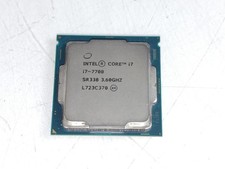
Intel Core i7-7700 3.6 GHz 8 GT/s LGA 1151 Desktop CPU Processor SR338
$39.99
Intel Core I7-3770 Processor (3.40GHz, 4 Cores, Socket H2 LGA-1155) - SR0PK
$40.00
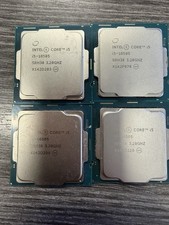
LOT OF 4 Intel Core i5-10505 6-Core 3.2GHz SRH38 CPU Processor
$349.95
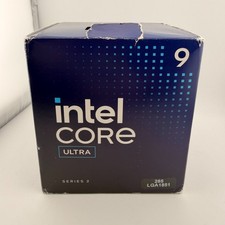
READ Intel Core Ultra 9 285 Processor LGA 1851
$449.99
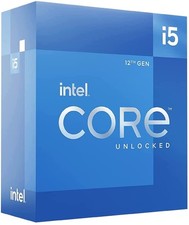
Intel Core i5-12600 3.30 GHz Processor CPU
$119.99
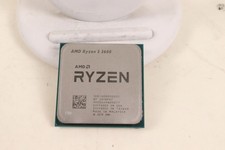
AMD RYZEN 5 3600 PROCESSOR | 3.60GHZ | 100-000000031
$59.99

AMD Ryzen 5 5600X Desktop Processor (3.7GHz, 6 Cores, AM4 CPU) 100-100000065
$135.00
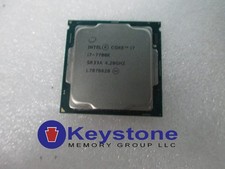
INTEL CORE i7-7700K 4.20GHz CPU QUAD CORE Processor SR33A *km
$66.99
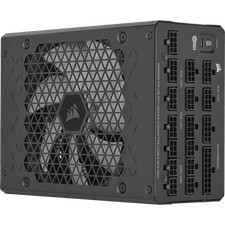
Corsair HX1500i 1500W 80+ Platinum Fully Modular ATX 3.1 PSU Certified Refurb
$207.99

INTEL CORE I7-870 SLBJG 2.93GHZ LGA1156 4 CORE CPU PROCESSOR
$23.00



 Reply With Quote