

 Reply With Quote
The knoppix cd is read-only you can't install anything like that.


hi
i have knoppix 3.6 and a geforce graphic card. i want install the nvidia grafic accelerator (like in the games edition of knoppix). i have download the file
"NVIDIA-Linux-x86-1.0-6629-pkg1.run" from the nvdia site. but it doesnt work. what i have to do?
thx fabian
The knoppix cd is read-only you can't install anything like that.
what about knoppix-live-inst ? I always load the nvidia drivers on that way, when I want to play tuxracer.
Right I forgot, the is an option to install nvidia drivers from the KNOPPIX menu.Originally Posted by your_breakfast
Thank you for this advice. I have try to reinstall knoppix (3.7). So I started Knoppix. I selected in the startmenu knoppix/utilities/install software and install the nvidia drivers. All worked fine. But after the installation of the nvdia drivers the command "knoppix-installer" doesn't work. i get following error message:
/usr/sbin/knoppix-installer: line 428: check_partition_ok: command not found
/usr/sbin/knoppix-installer: line 434: msgbox: command not found
/usr/sbin/knoppix-installer: line 435: menu_part: command not found
Before the installation it works. I also tried the knoppix-game edition and get the same error what i can do?
Fabian
You have a harddrive install?
Sorry, I thought that you were running off the cd,
Make sure you root and that the X server isn't running. Then try again.
(I've only tested it on a 2.6 kernel it may not work on a 2.4.)
I'm having the same problem - i install the nvidia drivers with the live cd running. Then go for the install while its working and get thoseerrors
Seeing that knoppix is close to kanotix try this:
wget http://kanotix.com/files/install-nvidia-6629-debian.sh
chmod +x install-nvidia-6629-debian.sh
./install-nvidia-6629-debian.sh
No promisses here...
Kanotix is "close" to Knoppix, but they arent the same... I tried to use one of Kano's scripts in Knoppix, was a NVidia driver script as well, it failed to work... Kanotix scripts "might" work, but no promisses, or support if they dont...
The way I had to "install" my NVidia drivers, twice, once with Knoppix v3.3 and the second time, with Knoppix v3.4 - was the compile method... Complete Kernel source compile...
Get the Vanilla Kernel Source
Get the Knoppix Kernel "patch" Source
Compile the new kernel - apply the Knoppix "patch"
Get the NVidia driver source, and compile the drivers into the new Kernel - then male the changes in the XF86 file...
You might want to do a Search Knoppix.net for nvidia and see if you can locate that article... If you cant, I can re-post my DOC on the proceedure -=- it was a little scary, but, it was easy to follow, and when I finished, my NVidia was doing marvelous FPS
Hope this helps,
Ms. Cuddles
Ok thanks for the replys, I've found that the latest knoppix 3.7 has a lovely little live install script for the nvidia drivers that works perfectly..... until that is you try to hdd install it (you can't if you install them). Also the gamer-knoppix has them on it (automatically as you boot) but again try to install that to the hdd is a nono.
Luckily the kano script does work after a "normal" hdd install - no kernel messing around or anything :P ...... although you should tweak the XF86Config-4 after,
"
Option "NoLogo" "On"
Option "NvAgp" "1"
Option "RenderAccel" "On"
The "NoLogo" option turns off the nvidia logo. The "NvAgp" option tells it to use the driver's built-in agpgart. "RenderAccel" turns on acceleration.
"
thanks to eco2geek for that.
Now for the damn sound
 Posting Permissions

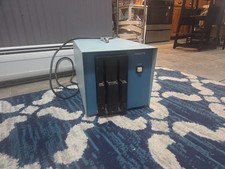
Vintage Industrial micro systems dual 8" Floppy disc drive for Altair system
$450.00
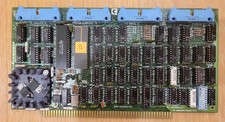
Cromemco TU-ART S-100 Serial and Parrallel Board - IMSAI Altair
$69.95

Cromemco PRI S-100 Printer Interface - Altair IMSAI
$45.00

S-100 backplane motherboard bare PCB 9 slot (for Altair/IMSAI)
$34.99
External Half Height Case For a 5 1/4 Inch Floppy Disk (Altair, IMSAI)
$49.95
$79.99

1976 Scelbi 6800 Software Cookbook Altair 680 SWTPC Assembly Language Motorola
$39.99

2x Intel C8080A White Ceramic Gold 76' Vintage 8-Bit CPU Microprocessor Altair
$449.99

CP/M 86 1.1R 8086 Highmonitor 8 Inch Floppy Diskette 80s IMSAI Altair
$40.00
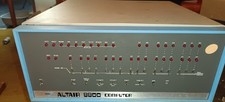
MITS Altair 8800 System Full Provenance and Documentation
$15000.00
