

 Reply With Quote
Hello,
I confirm exactly the same behaviour at my side (using loadlin.exe release c).
Any explanations or advice ?
Thanks !


Hi!
I just downloaded knoppix 3.7 iso latested version, tried the loading from HDD( by poor man's install),I typed:
-------------------------------------------
loadlin.exe linux26 root=/dev/hda1 initrd=minirt26.gz lang=us fromhd=/dev/hda1
------------------------------------------
it started quickly ,but stalled at Kernel panic...it just got hang up there...........
later I typed:
-------------------------------------------
loadlin.exe linux24 root=/dev/hda1 initrd=minirt24.gz lang=us fromhd=/dev/hda1
------------------------------------------
it run smoothly into KDE , but that's in kernel 2.4.27.
In fact I'd like to try knoppix3.7 running in Kernel2.6.9......
How shoul I enter kernel 2.6.9's knoppix3.7? by which cheatcodes?
Alternatively if there're other more concise methods for loading up knoppix3.7 from hard disk's iso images/or extracted knoppix files on win fat partition , do let me know as well!
Do hope you help indeed!
Regards!
tom
Hello,
I confirm exactly the same behaviour at my side (using loadlin.exe release c).
Any explanations or advice ?
Thanks !
Hi musclemania,
I think I've found the solution, because I succeeded tonight with kernel 2.6;
I would not be surprised if your hda1 is a fat32 partition ?? Please confirm.
If so, let's try it with an ext2 partition !
Enjoy !
Bonjour!Ciranus,
Surely your guess 're quite true in my case: hda1 is a fat32 partition of windows.
But pratically, how should I load it with an ext2 partition?by which commands?
Pls. elaborate your success experience step by step, ok?
Regards!
Bon 2005!
vincent
Hi Vincent,
Sorry for late reply; I don't come so often here;
If I remember well.... you have first to extract /knoppix from the iso.
For kernel26: /knoppix placed on fat32, it does not work; placed on ext2 partition, it works.
nb: you can use IsoBuster under windows to extract /knoppix from iso, or mount iso file under linux:
**********mkdir /mnt/sarge
**********mount -t iso9660 /mnt/hda6/sarge-i386-1.iso /mnt/sarge -o loop
But.... I think cheat-code linux26 for loadlin does not work.
You need to use /install/2.6/*.* kernel&init files instead of defaut linux 24 files.
If an expert does not agree, he's welcome for comments !
Hope it helps !
Rgds.
Small correction: I'm now concentrated on pure Debian i.s.o. Knoppix which explains a confusion;
=> Sarge*.iso to be replaced by Knoppix*.iso
/install/2.6/*.* path is valid for Debian;
For Knoppix, files to be found at \boot\linux26 & \boot\minirt26.gz
 Posting Permissions


Dell 6P85J 4TB ST4000NM0063 7.2k 6Gb/s 3.5” SAS SED Hard Drive with Tray
$39.99

Western Digital HUS726T4TAL5204 4TB 7.2K SAS 12Gb/s 3.5" 512e HDD NetApp X375A
$64.00

DELL 2TB Enterprise HDD (7200RPM, 3.5", SATA III, 128MB Cache) HUS722T2TALA600
$49.95

(ST8000NM0045) SEAGATE ENTERPRISE 8TB 7200RPM 4Kn SATA 6Gb/s 3.5" HARD DRIVE
$199.99

Seagate ST500DM009 BarraCuda 500 GB 3.5" SATA III Desktop Hard Drive
$14.99

HGST HUS724040ALA640 HDD 4TB SATA 6Gb/s 7.5K 3.5" 0F19459 512 b/s
$78.00
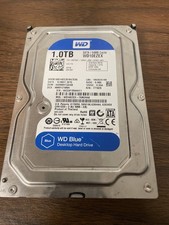
Western Digital WD Blue 1TB SATA 3.5in 7200RPM 64MB Internal HDD WD10EZEX
$14.99

HGST HUA723030ALA640 3TB SATA 7200 RPM 3.5 in Enterprise HDD | 0F14044 (100%)
$45.00

Seagate ST12000NM0127 12TB 256MB 7200RPM 3.5" SATA 6.0Gb/s Enterprise Hard Drive
$318.99

Seagate ST8000DM004 8TB 3.5" 6Gb/s 256MB SATA HDD P/N: 2CX188-300 Tested
$149.99