

 Reply With Quote
You can remove it with:Code:su update-rc.d ssh defaults
Code:update-rc.d -f ssh remove


Hi. I'm new to the whole linux / Knoppix scene and wanted to know how I can automatically startup a ssh server after booting. I have already successfully installed to my Hard Drive. I'm using Knoppix 3.4 I think.
Thanks a bunch!
CJackson0
You can remove it with:Code:su update-rc.d ssh defaults
Code:update-rc.d -f ssh remove
It worked perfectly. Thanks a bunch!
So what did that do and why?
update-rc.d is the debian way of managing services and daemons started by the init scripts. defaults sets up services to start and stop at certain points when changing runlevels. For ssh update-rc.d ssh defaults is the same as typing: update-rc.d ssh start 20 2 3 4 5 . stop 20 0 1 6 .
man update-rc.d will give you a better explanation.
ls -l /etc/rc5.d shows you what services are started and stopped and in which order at the graphical runlevel.
You can also manually edit this stuff although update-rc.d is easier.
/etc/rc5.d is the run control directory for run level 5 (graphical boot)
There are shortcuts in there which link to startup scripts usually in /etc/init.d. They are anme beginning with a capitol S or K (s for start and k for kill) folowwed by a two-digit number. The number determines the order in which the scripts are executed, highes number goes last.
You can create new links in this folder with the ln -s command like this.
ln -s /etc/init.d/ssh /etc/rc5.d/S90ssh
other runlevels-
rc2.d is for text mode boot without networking
rc3.d is for text mode boot with networking
rc1.d is single user (maintenance) mode and generally not much is run at this run level
I think 6 is for shutdown, not too sure about 4.
One of the things I always liked about Linux/Open Source is that it always is about learning. Check the /etc/inittab file for details on what each level does. It contains a lot more information. Check also the man page: man inittab, which will help you iinterpret each line.Originally Posted by arkaine23
If you are not sure what those levels are, just check the directories and a simple ls should reveal what services are started and which ones are stoped upon exit.
Once you learn to read the scripts, it is a very educating exercise.
--GN
Thanks for the help all! I might just be inquisitive enough to try and figure all this out. And then when I wreck it, I'll be re-installing but it'll be a fun ride.
Been there, crashed that. For a good fundamental understanding of Linux, try rute: http://www.icon.co.za/~psheer/book/index.html.gz
 Posting Permissions

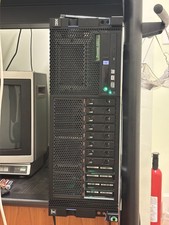
IBM POWER8 8286-42A S824 8-Core 128GB RAM 4.8TB SAS Fedora Linux Server PowerVM
$750.00

Lot of 2 IBM blade center Type H chassis 8852
$559.00

IBM 7915 AC1 M4 E27R704 Server Intel 2650V2 32GB RAM NO HDD w/ 2x 750w PSU
$200.00

IBM QRadar xx29 2x Xeon E5-2650v4 2x 900W PSU M5120 12x 3.5" Bay Server No RAM
$149.99

IBM Power S822 POWER8 1x CPU 32GB DDR4 RAM 2U Rack Server No HDD.
$629.99

IBM Power S922 9009-22A Power9 DDR4 10GbE 6X SFF Barebone Server
$999.95

IBM Power 8 S822L Server 8247-22L POWER8 Enterprise 256GB RAM 2x 00KV626 CPU
$999.99

IBM SYSTEM X3500 M3 SERVER 7380AC1 TOWER Server XEON E5620 8GB RAID SEE NOTES
$108.92

IBM System X3650 M3 Server Xeon E5620 2.4 GHz 16 GB Ram Raid M5015 No OS No HDD
$87.96

IBM QRadar xx29 M4 2x Xeon E5-2670 2.6GHz 16-Cores | 64gb | M5120 RAID
$349.99