-
Administrator
Site Admin-

Originally Posted by
sidnelp
.... I believe to set this up I would have to add a new partition to my drive and to do that I would have to reformat my entire drive as well. .
You can run Knoppix fine off the CD (or with that much memory, with the toram option) just fine. To write anything to the CD you would need a partition that you can write to, and that isn't a NTFS partition. No, you would not have to reformat your entire hard drive. What I did on my notebook (that came with XP) was to use Partition Magic to shrink the NTFS partition down to a bit more than the space it already took up. Then I created a FAT partition in the remaining space. Both Knoppix and Xp can read and write to the FAT (although in Knoppix it still defaults to a safe read-only mount and you explicity mount it read/write if you want to). I'm still running Knoppix from CD, nothing installed.
Originally Posted by
sidnelp
As for your suggestions, I've got 1GB of ram and two burners so that isn't an issue.
Yup, you're in great shape there. I can't tell you what happened wrong for you when writing a CD. I wasn't there and actually I've never done it in Knoppix (one CD writer and not enough memory for the toram option), just in DSL. But it was extremely easy with the burner built in to DSL. My suggestion would be to sit down some time with Knoppix and a pile of blank CDR media or (better yet) a couple of CDRW's and play with it a bit before you need it, then you'll be ready the next time xp strikes. Failing that, get a copy of DSL and try that.
Originally Posted by
sidnelp
When I was messing around with it I figured out that my hard drive cannot be written to. I made sure it was not on read-only but that didn't help. I'm thinking maybe because it's NFTS?
You should never make an NTFS partition read/write under Knoppix. Just be glad that you (apparently) were not punished for this. Other types of partitions can be made read/write (from what you say you've already found how to do this).
Originally Posted by
sidnelp
Also, my sound card does not work with knoppix. I have a Sound Blaster Audigy 2 ZS. I tried using 'knoppix alsa' when booting but that didn't work. Maybe it's not supported.
Not sure about that. Maybe someone who knows will respond here, but a seperate post in the hardware forum with Audigy in the subject is likely to catch more eyes. Good luck.
 Posting Permissions
- You may not post new threads
- You may not post replies
- You may not post attachments
- You may not edit your posts
-
Forum Rules

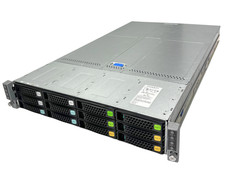
Intel S2600TP 4-Node 32 Core Server 8x Xeon E5-2630 v3, 256GB DDR4 RAM, 2x 1600W
$1685.00

Dell PowerEdge M630 Blade Server 2x Xeon E5-2680 v4, 2F3MP , 4GDP5 ,R10KJ ,JVFVR
$95.20

Dell PowerEdge M640 Blade Barebone Server Dell P/N: HHB006 Tested Working
$149.99

Dell PowerEdge M620 Blade Server 2x Xeon E5-2680v2 2.8ghz 20-Cores | 128GB
$149.99
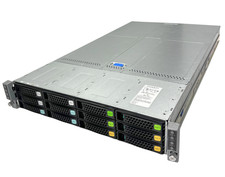
Intel S2600TP 4-Node 64 Core Server 8x Xeon E5-2620 v4, 256GB DDR4 RAM, 2x 1600W
$1785.00

Dell Poweredge C6400 24x 2.5’’ 2x 2400W 4x C6420 Nodes H330 | 2x SFP | 8x Trays
$799.99

HPE PROLIANT BL460C GEN 9 813198-B21 2.5"x2 Server Blade SEE NOTES
$21.08

Datto S4P10 1U Blade Rack Server Intel Xeon D-2143IT 2.20GHz 48GB DDR4 4-Bay PSU
$197.76

Cisco UCS 5108 Blade Server Chassis Enclosure N20-C6508 4x PSU 8x Fans 2x Fabric
$174.99

AS IS READ DESCRIP. Supermicro SuperServer 6026TT-HIBQRF 12-Bay 4x X8DTT-HIBQF
$215.00



 Reply With Quote