

 Reply With Quote
Do you lose what is on the HD if you partition free space as said above?? I have XP and wish to install Knoppix. My questions are identical to kamal's, any help would be appreciated.


The swap is like virtual RAM. If you have alot of real ram you don't need alot of swap.Originally Posted by kamal
Do you lose what is on the HD if you partition free space as said above?? I have XP and wish to install Knoppix. My questions are identical to kamal's, any help would be appreciated.
If you have windows, and have not done any partitioning yet, you don't have "free space," aka unpartitioned space, on your hard drive. What you have unused space in your windows partion. You need to use something to shrink the windows partition.
If it's NTFS, be careful what you use. I have used bootitng to resize a windows NTFS partition without any data loss, but as always it's suggested you back up your data first.
If you already have true "fre space" (unpartitioned space) then there's no data there (unless you have special recovery software...) so no, you don't lose any data that you currently have. Knoppix can auto-partition "free space" assuming you give it at least around 5 gb, though I'd suggest 10 gb or more. Assuming there's no unusual problem, you should also be able to select your old OS to boot into also every time you restart.
so....
Those there is always a chance that data can be destroyed (with anything that changes the drive) i've never had a failed case with qtparted.
So yes, its safe.
Download Mandrake 10.1 community iso1 and run that. In there is a expert partitioning tool that can be use to resize without destruction of your windows system. Once you do the partition resizing then it will go to packages that you want installed with choices. There I turn the conputer off there and there you go, a new small partition. I have done it three times to windows partitions with nothing bad happening, except for what i did myself, http://www.knoppix.net/forum/viewtop...649&highlight=, but that was not part of the resizing, that was part of a botched install. The only way I foud out that it works like that is try it. I backed up everything and crossed my fingers the first time. Now I know that it works good. Windows will run a filesystem check at boot a few times but that was it. Go to your defrag utility and check to see where your files are in your partition. Then start defraging. I did it four time before I got everything to the front of the partition with alot of room.
Once it created a partition on both sides of it because I didn't do it enough. Like compressing it together and something come out both sides. But it still worked. I ended up with two more partitions instead of one.
Hope this helps. You can get that here: http://iso.linuxquestions.org/version.php?version=71
Well, that seems like alot to download just to resize when qtparted does the job just fine.
Does that do it non destructivly? I would like to know because I would use that instead.
Yea, works nicly.
I could have used that and crossed my fingers aye. I will try it in the future.
 Posting Permissions


1969 EAI TR-20 Analog Computer Programming PACE Philbrick Electronic Associates
$36.00

Vintage George A Philbrick Researches Tube Analog Computer Module Serial 005503
$109.99

Refurbished Working 1960's Heathkit EC-1 Educational Electronic Analog Computer
$2999.99

Vintage Donner Scientific Analog Computer Patch Cords Banana Plugs & Resistor
$70.00

Extron RGB-160XI Analog Computer Video 60-378-01
$127.06
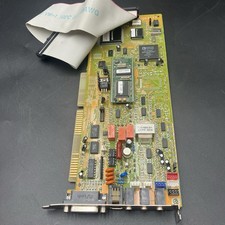
Packard Bell ISA Sound Card AD1845XP Analog Devices SoundPort DOS Win95 Untested
$25.46

Vintage Analog Computing Magazines For Atari Computer Owners No 11-20 Acceptable
$75.00

Vintage 1970’s Analogic MP2110 10-Bit A/D Converter Computer Circuit Board
$24.99
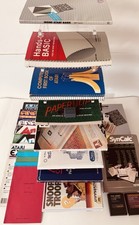
Atari Home Computer Software/Books/Manuals/Magazines Lot - Read desc for details
$95.00
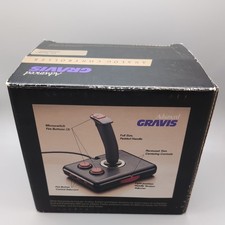
Advanced Gravis Analog Controller Joystics For Tandy Computers complete in box
$90.98