-
want to install knoppix...plz help
Alright, here is my delima....I think. I have a NTFS 40 Gig Hard Drive, in which I tried to install knoppix to some time ago, using a partition made by partition magic, but then ended up screwing up the enter HD and had to reformat it, so I figured it was too risky to do. Today, I got a 6 Gig, FAT32 HD that I wish to install knoppix to. There is nothing on it, just freshly reformatted.
So i pop in the Knoppix CD, and use the command "sudo knoppix-installer" it starts the hdd install process, then tells me this drive doesn't meet the specifications, that it isnt blank, so it opens up some program called "QTParted" or something. So I format that drive using whatever that was, well that didnt work, so I went back to windows for a couple minutes. I then opened up My Computer, and noticed that the hd was no longer in the list. Yet, when I look here on knoppix, it does show up....
So I tried to install again, and this time it went through, but then said "You do not have the authority" or whatever "to write on this disk", which I read somewhere else it means that the hd needs to be unmounted. So my questions....
1. How do I umount the 6 gig HD?
2. Why isnt it showing up in the My Computer thing anymore?
3. If and when I get it installed to this HD, im not exactly sure how to boot from that HD, would i just do the good old F11 boot menu at startup and choose my second HD?
4. Once on knoppix will I still be able to access files from my other HD (Like my music etc) and same vice versa....
5. There is no 5, thanks in advance though to ANYONE who can help me out!
-
JohnT - I'm also a newb but I will try my best to help you.
1. How do I umount the 6 gig HD? - Is this Mount or Unmount?
2. Why isnt it showing up in the My Computer thing anymore? - It is not showing because it most probably have the ext3 (linux format)
3. If and when I get it installed to this HD, im not exactly sure how to boot from that HD, would i just do the good old F11 boot menu at startup and choose my second HD? - When you're installing, you'll have the option of dual booting (if you have windows)
4. Once on knoppix will I still be able to access files from my other HD (Like my music etc) and same vice versa.... - you have to mount the other harddisk (windows) once you've installed/run Linux
5. There is no 5, thanks in advance though to ANYONE who can help me out! - You're welcome.
Similar Threads
-
By susanjohnson in forum Hdd Install / Debian / Apt
Replies: 4
Last Post: 04-21-2005, 11:36 AM
-
By techdesk in forum Hdd Install / Debian / Apt
Replies: 1
Last Post: 01-21-2005, 03:14 AM
-
By nmz787 in forum Hdd Install / Debian / Apt
Replies: 1
Last Post: 11-21-2004, 09:17 AM
-
By Jez in forum General Support
Replies: 4
Last Post: 08-09-2004, 09:06 PM
-
By Superstoned in forum Hdd Install / Debian / Apt
Replies: 2
Last Post: 08-27-2003, 03:04 PM
 Posting Permissions
- You may not post new threads
- You may not post replies
- You may not post attachments
- You may not edit your posts
-
Forum Rules


GIGABYTE A520M DS3H AC AMD AM4 Motherboard mATX
$59.99

Intel H310 LGA1151 8-9th Gen DDR4 M.2 NVMe mATX Motherboard IO Shield Battery
$54.99
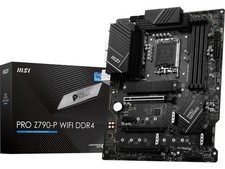
MSI PRO Z790-P WIFI DDR4 LGA 1700 Intel Z790 SATA 6Gb/s DDR4 ATX Motherboard
$163.49

MSI B460M-A Pro DDR4 LGA 1200 Micro ATX Motherboard 10th Gen
$59.99

Intel H81 Motherboard M.2 NVMe LGA 1150 mATX w/ IO Shield (Random Slot Color)
$29.90

GIGABYTE B365 HD3 LGA1151 Intel 9th Gen motherboard
$59.99

ASUS PRIME Z370-A II LGA 1151 Intel Z370 DDR4 DIMM USB3.1 DVI ATX RGB
$69.99

ASRock B550M PRO4 AM4 AMD B550 SATA 6Gb/s Micro ATX AMD Motherboard
$76.49
GIGABYTE X570 UD AM4 motherboard +AMD Ryzen 9 3900x CPU+Cooler
$250.00

ASUS PRIME Z490-V Motherboard Intel Z490 10th gen DDR4 LGA 1200 ATX w/ IO Shield
$84.99



 Reply With Quote