

 Reply With Quote
You could try command, soundconfig (needs to be root), to see if knoppix has detected your sound card. If that does not help, you should post your output from lspci -v.


First time using Knoppix/Linux, with the Knoppix V3.6 live CD, WITHOUT doing anything on my own I can access the web, view movie and play mp3 files....except there is NO sounds...(no sound also during the loading of desktop....)???
I tried Knoppix alsa, not working....
Can anyone help me? I 've Asus P4P800SE motherboard with (AC97) ADI 1985 on board sound.
Thanks for your help in advance.
You could try command, soundconfig (needs to be root), to see if knoppix has detected your sound card. If that does not help, you should post your output from lspci -v.
Knoppix DID detect my on board sound card as something like...intel8x0, but just no sounds? or do I need to enable the sounds somewhere?
I also tried the Ubuntu 4.10 live CD and I can hear sounds upon loading the backgound screen, but I prefer Knoppix being the video player is SO much better/clearer and the NIC card works flawlessly whereas with Ubuntu I could not even play any mp3/video files at all but it got sounds (upon loading the welcome screen). This is really driving me crazy, both live CDs uses the same Linux thing and yet......
How curious. I was looking for an answer to sound problems similar to this today and eventually found this thread:
http://www.knoppix.net/forum/viewtopic.php?t=2831
It looks kind of good but have not tried it myself yet. I am not sure whether this thread covers LiveCD usage, hard disk install or both.
It's worth a look.
ICPUG
ok, I had the same problem on the EXACT SAME MOBO.
The Ac97 is supported, but for some reason (As it being SO damn popular) it doesnt work without the following.
Heres the thread I started, and got the problem solved.
http://www.knoppix.net/forum/viewtop...937&highlight=
type this cheatcode at bootup,
knoppix26 alsa=intel8x0
^Exactly like that at the boot prompt
should work
I get my sound working after enabling it in the control center by choosing artsplay as the external player. It seems to work in 3.6, 3.7 and in kanotix. I have the exact same setup also and that's all I have to do.
Thanks greygooseplz, ++++++++++++++
After several days of NO sounds with live CD, I finally got it with your magic line Knoppix26 alsa=intel8x0 !
Everything is looking good now, NIC card/Printer/Movie Player(Xine)/XMMS(Sounds) all working....
I am ready to install Knoppix on my HD and just wondering how do I do that with the live CD and do I have to issue the command Knoppix26 alsa=intel8x0 at evry boot up? ( should I install V3.7 instead of V3.6 ?)
Thanks again for all your help/feedback.
Thank Markus too
[edit]
Enter these commands in the konsole after youve booted
[/edit]
Type ,
knoppix-installer
maybe
su knoppix-installer
or
sudo knoppix-installer
Into the command line
Have you already setup your partitions/or know what to do?
In knoppix you can use qtparted, its a GUI and easy to use.
type
qtparted
in the command line
Im pretty sure you have to use sudo/su with that (Sudo/su gives you root acess for the current terminal.)
ohh, When I installed mine to the HDD I didnt have to use the alsa=intel8x0 again, for some reason. Just install from your system after using the cheatcode, I think its remembered during install-not positive though....
Thanks for your help again, the installation went smoothly, but for some strange reasons Xine would play all .avi files fine but when launching .mpg/mpeg files, XMMS would launch itself and I could hear the sound from the movie and Xine would also launch but no movie? Do I need to install codecs for Xine to play .mpg/mpeg files? or what other movie player/s option do I have?
http://xinehq.de/index.php/faq ---Xine frequently asked questionsOriginally Posted by tigerb
"I can hear the audio - but I don't see a picture!"
Probably your hardware is simply too slow - see above for some hints on how to speed things up.
Another possibility is that you using a buggy Xv driver, see the next questions.
I only see a blue (or green or black) video image most of the time.
You are either watching a very boring video (just kidding) or you are suffering from a bug in the Xorg 6.7 implementation of X11.
The workaround is to add the line
Option "XaaNoOffscreenPixmaps"
in the Device section of your X server configuration (usually /etc/X11/xorg.conf or /etc/X11/XF86Config).
Maybe that could be the problem?
As for XMMS starting also, you might try setting Xine to be the default media playerand/or set Xmms not to play any media by defaqult.I think both players have point and click configs.
I use Mplayer
http://www.mplayerhq.hu/homepage/design7/dload.html
 Posting Permissions


HP 2x 10GB OPNsense Quad Core i5-8500 8GB RAM 3Port Gigabit Firewall AES-NI SSD
$199.95

Zero Trace Pen: All-in-one Tor Network Anonymous Drive + Cryptocurrency Wallet
$147.00

OPNsense Firewall 16-Core Atom C3958 16GB DDR4 RAM 64GB SSD 8x 1Gbe QAT AES-NI
$195.00
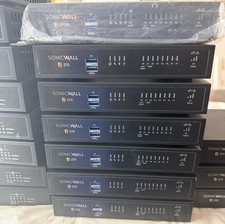
SONICWALL TZ270 Network Security Base Appliance Only (02-SSC-2821) - Open Box
$195.00

OPNsense pfSense 8-Core Atom C3758 2.2GHz 8GB DDR4 64GB SSD 8x NIC QAT AES VPN
$145.00

OPNsense pfSense 16-Core Atom C3958 16GB ECC RAM 512GB SSD 8-Port QAT AES-NI VPN
$258.00

Fortinet FortiGate 60F FG-60F UTM UTP License Until 2027 Network Security FW VPN
$229.99
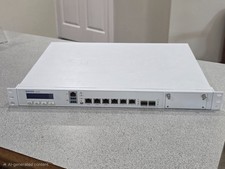
Sophos XG 210 Rev. 3 Firewall Appliance – 8GB RAM / 128GB SSD – Tested & Reset
$149.99

SonicWall TZ280 Firewall 03-SSC-6933 Advanced Edition 3YR NEW SEALED
$999.99

Check Point 1590 Firewall & w builtin WiFI and builtin LTE sim slot
$95.99