

 Reply With Quote
modprobe usb-storageOriginally Posted by LinuxSam


Hi!
I have tried the new feature to have a persistent home-directory on USB-memory and I love the featuere... however I have a problem... It works on most computers I've tried it on but not on my own computer. The USB-memory isn't detected and hence there is no partition to mount as my home-direrctory. I have checked and the usb-storage module isn't loaded.
The only diffrence I have found between my computer and the ones it works on is that I have a SCSI-disk and it occupies the designation /dev/sda I have tried to specify /dev/sdb1 for the USB-memory but since it isn't even detected there is nothing to mount.
How do I solve this? Is there a way to force the loading of the usb-storage module? something else?
Any help is appriciated.
/LinuxSam
modprobe usb-storage
LOL that much I knew...
let me rephrase... Is there a way to force loading of the usb-storage module during bootup.
so that It will detect ethe USB-memory before it is about to mount the home directory.
/LinuxSam
Oh - hehe
/etc/modules
I know how to force the load of modules in a regular Linux system...
so what you say is I have to edit the Knoppix Image itself???
/LinuxSam
I don't think editing the CD will help much. USB should be detected at boottime. Or does modprobeing really help? Then you might try adding it to knoppix.sh for example.
If i understand thing right you use a scsi configuration.
You have only one harddisk and this is a scsi disk...right ?
Before you blame the scsi controller u should try to boot without the scsi controller and harddisk.
If the USB memorystick still doesn't function then the problem lays elsewhere.
If the memorystick does function after testing without scsi then there's your problem.
Make sure evreything is alright, terminators installed etc.
This is my situation...
I have a Debian testing/unstable system... and the USB-memory works really nice... it is detected when I plug it in ( USB-storage compiled into the kernel) and I have no problems with it... it is detected at /dev/sdb since I allready have one scsi-disk. ( a real one that is /dev/sda)
but when I try to boot Knoppix on my system the USB-memory is not detected. and since it is not detected I can not mount it as my home directory.
If I, when knoppix has booted, run modprobe usb-storage the USB-memory is available for mounting but that is to late to use it as my home-directory.
My system is like this:
AMD XP1500+
MSI K7T266 Pro2
256Mb DDR
2 x 80 Gb WD harddrives (hda and hdd)
1 x 40 Gb IBM harddrive (hdc)
1 x 18,3 Gb IBM UltraStar SCSI (sda)
1 x DVD-rom ( hdb)
1 x PlexWriter SCSI (sr1)
1 x Plextor Ultraplex SCSI (sr0)
Tekram DC-390F (SCSI-card)
PoV Geforce3 Ti200 128Mb DDR
AOpen AW744 (soundcard)
bt878-based TV-card (Hauppage)
I hope this cleared things up a bit.
/LinuxSam
Hmmm.....that's strange.
Do you use an onboard scsi controller or the 'real' thing ?
Does the controller has it's own bios ?
It has been a while since i used scsi under linux, but i do know that an onboard bios/firmware can cause you a lot of troubles....on the other hand Debian doen't seem to have a problem.....
You have a stange combination of components installed i must say
Try to change the scsi id of the harddisk.
The SCSI-controller is "the real thing" and it has it's own BIOS. Have also updated to the latest firmware for the SCSI-card.
And what is so strange with the hardware I've got?
/LinuxSam
 Posting Permissions


Dell PowerEdge FX2s + 8x FC430 Blades 16x E5-2630v4 160 Cores Rails No PSU/RAM
$699.00

Dell PowerEdge FC430 Blade Server 2x Xeon E5-2630v4 20 Cores FX2 FX2s No RAM/HDD
$119.99

Dell PowerEdge M630 Blade Server 2x Xeon E5-2680 v4, 2F3MP , 4GDP5 ,R10KJ ,JVFVR
$95.20

Dell PowerEdge M640 Blade Barebone Server Dell P/N: HHB006 Tested Working
$149.99
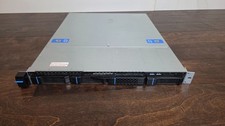
Datto S3P6000 4x 3.5" 1U Blade Rack Server Intel Xeon D-1541 @2.10GHz 48GB DDR4
$128.96

Datto S4P10 1U Blade Rack Server Intel Xeon D-2143IT 2.20GHz 48GB DDR4 4-Bay PSU
$197.76

Dell PowerEdge M620 Blade Server 2x Xeon E5-2680v2 2.8ghz 20-Cores | 128GB
$149.99

HPE PROLIANT BL460C GEN 9 813198-B21 2.5"x2 Server Blade SEE NOTES
$21.08

NETAPP HCI NAF-1701 SuperMicro Server 4X BLADE H410C 8X GOLD 5120 4 NODE SERVER
$1499.97

Dell Poweredge VRTX 25Bay 2.5" 2x PERC 8, 2xCMC, I/O 1GB Pass Through, 4x PS
$578.08
