-
Senior Member
registered user
If you are using "next generation" klik, then you can copy the klik installed AppDirs _any_ Linux(!) partition (not neccessarily into the $HOME and then run them directly from there).
With klik's new Compressed Application Images (cmg files), you can put those anywhere you want, including Non-Linux partitions (FAT USB-Sticks). For more information, please see http://klik.atekon.de/docs/?page=Com...ation%20Images
For instructions on how to use, please see
http://klik.atekon.de/docs/?page=How%20to%20use
Greetings,
probono
-
From http://klik.atekon.de/docs/?page=How%20to%20use
Client
In order to use klik, you need to have the klik client installed. Kanotix BH 9 and newer have this by default (when running from the Live CD), and for other Knoppix derivates you can follow the following instructions:
* Make sure you are really using one of the supported distribution versions
* Press Alt-F2 and paste:
* wget klik.atekon.de/client/install -O -|sh
Then you can point-and-klik install the software packages from this site.
.cmg files
Support for .cmg files is now installed by the klik client.
* Simply click on .cmg files in KDE to run them. (Or drag .cmg files on ~/.xAppRun in order to run them. The klik client sets KDE to open .cmg files with ~/.xAppRun automatically.)
I installed klik on KanotixBH8 LiveCD some time ago (from the berlios.de site) before your new changes.
(I run "diskless", booting from CDROM.)
Do I need to delete the older version and install the newer one?
Thanks...
-
Well, I (partially) answered my own question...by trying to download "sillypoker".
klik said I needed to update it...and did so. Then I went ahead with the "sillypoker" download.
klik says "90%", whereas 100% of 46.1 KB shows complete.
I opened the file ' .zAppRun ' (it's the only new thing I could find in my HOME folder) with KWrite, and here are the contents:
#!/bin/sh
# by probono at myrealbox dot com
# thanks to bfree
# GPL
#
# ok we need dialogs now
#
if [ -z "$DIALOG" ] ; then
# Determine which dialog to use in which situation:
# Xdialog (in all other cases)
DIALOG=Xdialog
# kdialog (in case there is no console available and we are running KDE)
( ps -e 2>/dev/null | grep kdeinit >/dev/null 2>&1 ) && DIALOG=kdialog
# dialog (in case there is a console available)
GUIMODE=$(tty)
( echo $GUIMODE | grep /dev/tty[:digit:] >/dev/null ) && DIALOG=dialog
fi
# Setup defaults for whatever dialog we are using
case $DIALOG in
kdialog)
DIALOG_OPTIONS=" --caption klik" ;
KLIKDIR=":klikdir" ;;
Xdialog|dialog)
DIALOG_H=12
DIALOG_W=60
DIALOG_OPTIONS=" $DIALOG_H $DIALOG_W" ;
KLIKDIR="~" ;;
esac
derror(){
case $DIALOG in
kdialog)
$DIALOG --error "$1" $DIALOG_OPTIONS
;;
Xdialog|dialog)
$DIALOG --msgbox "ERROR: $1" $DIALOG_OPTIONS
;;
esac
}
# check fstab and warn if neccessary entries are not there
# better use /media/klik according to FSH?
if [ -z "$(cat /etc/fstab | grep app/7)" ]
then
derror "Your /etc/fstab is not yet prepared for mounting .cmg images.
As root, please make /mnt/app writeable and add the following lines:
################################################## ##############
/mnt/app/1/image /mnt/app/1 auto user,noauto,ro,loop,exec 0 0
/mnt/app/2/image /mnt/app/2 auto user,noauto,ro,loop,exec 0 0
/mnt/app/3/image /mnt/app/3 auto user,noauto,ro,loop,exec 0 0
/mnt/app/4/image /mnt/app/4 auto user,noauto,ro,loop,exec 0 0
/mnt/app/5/image /mnt/app/5 auto user,noauto,ro,loop,exec 0 0
/mnt/app/6/image /mnt/app/6 auto user,noauto,ro,loop,exec 0 0
/mnt/app/7/image /mnt/app/7 auto user,noauto,ro,loop,exec 0 0
################################################## ##############"
exit 1
fi
# rewrite cmdline to use absolute instead of relative paths, thanks bfree
NEWCMD=$(perl -e '$newcmd=shift(@ARGV);foreach $arg (@ARGV){ @part=split(/\=/,$arg); foreach $part (@part){ (-e "$ENV{PWD}/$part") && ($part="$ENV{PWD}/$part");}$newcmd.=" ".join ("=",@part);} print "$newcmd";' $@)
set -- $NEWCMD
# if no arguments are passed and
# there is a .cmg in the same directory as this
# script, then use the .cmg
DIRNAME=$(dirname $0)
if [ -z $1 ]
then
CMG=$(find "$DIRNAME" -iname '*.cmg'|head -n 1) || exit 1
echo "Found $CMG, using it"
else
CMG="$1"
shift
fi
make path to CMG absolute, thanks bfree
case $CMG in
/*) ;;
*) CMG=$(pwd)/$CMG ;;
esac
# determine which filesystem is used as .cmg
file $CMG | grep ": data" >/dev/null && FS=squash # who knows a better way to recognize it?
file $CMG | grep "Compressed ROM" >/dev/null && FS=cram
file $CMG | grep "ISO 9660" >/dev/null && FS=iso
if [ -n "$FS" ]
then
NUMBERS="7 6 5 4 3 2 1"
for NUMBER in $NUMBERS
do
[ -e "/mnt/app/$NUMBER" ] || MNTNUM=$NUMBER
done
case $FS in
squash) MOUNT=/mnt/squash/$MNTNUM ;;
*) MOUNT=/mnt/app/$MNTNUM ;;
esac
mkdir -p $MOUNT || exit 1
ln -s $CMG $MOUNT/image || exit 1
mount $MOUNT || derror "Unable to mount $MOUNT"
else
# NOTE: exit now cause our cmg isn't mounted
derror "$CMG does not appear to be either a squashfs, iso9660 or a cramfs file"
exit 1
fi
#
# execute the wrapper
# the wrapper should take care to keep running until its app closes
#
# we need this so that on the cmdline, pipes etc work
CMDLINE="yes"
( tty | grep ^/dev/tty >/dev/null ) && CMDLINE=""
( tty | grep ^/dev/pts >/dev/null ) && CMDLINE=""
if [ "$CMDLINE" = "yes" ] ; then
RESULT=$($MOUNT/wrapper $@ 2>&1) || error "$RESULT"
else
$MOUNT/wrapper $@
fi
# kill all child processes
kill $(pidof -x -o %PPID) 2>/dev/null
# unmount and clean up
umount $MOUNT
rm -f $MOUNT/cramfs
rm -r $MOUNT/
Hope this means something to some of you here... 
Any help or comments?
Thanks...
-
Senior Member
registered user
You should also have a sillypoker.cmg file on your desktop which you will just need to click (in KDE) to run it.
-
Thanks, bfree...
As close as I can tell, this error seems to point to, at least, part of the problem: -- It's what I get when I click on the sillypoker desktop icon...
Your /etc/fstab is not yet prepared for mounting .cmg images.
As root, please make /mnt/app writeable and add the following lines:
################################################## ##############
/mnt/app/1/image /mnt/app/1 auto user,noauto,ro,loop,exec 0 0
/mnt/app/2/image /mnt/app/2 auto user,noauto,ro,loop,exec 0 0
/mnt/app/3/image /mnt/app/3 auto user,noauto,ro,loop,exec 0 0
/mnt/app/4/image /mnt/app/4 auto user,noauto,ro,loop,exec 0 0
/mnt/app/5/image /mnt/app/5 auto user,noauto,ro,loop,exec 0 0
/mnt/app/6/image /mnt/app/6 auto user,noauto,ro,loop,exec 0 0
/mnt/app/7/image /mnt/app/7 auto user,noauto,ro,loop,exec 0 0
################################################## ##############
.................................................. ..............................................
I also see these files (but I'm not certain they are relevant here):
file:/tmp/kde-knoppix/de.xkm
file:/tmp/kde-knoppix/fr.xkm
file:/tmp/kde-knoppix/konqueror-crash-PJFoQa.log
file:/tmp/kde-knoppix/ksycoca ***
file:/tmp/kde-knoppix/us.xkm
***1 MB
-
Senior Member
registered user
I think there was a little bug in the klik installl recently. Try installing it again. It should make those changes for you, or if not it should give you a message telling you it didn't and telling you that you can just run the file klik-cmg-install-root (which is in your home directory) as root to make the changes.
-
" Try installing it again"
Do I have to DELETE the previously installed stuff first? Or, will the re-install automatically over-ride it?
Thanks...
-
Senior Member
registered user
No need to delete anything, just install it again.
-
Did so...Same result as before:
klik ERROR:
Your /etc/fstab is not yet prepared for mounting .cmg images.
As root, please make /mnt/app writeable and add the following lines:
################################################## ##############
/mnt/app/1/image /mnt/app/1 auto user,noauto,ro,loop,exec 0 0
/mnt/app/2/image /mnt/app/2 auto user,noauto,ro,loop,exec 0 0
/mnt/app/3/image /mnt/app/3 auto user,noauto,ro,loop,exec 0 0
/mnt/app/4/image /mnt/app/4 auto user,noauto,ro,loop,exec 0 0
/mnt/app/5/image /mnt/app/5 auto user,noauto,ro,loop,exec 0 0
/mnt/app/6/image /mnt/app/6 auto user,noauto,ro,loop,exec 0 0
/mnt/app/7/image /mnt/app/7 auto user,noauto,ro,loop,exec 0 0
################################################## ##############
-
Senior Member
registered user
ok, you will have to follow the instructions it is giving you. As root you need to make a directory called /mnt/app and make it writable by you (you could just "chmod 777 /mnt/app"), then you need to edit /etc/fstab and add the lines you have listed below. It's a bit strange that you are getting the errors though  I'm in #klik on irc.freenode.net at the moment if you want to try and figure it out, not sure how much longer I'll be there for though
Similar Threads
-
By CMDR Sweeper in forum Hdd Install / Debian / Apt
Replies: 3
Last Post: 02-07-2006, 06:12 PM
-
By computerman0216 in forum General Support
Replies: 1
Last Post: 01-15-2004, 03:35 AM
-
By Tuschedz in forum General Support
Replies: 3
Last Post: 10-03-2003, 06:42 AM
-
By brainlessdumb in forum Customising & Remastering
Replies: 0
Last Post: 04-28-2003, 02:23 PM
-
By Mycroft1855 in forum Customising & Remastering
Replies: 4
Last Post: 02-16-2003, 11:19 PM
 Posting Permissions
- You may not post new threads
- You may not post replies
- You may not post attachments
- You may not edit your posts
-
Forum Rules


Kingston 32GB 64GB 128GB 256GB USB 3.0 Flash Drive Thumb Memory Stick Pen lot
$285.90

Microsoft Office 2021 Pro Plus USB for 1PC Windows 10 & 11
$62.55
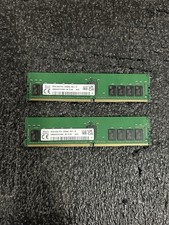
Set of 2 HMAA4GR7CJR8N-XN HYNIX 32GB (1X32GB) 2Rx8 PC4-3200AA MEMORY
$600.00

TF/SD Card Adapter Camera Reader Android Type-c For iPhone17 Pro Max Plusm lot
$573.98
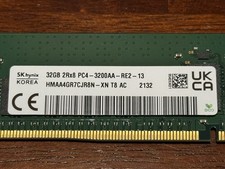
SK Hynix HMAA4GR7CJR8N-XN 32GB 2Rx8 PC4-3200AA DDR4 ECC Server Memory RDIMM
$329.99

USB 3.0 Flash Drive 32GB 64GB 128GB Memory Stick Thumb Stick Lot Pack
$826.09
SAMSUNG 128GB (4x32GB) M393A4K40BB1-CRC4Q RAM DDR4-2400T RDIMM ECC Memory
$666.00
Kingston Renegade Pro 32gb 2x16gb 5600
$850.00

MICRON MTA36ASF4G72PZ-2G6D1 32GB PC4-21300R DDR4-2666V RDIMM 2RX4 MEMORY DIMM
$139.99

1/ 10/ 100pcs USB 2.0 2GB, 4GB ,8GB ,16GB ,32GB ,64GB 128GB USB Flash Drives Lot
$202.50



 Reply With Quote