

 Reply With Quote
booting with "knoppix 2" will boot to a comand line... and when x shutsdown it will not reboot.... allowing you to read the x startup and find any errors....


After knoppix boots it detects hardware it says something like x will start one time to configure video for knoppix ...
Then the knoppix screen appears and the speakers say "initiating.." and then, it says "initiating shutdown..." and then x exits without errors and the shutdown the computer.
I've tried on 2 different machines:
* Athlon Xp 1800 with 512 mb DDR PC2700, asus a7v266e nvidia g-force 2 gts 64 mb ram, on viewsonic e773, 2 30gb hard disks on raid 0, sblive mp3, and, of course, mouse and keyboard
* Pentium II 400 on soyo 6be with 384 mb, matrox mga400 32mb on viewsonic e655, 15gb hd, sb16 vibra and, of course, another keyboard and mouse.
I've tried with the vesa option, with different resolutions and the only time it works was when i chose other window manager... i don't remember which but it was ugly (it was not g-nome nor kde).
Anyone know what can i do??
booting with "knoppix 2" will boot to a comand line... and when x shutsdown it will not reboot.... allowing you to read the x startup and find any errors....
Two machines with the same error lead me to suspect the CD itself. Use the MD5 checksum program to ensure that you have a good ISO image. Alternately, you can try re-burning the CD and see if the second copy works better.Originally Posted by _CaLeB_
Thanks for the speed in response.
I've done that and i found 2 errors with the (EE) symbol in front
they say:
MGA failed to load module "MGA.hal" (module does not exist,0)
MGA(0) no V_BIOS found
That's all....
I wonder if it kde or gnome or what ???
i tried startx but i don't know how to choose start kde or gnome or others
T.I.A.
boot up with knoppix 2, and then su to the knoppix user, like this:
su knoppix
your prompt should now be a $ instead of a #
then use an editor to make your .xinitrc file like this:
jpico .xinitrc
which will start jpico a fairly easy to use editor, use vi or ?? if you are familiar with something else then put this line in the file:
startkde
then save the file and use startx.
rock
I've tried to edit the file but when i want to save i get the "I cant read file" or something...
i dunno if it is for the read-olny mounted linux (i think i've readed that on a faq) or that i'm not in the right directory to put it.
Sorry but i am kinda newbie in linux scheme and i don't know where to run...
Thanks
 Posting Permissions


OEM Genuine 42Wh WDX0R For DELL Inspiron WDXOR Battery 15 5567 5568 13 5368 7368
$22.99

OEM 68Wh 3HWPP Battery For Dell Latitude 5401 5501 5410 5510 E5411 E5511
$28.99
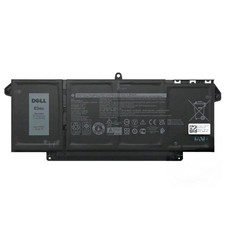
Genuine OEM 63Wh 7FMXV Battery For Dell Latitude 5320 7320 7420 7520 4M1JN TN2GY
$32.99
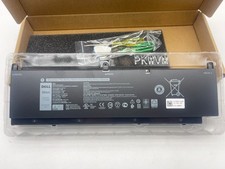
OEM Genuine 95WH PKWVM C903V Battery 7550 For Dell Precision CR72X 17C06 447VR
$37.40

OEM Genuine 86WH 69KF2 Battery For Dell XPS 15 9500 Precision 5550 M59JH M15 M17
$45.49

OEM 68Wh 3HWPP Battery For Dell Latitude 5401 5411 15 5501 5511 Precision 3541
$35.78
NEW OEM V6W33 Battery For Dell Inspiron 3510 5510 Latitude 3330 3320 Vostro 3515
$22.00
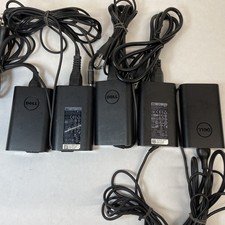
Lot of 5 Dell OEM 65W 7.4mm 19.5V 3.34A AC Adapters Mixed Models B Grade
$39.99
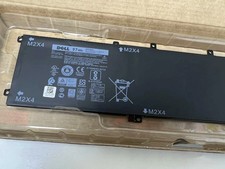
Genuine OEM 6GTPY 97Wh Battery for Dell XPS 15 7590, 9550 Series 5XJ28 GPM03 New
$33.50
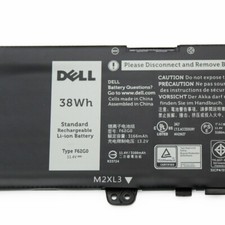
OEM 38Wh F62G0 Battery for Dell Inspiron 13 5370 7000 7370 7380 7386 7373 P83G
$29.89