

 Reply With Quote
you may need to change the id_dsa on the client side to world readable(chmod 0755). Just check the ownership and access mode, it must be related to that.


I installed the NX server (GPL Ed.) on a Kanotix box, and the NX client on another Kanotix box. The message from "nxsetup" said to copy /home/.nx/.ssh/client.id_dsa.key on the server to /usr/NX/share/ on the client, overwriting the one there.
If I log into KDE as root, I can run the client and log into the server just fine. But if I'm logged on as my normal user on the client machine, the connection times out, with the message
"NX> 205 Enter passphrase for key '/usr/NX/share/client.id_dsa.key':"
(of course, you only see the message after the connection times out, because the client doesn't open a terminal window).
What should I do?
you may need to change the id_dsa on the client side to world readable(chmod 0755). Just check the ownership and access mode, it must be related to that.
No, you don't need to do that. That's why you get the "NX> 205 Enter passphrase for key '/usr/NX/share/client.id_dsa.key':" error. Hope you have the original back up.I installed the NX server (GPL Ed.) on a Kanotix box, and the NX client on another Kanotix box. The message from "nxsetup" said to copy /home/.nx/.ssh/client.id_dsa.key on the server to /usr/NX/share/ on the client, overwriting the one there.
What you need to do is recreate nomachine key on the server side..
nxsetup --setup-nomachine-key
after you create nx user and their password:
nxserver --useradd NEW_USER
nxserver --passwd NEW_USER

That is for nx setup using its own ssh key and own user database. The newer version(and at least the freenx) allows you to have your own ssh key as well as using the standard pam modules(once the ssh session is established using the special NX client).Originally Posted by shah
What eco2geek did was perfectly ok(I prefer that too from a security perspective as no other NX client can get into your machine, blocked at the ssh level), just a few permission issues needs to be sorted out.
I see............
If that the case, this link might help:
http://mail.kde.org/pipermail/freenx...er/000359.html
Thank you, garyng, you hit the nail on the head. Works.
(The user and password were already added, otherwise I couldn't have logged on even as root. I will admit to not knowing what the heck I'm doing here; I assumed that one would have to pay in order to get a key from NoMachine.)
No you don't. NoMachine has one client key in their product so every client can talk to every server. This is essentially a secure tunnel, the authentication is done through this tunnel(Windows logon, PAM or its own). I just paranoid and don't want other NX clients to establish tunnels to my machines, thus the generated client key(just a SSH key pair).
 Posting Permissions


GIGABYTE A520M DS3H AC AMD AM4 Motherboard mATX
$59.99
MSI B460M PRO-VDH WIFI LGA1200 Micro ATX Motherboard
$125.00

Intel H310 LGA1151 8-9th Gen DDR4 M.2 NVMe mATX Motherboard IO Shield Battery
$54.99
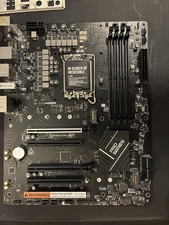
MSI Pro B760-P ATX Motherboard, DDR4, Intel LGA1700, WiFi
$70.00

Intel H81 Motherboard M.2 NVMe LGA 1150 mATX w/ IO Shield (Random Slot Color)
$29.90

GIGABYTE B365 HD3 LGA1151 Intel 9th Gen motherboard
$59.99

ASUS PRIME Z370-A II LGA 1151 Intel Z370 DDR4 DIMM USB3.1 DVI ATX RGB
$69.99
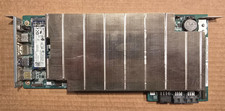
ASRock AMD BC-250 16GB 128GB SSD Used
$220.00

ASUS B85M-G/B85M-G PLUS LGA1150 DDR3 Micro ATX Motherboard HDMI for Inter 4thCPU
$45.00

MSI B460M-A Pro DDR4 LGA 1200 Micro ATX Motherboard 10th Gen
$59.99