-
Senior Member
registered user
I wasted a day getting this going with even minimal success on KNX 4.0.2 till I tried using Rinks suggestion to generate a XF86Config-4 replacement file with all my hardware installed. I figured it could NOT be that easy. Apparently it is.
Using "init 3" from a root shell to exit KDE, I ran the "X -configure" command (as root) and copied the resulting XF86Config.new file to /etc/X11 as XF86Config-4. I restarted KDE using the "init 5" command. Thinks were functional as both montiors worked, but FAR less than perfect (goofy resolution, mismatched color depth, screens went black and white when running xawtv, etc.).
So I used XF86Config-4 files saved from separate live CD boots as a reference on what was needed; first I installed just the card and monitor i was using for monitor0. After saving the XF86Config-4 file for monitor0, I removed that card and monitor, and performed the same steps using the hardware for monitor1.
Using the information from the two additional files, I modified the file created using "X -configure". Happy to report that things work spectacularly now.
I may have to get an additional card now so that I can span three monitors...
This post was invaluable in getting this going. Thanks all...
Similar Threads
-
By rakeron in forum General Support
Replies: 1
Last Post: 02-27-2005, 04:59 PM
-
By phrostie in forum Hardware & Booting
Replies: 0
Last Post: 08-21-2004, 02:27 AM
-
By nicorelli in forum Hardware & Booting
Replies: 0
Last Post: 08-05-2004, 09:12 AM
-
By nicorelli in forum General Support
Replies: 0
Last Post: 07-01-2004, 12:09 AM
-
By gyro in forum Hardware & Booting
Replies: 1
Last Post: 01-10-2004, 10:31 PM
 Posting Permissions
- You may not post new threads
- You may not post replies
- You may not post attachments
- You may not edit your posts
-
Forum Rules


Lenovo ThinkPad E14 Gen 2 Laptop 14” HD Ryzen 5 16GB RAM 512GB SSD Win 11 Pro
$334.99

Lenovo ThinkPad L15 Gen 3 15.6" 16GB, Thunder Black
$241.50
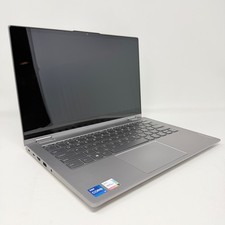
Lenovo Thinkbook 14s Yoga ITL 14” Core i7-1165G7, 16GB RAM, 512GB SSD Touch
$379.00

Lenovo ThinkPad E14 Gen 3 Laptop 14” FHD AMD Ryzen 5 16GB RAM 512GB SSD Win 11
$374.99

Lenovo Legion 5 Gaming 15.1" WQXGA OLED 165Hz Core i9-14900HX 16GB 1TB RTX 5070
$1469.00

Lenovo ThinkPad T14 Gen 1 14" AMD Ryzen 5 16GB 256GB SSD
$219.99

Lenovo ThinkPad X13 Gen 1 i5-10310U 16GB 512GB SSD Touch Win 11 Pro Good
$222.99

Lenovo - IdeaPad Slim 3i 15.3" 2K Touchscreen Laptop - Intel Core 7 350 2026 ...
$679.99

Lenovo ThinkPad L15 Gen 3 15.6" 16GB, Thunder Black
$241.50

Lenovo ThinkPad T14s Laptop 14” Laptop Core i5 8GB RAM 256GB SSD Windows 11 Pro
$249.99



 Reply With Quote