-
Problems Ejecting CDROM
Hi,
I am new to Knoppix, recently installed 3.7 to my hard drive, and its working relatively well.
Two problems currently are in my way:
Firstly, if I put in a CD, say an mp3 cd into my rom when in knoppix, I can play it fine without any problems, but then for some reason knoppix does not let me eject it. If I right-click on the desktop icon and say eject, it gives me an error saying
Eject /dev/cdrom failed!
After reading through the forums etc.. I discovered that this was because it could not unmount the cd, I tried to do that from the Konqueror explorer, but then it gave me this error
"unmount: /mnt/auto/cdrom is not in the fstab (and you are not root)
Please check that the disk is entered correctly."
When I setup my Knoppix, I followed the instructions and set it up under the "beginner" mode. As far as I know, I should be the default root.
To let you know, I have two cd roms, the problem occurs for both.
Here is my fstab, incase you need it:
# /etc/fstab: filesystem table.
#
# filesystem mountpoint type options dump pass
/dev/hda3 / ext3 defaults,errors=remount-ro 0 1
proc /proc proc defaults 0 0
/dev/fd0 /floppy vfat defaults,user,noauto,showexec,umask=022 0 0
usbdevfs /proc/bus/usb usbdevfs defaults 0 0
sysfs /sys sysfs defaults 0 0
/dev/cdrom /cdrom iso9660 defaults,ro,user,noexec,noauto 0 0
/dev/cdrom1 /cdrom1 iso9660 defaults,ro,user,noexec,noauto 0 0
/dev/dvd /dvd iso9660 defaults,ro,user,noexec,noauto 0 0
/dev/cdaudio /cdaudio iso9660 defaults,ro,user,noexec,noauto 0 0
/dev/cdrom1 /mnt/auto/cdrom1 auto users,noauto,exec,ro 0 0
# Added by KNOPPIX
/dev/hda1 /mnt/hda1 ntfs noauto,users,exec,ro,umask=000 0 0
# Added by KNOPPIX
/dev/hda2 none swap defaults 0 0
My second problem is much less important. It is simply that everytime I restart my linux, my speakers are unconfigured, that is, it gives me an error saying that no devices were found. They work fine then after I run the sndconfig. But I have to do it again when I restart. I saw in the Knoppix config menu there is an option called "Save knoppix config". Is this what I need to do everytime I make a change, it automatically saves that config on a floppy though.
If you think that there is interference of the device, then this might be important. Through a coincidence, some device in my computer is picking up local radio FM waves, ie, even when my computer is off, and my speaker sound from the wheel on the sub is set at the lowest, I hear a radio channel, I have caught it on other radios too and hence know it is a local FM. Could this be a problem during the startup. This is not a problem in my windows btw.
Any help would be appreciated, thanks in advance.
-
Senior Member
registered user
Re: Problems Ejecting CDROM

Originally Posted by
Knopper12
Hi,
If I right-click on the desktop icon and say eject, it gives me an error saying
Eject /dev/cdrom failed!
To manually unmount the cd, open a console & type 'sudo umount /dev/cdrom' (sudo makes you root for the command & note it's umount not unmount).
To manually eject the cd 'sudo eject /dev/cdrom'
Use /dev/cdrom1 as appropriate.
.... I saw in the Knoppix config menu there is an option called "Save knoppix config". Is this what I need to do everytime I make a change, it automatically saves that config on a floppy though.
Yes you can save your config this way. You have to have the floppy in the drive when you boot & enter 'knoppix floppyconfig' when you boot. You will have to resvae if you make any config changes you want to keep.
If you think that there is interference of the device, then this might be important. Through a coincidence, some device in my computer is picking up local radio FM waves, ie, even when my computer is off, and my speaker sound from the wheel on the sub is set at the lowest, I hear a radio channel, I have caught it on other radios too and hence know it is a local FM. Could this be a problem during the startup. This is not a problem in my windows btw.
Probably this will not cause any problems. I once had a computer that would pick up a local AM radio station & backfeed it through the modem connection so that I had the radio in the background on the telephone. Very annoying but didn't cause any computer operational problems.
Similar Threads
-
By RobD in forum Customising & Remastering
Replies: 0
Last Post: 11-17-2005, 09:19 PM
-
By piki in forum Hardware & Booting
Replies: 3
Last Post: 10-15-2004, 05:21 PM
-
By MillTek in forum Hdd Install / Debian / Apt
Replies: 14
Last Post: 07-21-2004, 03:02 PM
-
By doogie in forum General Support
Replies: 2
Last Post: 08-15-2003, 10:02 PM
-
By evilfix in forum General Support
Replies: 3
Last Post: 06-24-2003, 07:19 AM
 Posting Permissions
- You may not post new threads
- You may not post replies
- You may not post attachments
- You may not edit your posts
-
Forum Rules


Yealink T48S VoIP/SIP Phone, 2 x Gigabit Ports PoE 7" Color SIP-T48S | TESTED
$34.95

Grandstream VoIP Phone Adapter ATA 1-Line Black Ethernet (RJ-45) Micro USB
$27.07

Grandstream WP810 Portable Cordless Wi-Fi IP Phone
$49.28

Poly CCX 400 Desktop Business Media Phone VoIP 2200-49700-019
$49.99

Yealink SIP-T33G IP Phone 4-LineSpeakerphone VoIP Desk Phone Black w/ Power Sply
$25.00
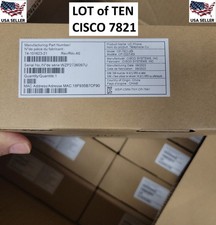
10x LOT: New in Box Cisco CP-7821-K9 VOIP Business Phones w/ Handsets + Stands
$795.00
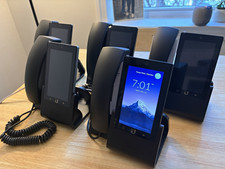
Ubiquiti UniFi Talk UVP-Touch VoIP IP Phone PoE Touchscreen Tested Reset
$64.99

Grandstream HT701 1-Port FXS Analog Telephone Adapter ATA VoIP Gateway -Free S/H
$19.99

Yealink MP54 - VoIP Phone - Black Teams phone Android POE WIFI Bluetooth
$49.95
Grandstream HT801 v2 Single Port Analog Telephone Adapter
$33.50



 Reply With Quote