-
MY TALE OF TRYING TO INSTALL KNOPPIX AND FAILING MISERABLY
Let me first say this is not a slam on Knoppix. IM a new user so I have much to learn and therefor somewher within the frames of my logic I have either totally mad A mean B or have just lost it lol
Ok I installed a 8 gig maxtor hard drive to my computer under a slave to my primary hard drive. I then went and erased everything off the 8 gig hard drive as I wanted to use the whole thing for just KNOPPIS (how sweet of me).
I then when I got into knoppix had a hard time finding the right install command and finally found knoppix-installer or sudo knoppix-installer.
(OH by the way I know I have to have the hDD unmounted so when I log into knoppix I got to hdb which comes up with the maxtor hard drive when it boots up and make sure unmount it).
I have tried the installer many times and all it says is that IT can READ the hard drive but not write to it or it says he cannot read the info on the disk. Just for the heck of It I copied 1 gig of info onto the disk so it would have something to read but I can find that on the Knoppix desktop but not when doing install.
I also did cfdisk and heck it shows hda1 which is the first hdd on the computer but it does not show hdb1 the second hard drive.
Now from what i understand I dont need a duel OS boot program because this is all going on a hdd dedictated directly to it so when I want to use it I just either put it as the primary boot or hit esc then select the second hdd to boot with.
HA HA I had a great time getting my md5sum checker to work and the easiest part was downloading the program and buring an ISO. I very much am looking forward to using this program more and more.
Please answer this in treat me and yes I said it like a 4 year old and spell out what I am doing in plain english. I would greatly appreciate it and it will help me help other people I know that may have similar problems..
Thx
-
Senior Member
registered user
I believe you have windows in your primary master hdd.
What you can do is create partition on your slave hdd from within windows using some partition manager that support linux partition ..........ex: partition magic.
create 2 partition:
1) linux swap partition = 500M
2) Linux ext3 partition = the rest of free space.
Then boot using knoppix cd, unmount ext3 partition and run in konsole:
su
knoppix-installer
Good luck.

Similar Threads
-
By ceeknop in forum Customising & Remastering
Replies: 2
Last Post: 09-29-2005, 09:58 AM
-
By eco2geek in forum The Lounge
Replies: 7
Last Post: 12-06-2004, 10:57 AM
-
By eco2geek in forum The Lounge
Replies: 8
Last Post: 05-19-2004, 01:43 PM
-
By todsr1 in forum General Support
Replies: 8
Last Post: 11-02-2003, 10:36 AM
-
By tfitzgex in forum Hdd Install / Debian / Apt
Replies: 2
Last Post: 04-08-2003, 05:37 PM
 Posting Permissions
- You may not post new threads
- You may not post replies
- You may not post attachments
- You may not edit your posts
-
Forum Rules

Vintage IBM Mainframe System Board IBM 14 Transistor Chip Circuit
$44.99

HP 5060-8359 8K Semiconductor Memory Module 5080-9747 Vintage HP Computer
$157.30

Vintage Telex 952003-112 Mechanical Terminal Keyboard IBM 3270 Mainframe DB25
$799.00

Vintage Intel Mainframe Server MCM CPU Substrate Lot Prototyping PGA Validation
$500.00
One Of A Kind Homemade Vintage Mainframe Computer, Logic Module Wood Bookends
$149.00
Vintage IBM Mainframe System Board IBM 14 Transistor Chip Circuit Gold
$44.99
Vintage IBM XT 5160 PC Computer 640KB RAM with Expansions (Powers On As Is)
$350.00
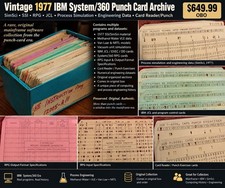
Vintage 1977 IBM System/360 Punch Card Program Archive SimSci SSI RPG Mainframe
$449.99
IBM Aptiva E5D Intel Pentium II 400MHz 64MB RAM No HDD Vintage Computer 2139E5D
$219.99
VINTAGE Artecon LX-1558FN HDD EOD SubSystem Mainframe POWERS ON RARE
$299.99



 Reply With Quote