

 Reply With Quote
I just had that problem and this is how I fixed it: edit /etc/kde3/kdm/kdmrc AllowRootLogin=false to true. I could not login at the login screen anymore because the root option was not there, now it is again.


Have you noticed that you can't login as root anymore from the login screen after a hdd install? Right after knoppix-installer terminates, I usually reboot without the liveCD and edit /etc/lilo.conf and run to set up a dual boot, run netcardconfig and update-rc.d ssh defaults as root. In 3.6 you login via the KDM screen (GUI) and run kate to edit lilo.conf and then open a shell to run netcardconfig and update. Now I have to login on a console screen as root and startx to do the same thing. root isn't even listed as a user anymore on the KDM login! Why is that?
Regards,
AJG
I just had that problem and this is how I fixed it: edit /etc/kde3/kdm/kdmrc AllowRootLogin=false to true. I could not login at the login screen anymore because the root option was not there, now it is again.
My knoppix 3.7 just boots directly to the desktop in knoppix-user mode. If I need any root privilages then I am usually prompted for root password in order to continue. Is this situation ok or should I be seeing a login screen when my system boots?
Did you do a knoppix-style install? If you did then that is what is going to happen.
yes I did a knoppix style install. Is there still a way to have a login screen for root and users??
Knoppix-style is set up to run just like from the live cd, so there will not be any login screen to log into anywhere. I'm not sure if it is possible to create more users with this type of install.
Ok, I just installed 3.7 , up from 3.6. I would like the root option back.Originally Posted by rrfish72
But how do I edit the kdmrc file if I am in user mode and don't have write privilages to the file? And can only get them if I am in 'root'. Catch 22.
I found the file, even edited it and saved the changed file to the home directory. But I can't save the file back to the original kdm directory.
I'm sure this is easy for experienced Linux people but I'm new at this.
sakiZ
You have to find the root terminal i the K menu. I think it is system. Once you get there and click on it it will ask for the root password and then you can edit anything you want.
Ok, so you edit it from the root terminal
Thanks,
sakiZ
just do kate kdmrc once you get to the correct directory.
 Posting Permissions


RAM-HOL-SAM52CPU RAM USB-C Powered Dock Samsung Tab Active4 Pro & Tab Active Pro
$81.99

Samsung 32GB DDR4-2666 PC4-21300 288-Pin DIMM RAM M393A4K40CB1CRC0Q
$185.00

Samsung 2.5" 870 EVO SSD SATA III 250GB 500GB 1TB Internet Solid State Drive Lot
$90.00
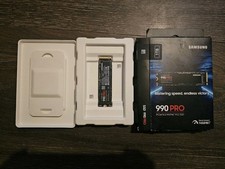
Samsung - 990 PRO 1TB Internal SSD PCle 4.0 NVMe M.2
$200.00

RAM-HOL-SAM60CPU RAM USB-C Powered Dock for Samsung Tab Active5 - 3 - 2
$81.99

RAM-GDS-SKIN-SAM54-NG-1 RAM Mounts IntelliSkin® Next Gen for Samsung Tab Active4
$93.99

Samsung Galaxy Tab SCH-1800 7" 4GB Wi-Fi + Verizon Tablet Working
$30.00

RAM-GDS-DOCK-SAM88CPU RAM GDS® Tough-Dock™ for Samsung Tab A9+
$174.99

Samsung Galaxy View Tablet 18.4 SM-T670/677A Charging Port 100% Original Oem
$98.99
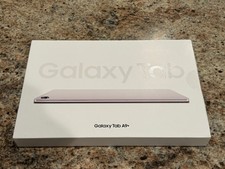
Samsung Galaxy Tab A9+ Plus 11” 128GB Android Tablet Graphite BRAND NEW SEALED.
$214.99
