

 Reply With Quote
Look around for a lilo.conf file on the linux drive. edit it (I don't know how, I use grub) and then run lilo update


I've recently installed knoppix on my laptop, and at the lilo boot screen it gives me the usual options - linux, then a 2.4 kernel, a 2.6 kernel and the xp install that's on there. I'd been leaving it to it's default, which I'm now thinking was a bad idea, as I couldn't get my intellimouse recognised and I had no chance of installing the radeon m11 9700 gfx card. I was playing around and booted into the 2.6(.5) kernel and it picked up my mouse straight away!! I thought that the default boot option would have been the latest kernel/version. So my question is, how can I upgrade the default one to be latest kernel, as I'm guessing it will have more support for the hardware etc?
Could anyone give me any pointers?
Thanks a lot
Mors
Look around for a lilo.conf file on the linux drive. edit it (I don't know how, I use grub) and then run lilo update
As firebyrd10 said, edit /ec/lilo.conf:
find something like : default="Linux"
change it to : default="label_of your kernel 2.6"...........(check how your kernel 3.6 is labelled)
save it.
run : lilo.
reboot.

 Posting Permissions

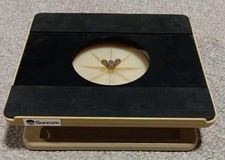
Vintage Suncom Computer Monitor Station Stand Rare, GOOD SHAPE
$99.99

Vintage Microsoft Visual Studio.NET Professional Software suite Version 2002 New
$82.00

Vintage Jetway J-620BF Socket 370 Celeron AT Motherboard SiS 620 Brand New
$75.00

Vintage Computer - PC Innovation Intel 486DX2 - Dos Ver 6.2 Windows 3.1
$250.00
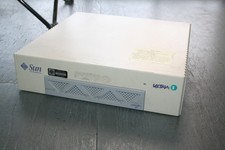
Vintage Computer Sun Ultra 1 UltraSpark Driven - Mystery condition as-is Parts
$49.78
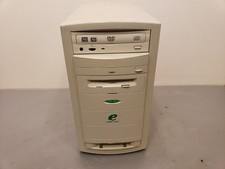
Vintage eMachines eTower 500is Celeron 500MHz 256MB 40GB Win98 PC Tower Computer
$125.00

Lot of 4 Vintage Intel i486 DX2 CPU Processors for Gold Scrap Recovery
$99.99

Bering OptiPac 3315 OPT 401 205 HP / IBM Vintage Storage PC Computer 1983 3.5”
$100.00

Vintage Teac FD-505 5.25" 3.5" Combo Drive 19307571-00
$199.99

🔥 RARE VINTAGE HP 2113A 21MX 1000 E-SERIES MINICOMPUTER CHASSIS BACKPLANE
$249.00