

 Reply With Quote
Look around for a lilo.conf file on the linux drive. edit it (I don't know how, I use grub) and then run lilo update


I've recently installed knoppix on my laptop, and at the lilo boot screen it gives me the usual options - linux, then a 2.4 kernel, a 2.6 kernel and the xp install that's on there. I'd been leaving it to it's default, which I'm now thinking was a bad idea, as I couldn't get my intellimouse recognised and I had no chance of installing the radeon m11 9700 gfx card. I was playing around and booted into the 2.6(.5) kernel and it picked up my mouse straight away!! I thought that the default boot option would have been the latest kernel/version. So my question is, how can I upgrade the default one to be latest kernel, as I'm guessing it will have more support for the hardware etc?
Could anyone give me any pointers?
Thanks a lot
Mors
Look around for a lilo.conf file on the linux drive. edit it (I don't know how, I use grub) and then run lilo update
As firebyrd10 said, edit /ec/lilo.conf:
find something like : default="Linux"
change it to : default="label_of your kernel 2.6"...........(check how your kernel 3.6 is labelled)
save it.
run : lilo.
reboot.

 Posting Permissions


16GB KIT (2x8GB) DDR3 Gamer Desktop RAM PC3 MIXED BRANDS VIPER VENGEANCE FURY
$10.00
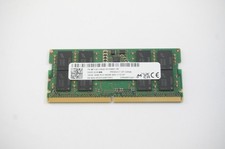
MTC8C1084S1SC56BD1 Micron 16GB DDR5 1Rx8 PC5-5600B 5600Mhz SO-DIMM Memory
$149.99

Netac DDR4 32GB 16GB DDR4 3200MHz UDIMM C16 Desktop Internal Memory RAM Kit
$99.99

A-Tech 8GB DDR3 1600 PC3-12800 Laptop SODIMM 204-Pin Memory RAM PC3L DDR3L 1x 8G
$21.68

Major Brand 16GB (2x8GB) PC3-12800U DDR3-1600MHz DDR3-12800 DESKTOP RAM NON-ECC
$29.99

G.SKILL FLARE X5 64GB (2 x 32GB) 6000 MT/s DDR5 (AMD EXPO + INTEL XMP) *CL30*
$785.00

DDR4 Laptop RAM 4GB 8GB 16GB 32GB 2400 2666 3200 Samsung Hynix
$66.00

MINT Micron Cisco 32GB PC4-2400T DDR4 2Rx4 RDIMM RAM MTA36ASF4G72PZ-2G3 LOT
$159.99

Micron 32GB 1x32GB DDR5 5600 CL46 ECC Unbuffered SO-DIMM MTC20C2085S1TC56BD1
$399.00

Corsair Vengeance DDR3 8GB 16GB 32GB 1866MHz PC3-14900 Desktop RAM Memory DIMM
$85.00