-
Remove SuperBlock on device
I just installed knoppix 3.4 and it states bad super block on my DVD player. How do I remove the super block? I can't mount this device keep in mind I'm new to linux. 
-
Senior Member
registered user
Are you trying to watch a dvd? If you are then you need to open through a player like xine or kaffeine. You probably still need to configure the drive. The icon placed on the desktop is usually just a place holder should be deleted because it is a link to know where. You then need to create a new device by right clicking and choose what your creating. Go into K-->system-->info center-->scsi and see what scsi drive it is listed as. Then create a symlink through a console by doing ln -sf /dev/scd# /dev/dvd. Remember to choose the device in the tabs that drop down and say something like /dev/dvd (/dvd). You also need this from console:
wget http://download.videolan.org/pub/lib...2.8-1_i386.deb
dpkg -i libdvdcss2_1.2.8-1_i386.deb
Do those things from console as root as you should be able to play a dvd through a player.
Hope this helps.
-
Senior Member
registered user
A super block a block that tells what type of file system to use. Basicly you need it.
Similar Threads
-
Replies: 3
Last Post: 09-26-2005, 08:12 AM
-
By babelbrennt in forum Customising & Remastering
Replies: 0
Last Post: 09-14-2005, 08:32 PM
-
By Harry Kuhman in forum MS Windows & New to Linux
Replies: 7
Last Post: 09-12-2005, 01:38 AM
-
By matbehns in forum General Support
Replies: 3
Last Post: 02-10-2005, 11:20 AM
-
By slater77 in forum Hdd Install / Debian / Apt
Replies: 2
Last Post: 01-26-2005, 05:29 AM
 Posting Permissions
- You may not post new threads
- You may not post replies
- You may not post attachments
- You may not edit your posts
-
Forum Rules

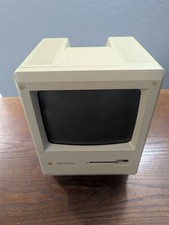
Vintage Apple Macintosh Plus 1Mb Computer (Model M0001A)
$100.00

Vintage 1998 iMac G3 M4984 Mac OS + Keyboard Working but Needs Some Repair Read
$295.00
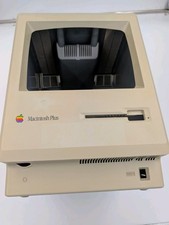
Apple Macintosh Plus Vintage Mac Computer Shell Front/Back Only (260200)
$29.99
Vintage Apple Macintosh Retro Computer - Ceramic Mug 15 oz
$15.70

185--Sonnet Crescendo G3 PPCG3-375-5-K-06 G3 Add-On Card for Vintage Mac
$90.00
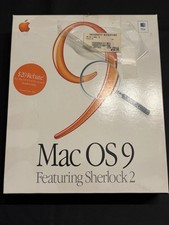
Vintage Apple Mac OS 9 Retail Box 1999 Sherlock 2 Original CD Manuals
$50.00
Vintage APPLE MACINTOSH II Desktop PC EMPTY CASE & Power Supply Only UNTESTED
$39.90

Apple Macintosh Plus 1MB M0001A Vintage Computer **TURNS ON **
$99.99
Vintage Mac Photo related software CD Disc Lot, Demos & full programs
$20.99
VTG Apple Macintosh Owner's Guide Manual Mixed Lot With System 7 Software
$200.00



 Reply With Quote