-
Trouble with LILO, fresh install won't boot
I've installed Knoppix to HDD, Debian-like install, and i got the following errors regarding Lilo:
/dev/mapper/control pen failed: No such device
Is device-mapper driver missing from kernel?
Incompatible libdevmapper 1.00.19-ioctl (2004-07-03)(compat) and kernel driver
part_nowrite: read:: Input/output error
I also get some errors during the "converting knoppix to multi-user" portion of the install, but those are related to removing links from the main bar as far as i can tell. Now, when I reboot, I get a grub> prompt. I can boot to my HDD install by using the CD and the cheatcode "Knoppix root=/dev/hda1 noinitrd ro lang=us". I got the cheatcode from someone in a chatroom, and it seems to work. From there, i open a terminal window, and type "lilo". I get:
Is device-mapper driver missing from kernel?
Incompatible libdevmapper 1.00.19-ioctl (2004-07-03)(compat) and kernel driver
Fatal: open /dev/sda: No such device or address
I'm relatively new to linux, this is tragic to me. I LOVE knoppix, and I searched the forums already,a nd asked for help on both yahoo chat and IRC. Nothing seems to work. All input on this would be appreciated, I've installed 10 times now, over 2 days, and every time i get the same message, every way i've tried, and on both version 3.6 and 3.7.
Thanks.
-
Senior Member
registered user
Try knoppix testcd when you boot to see if the ISO is okay. It could be just a bad download or bad burn.
-
I have exactly the same problem like reported by lwsimon.
Using the knoppix-installer and Knoppix 3.7 and Debian-like install and trying to
install on the same harddisk like my old (Knoppix 3.4?) hd-install.
That is how I tried to fix the problem
- knoppix testcd confirmed that the cd-rom is fine
- setting the root-passwd before sudo knoppix-installer (as recommended in another forum) didn't change anything
- I tried from a 2.4.27 and 2.6.9 kernel but it doesn't make a difference
By the way: The Multi-User System with hw-detection installed just fine (also the lilo-bootloader)
so it seems to be a problem with the config/installation script for the Debian-like installation.
-
I gave up... After 3 days and over 20 hours trying to get Knoppix to install, I downloaded the Debian net install CD. Piece of cake. I will always have a few copies of Knoppix in my laptop bag, and will hand them out freely. Thanks for introducing me to Linux, and I'll be sure to check back for new versions!
-
Re: Trouble with LILO, fresh install won't boot
I had the same problem,
try to add this to your /etc/lilo.conf
disk=/dev/sda inaccessible
disk=/dev/sdb inaccessible
run again lilo
the errors are still there but you can boot your Knoppix Harddisk installation
Good Luck
zapfen
-
I've added those lines to my lilo.conf, but I still get the exact same error as the original poster.
I've tried several different installation options, under several different kernels.
The installation appears to be broken for a number of people.
Edit:
The following is the output of my installation attempt:
---
root@ttyp1[knoppix]# knoppix-installer-latest-web
This script will download and start the latest knoppix-installer to your home directory. Do you want to proceed? [Y/n]
--21:17:14-- http://debian.tu-bs.de/knoppix/installer/latest
=> `-'
Resolving debian.tu-bs.de... 134.169.172.5
Connecting to debian.tu-bs.de[134.169.172.5]:80... connected.
HTTP request sent, awaiting response... 200 OK
Length: 28 [text/plain]
100%[====================================>] 28 --.--K/s
21:17:15 (273.44 KB/s) - `-' saved [28/28]
Downloading knx-installer_0.3-14.tar.gz ...
--21:17:15-- http://debian.tu-bs.de/knoppix/insta..._0.3-14.tar.gz
=> `knx-installer_0.3-14.tar.gz'
Resolving debian.tu-bs.de... 134.169.172.5
Connecting to debian.tu-bs.de[134.169.172.5]:80... connected.
HTTP request sent, awaiting response... 200 OK
Length: 80,659 [application/x-tar]
100%[====================================>] 80,659 95.56K/s
21:17:16 (95.34 KB/s) - `knx-installer_0.3-14.tar.gz' saved [80659/80659]
Can't remove /usr/share/applications/./ethereal.desktop: Read-only file system,skipping file.
Can't remove /usr/share/applications/./ethereal-root.desktop: Read-only file system, skipping file.
Can't remove /usr/share/applications/./qtparted.desktop: Read-only file system,skipping file.
Can't remove /usr/share/applnk/./Settings/Peripherals/kxconfig.desktop: Read-only file system, skipping file.
/dev/mapper/control: open failed: No such device
Is device-mapper driver missing from kernel?
/dev/mapper/control: open failed: No such device
Is device-mapper driver missing from kernel?
Incompatible libdevmapper 1.00.19-ioctl (2004-07-03)(compat) and kernel driver
Warning: Unable to determine video adapter in use in the present system.
Fatal: open /usr/share/lilo/contrib/debian.bmp: No such file or directory
-
I had the same problem. Needed a kernel 2.6.8+ to recognize nforce3 250 ethernet. Tried knoppix 3.6 but its 2.6.7 kernel was recognizing the eth0 as IP over IEEE1394! and could not dhcp.
I love knoppix. need sd_mod and a better lilo. Knoppix has to be the greatest rescue disk ever. anyway... could the knoppix installer download needed components?
-
Re: Trouble with LILO, fresh install won't boot

Originally Posted by
lwsimon
/dev/mapper/control
pen failed: No such device
Is device-mapper driver missing from kernel?
Incompatible libdevmapper 1.00.19-ioctl (2004-07-03)(compat) and kernel driver
part_nowrite: read:: Input/output error
write:
modprobe dm-mod <enter>
and lilo will work... without error
put dm-mod to /etc/modules & /etc/modules-2.6.9
> You need to have dm-mod loaded in your kernel
from http://groups.google.com/groups?hl=p....it%26rnum%3D2
Similar Threads
-
By dtz in forum Hdd Install / Debian / Apt
Replies: 1
Last Post: 05-29-2005, 05:25 PM
-
By albob in forum Hdd Install / Debian / Apt
Replies: 9
Last Post: 03-07-2005, 09:10 PM
-
By mr__ed in forum General Support
Replies: 2
Last Post: 02-10-2005, 07:37 AM
-
By JoeBWan in forum Hdd Install / Debian / Apt
Replies: 1
Last Post: 12-13-2004, 08:35 PM
-
By steingra in forum Hdd Install / Debian / Apt
Replies: 4
Last Post: 10-20-2003, 01:04 PM
 Posting Permissions
- You may not post new threads
- You may not post replies
- You may not post attachments
- You may not edit your posts
-
Forum Rules


Vintage Apple Macintosh IIsi Computer, Monitor, Keyboard & Mouse Complete Setup
$199.99
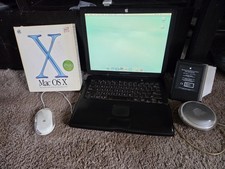
VINTAGE Apple PowerBook G3 Lombard M5343 400MHz 192MB Working Mac OS X Bundle
$299.00

Apple Mac OS9 Cloth Banner Think Different 64 x 24 inches NEW ORIGINAL Vintage
$99.99
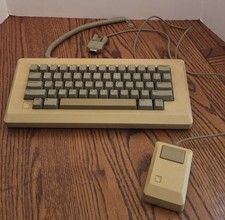
Vintage Apple Macintosh M0110 Keyboard with Coiled Cable & M0100 Mouse Bundle
$180.00
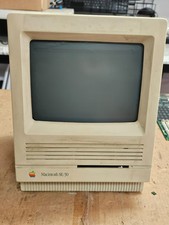
Vintage Apple Macintosh SE/30- Samsung CRT - Shell/Case Assembly Tech Special
$149.95

VTG Apple Macintosh 1980s Computer Travel Bag Tote Carry Case Adjustable Strap
$109.95
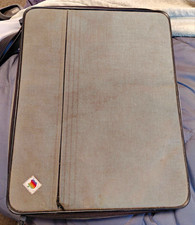
Apple Macintosh Portable Vintage Computer w/ Case, Power Adapter, Cable
$242.50
Vintage Apple Macintosh Plus M0001A Computer CIB Complete In Box WORKING
$325.00
Vintage Apple Macintosh Classic II M4150 1991 Computer AS-IS Parts Repair
$149.00
Vintage Apple Power Macintosh 6100/60AV M1596 350MB HDD Boots Mac OS AS-IS
$189.00



 Reply With Quote