-
Senior Member
registered user
Try use knoppix built-in pppoe first.
At the bottom left of your taskbar you will see knoppix penguin icon, click that and choose to configure your networkcard.
Don't choose DHCP broadcast, set manually your ip(ex: 192.168.0.2), dns(given to you by isp), gateway (you can leave this blank)...etc. You can use dhcp broadcast if you are using router, and the router is set to broadcast dhcp.
After you are done with netcard config, run pppoe config...it will ask your account name and password.

Similar Threads
-
By Joelsbass in forum General Support
Replies: 1
Last Post: 05-02-2005, 12:37 PM
-
By Japo in forum Hdd Install / Debian / Apt
Replies: 0
Last Post: 11-04-2004, 05:36 AM
-
By imjustabill in forum Hdd Install / Debian / Apt
Replies: 2
Last Post: 08-09-2004, 11:04 PM
-
By voldemort_b in forum Hdd Install / Debian / Apt
Replies: 12
Last Post: 03-14-2004, 09:47 PM
-
By Drewby in forum Hdd Install / Debian / Apt
Replies: 4
Last Post: 11-03-2003, 04:24 PM
 Posting Permissions
- You may not post new threads
- You may not post replies
- You may not post attachments
- You may not edit your posts
-
Forum Rules


TP-Link 5-Port Gigabit Unmanaged Ethernet Switch Network Expansion TL-SG105
$19.95
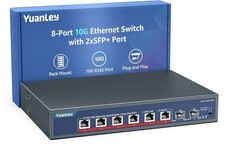
YuanLey 8-Port 10G Ethernet Switch, 6 x 10Gbps RJ45 Ports, 2X 10Gbe SFP+ Ports
$149.99

5Ports Gigabit Network Switch w/ 4 PoE+ Ports Total 52W each port 30W Plug&Play
$31.99

Cisco Catalyst 2960-48TT-L 48-Port Fast Ethernet Managed Rackmount Switch
$46.99

TP-LINK TL-SG108 8-Port Gigabit Unmanaged Desktop Switch RJ-45 New in Box
$23.99

Netgear PROSAFE 8-Port 10 Gigabit/Multi-Gigabit Ethernet Switch XS508M
$229.99

Linksys 8-Port Managed Gigabit PoE+ Switch 110W w/ 2 Uplink Gigabit - LGS310MPC
$49.02

Arista DCS-7010T-48-R 48P 1GbE 4P 10GbE SFP+ RA Switch with rack mounts
$69.00

NETGEAR 5-Port Gigabit Ethernet Unmanaged Switch (Gs305) - Desktop Quiet Fanless
$22.00

10-Port Gigabit PoE Network Switch with 8 PoE+ Ports with 2 Combo SFP Slots 125W
$39.99



 Reply With Quote