Results 1 to 5 of 5

Thread: Problem detect/mount dvd drive force to switch back to WinXP

  1. #1
    Junior Member
    Join Date
    Dec 2004
    Posts
    7

    Problem detect/mount dvd drive force to switch back to WinXP

    I just installed the Knoppix into my laptop. However, when I try to click the CD-ROM icon, the following error occured

    Unable to run the command specified, The file or folder

    file:/mnt/cdrom does not exist


    I will be appreciate if there's anyone who can help me resolve this problem. Hope to receive the response as soon as possible. Thanks.

  2. #2
    Junior Member
    Join Date
    Dec 2004
    Posts
    7
    I really appreciate if there's anyone who can help me resolve this problem. Without the drive, it would be useless since sometimes I need to load the stuffs from the drives.

  3. #3
    Senior Member registered user
    Join Date
    Mar 2004
    Posts
    1,516
    you might try to delete the icon and rightclick on the desktop, create new device-->whatever-->choose the approriate device.
    you might have to symlink /dev/dvd to your actuall dvd but...
    now it "should" work.
    if not.
    i first run the comand
    Code:
    dmesg|grep dvd; dmesg|grep DVD
    then from output i get the actuall devic-file.
    mine looks like this.
    Code:
     dmesg|grep dvd; dmesg|grep DVD
    sr0: scsi3-mmc drive: 32x/32x writer dvd-ram cd/rw xa/form2 cdda tray
    hdc: DVD-ROM DDU1621, ATAPI CD/DVD-ROM drive
    hdc: ATAPI 40X DVD-ROM drive, 512kB Cache, UDMA(33)
      Vendor: IOMEGA    Model: DVDRW4224E2Q-D    Rev: A110
    this means my /dev/dvd should be a symlink to /dev/hdc
    Code:
    ln -s /dev/hdc /dev/dvd

  4. #4
    Junior Member
    Join Date
    Dec 2004
    Posts
    7
    Quote Originally Posted by OErjan
    you might try to delete the icon and rightclick on the desktop, create new device-->whatever-->choose the approriate device.
    you might have to symlink /dev/dvd to your actuall dvd but...
    now it "should" work.
    if not.
    i first run the comand
    Code:
    dmesg|grep dvd; dmesg|grep DVD
    then from output i get the actuall devic-file.
    mine looks like this.
    Code:
     dmesg|grep dvd; dmesg|grep DVD
    sr0: scsi3-mmc drive: 32x/32x writer dvd-ram cd/rw xa/form2 cdda tray
    hdc: DVD-ROM DDU1621, ATAPI CD/DVD-ROM drive
    hdc: ATAPI 40X DVD-ROM drive, 512kB Cache, UDMA(33)
      Vendor: IOMEGA    Model: DVDRW4224E2Q-D    Rev: A110
    this means my /dev/dvd should be a symlink to /dev/hdc
    Code:
    ln -s /dev/hdc /dev/dvd

    Thank you so much for the help. However, when I try to run the command in the root. There's an error
    "ln : '/dev/dvd': File exists

    I will be appreciate if you can help me again once more. Again I am very new to Linux, and henceforth don't know all the details like command to use yet. Thanks again.

  5. #5
    Senior Member registered user
    Join Date
    Jul 2004
    Location
    Wisconsin, USA
    Posts
    536
    Try to force with ln -sf /dev/scd# /dev/dvd. This way by passes any other symlinks and sets it directly to the drive. All you need is the appropriate scd#. This you can find in the output from what the last post said. This must be done as root. scd# will be the scsi#, as in scsi2 --> scd2. Hope this helps.

Similar Threads

  1. Hard drive / data recovery / force show drive
    By Lintu in forum Hdd Install / Debian / Apt
    Replies: 1
    Last Post: 10-20-2005, 06:13 PM
  2. Problem in re-saving a .doc file back to Hard Drive
    By satimis in forum General Support
    Replies: 1
    Last Post: 05-29-2005, 12:34 PM
  3. Knoppix is very nice, but I forced to switch back to win xp
    By wilson001 in forum Hardware & Booting
    Replies: 14
    Last Post: 01-25-2005, 05:25 AM
  4. How to force swap space on HD not to mount ?
    By cwee005 in forum Tips and Tricks
    Replies: 1
    Last Post: 11-10-2003, 11:21 PM
  5. lilo wont detect my winxp partition
    By bitwarrior in forum Hdd Install / Debian / Apt
    Replies: 2
    Last Post: 08-16-2003, 03:57 AM

Posting Permissions

  • You may not post new threads
  • You may not post replies
  • You may not post attachments
  • You may not edit your posts
  •  


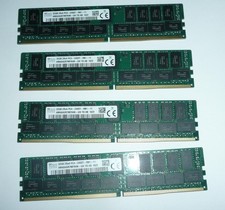
SK Hynix 128GB (4 x 32GB) PC4-2400T DDR4 ECC Server Memory HMA84GR7MFR4N-UH picture

SK Hynix 128GB (4 x 32GB) PC4-2400T DDR4 ECC Server Memory HMA84GR7MFR4N-UH

$649.95



2 in 1 USB 3.0 Card Reader Micro TF card Reader usb adapter High Speed Cardreder picture

2 in 1 USB 3.0 Card Reader Micro TF card Reader usb adapter High Speed Cardreder

$3.99
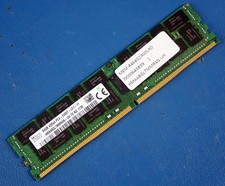


SK HYNIX HMAA8GL7MMR4N-UH 64GB PC4-2400T RDIMM Server RAM picture

SK HYNIX HMAA8GL7MMR4N-UH 64GB PC4-2400T RDIMM Server RAM

$289.95
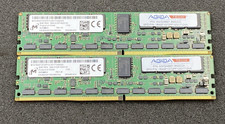


LOT OF 2 Micron 8GB 1Rx4 NN4-2133P-RZZZ-02 MTA18ASF1G72PF1Z-2G1T12AAIGD DDR4 RAM picture

LOT OF 2 Micron 8GB 1Rx4 NN4-2133P-RZZZ-02 MTA18ASF1G72PF1Z-2G1T12AAIGD DDR4 RAM

$49.99
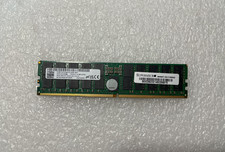


MICRON MTC40F204WS1RC48BB1 96GB (1X96GB) 2RX4 PC5-4800B DDR5 SERVER MEMORY picture

MICRON MTC40F204WS1RC48BB1 96GB (1X96GB) 2RX4 PC5-4800B DDR5 SERVER MEMORY

$2650.00
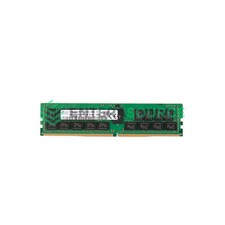


Hynix HMA84GR7CJR4N-VK 32GB DDR4-2666 PC4-21300 2Rx4 ECC Server Memory Module picture

Hynix HMA84GR7CJR4N-VK 32GB DDR4-2666 PC4-21300 2Rx4 ECC Server Memory Module

$194.99



Kingston 32GB 64GB 128GB 256GB USB 3.0 Flash Drive Thumb Memory Stick Pen lot picture

Kingston 32GB 64GB 128GB 256GB USB 3.0 Flash Drive Thumb Memory Stick Pen lot

$285.90
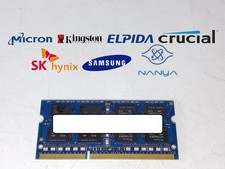


Major Brand 8 GB PC3L-12800 (DDR3-1600) 2Rx8 DDR3L Laptop Memory RAM picture

Major Brand 8 GB PC3L-12800 (DDR3-1600) 2Rx8 DDR3L Laptop Memory RAM

$10.99



MICRON MTA36ASF4G72PZ-2G6E1 | 32GB PC4-2666V ECC RDIMM Server RAM picture

MICRON MTA36ASF4G72PZ-2G6E1 | 32GB PC4-2666V ECC RDIMM Server RAM

$184.95
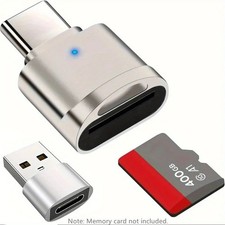


2 Pack USB C SD TF Card Reader Adapter Zinc Alloy USB-C to USB for iPhone 15-17 picture

2 Pack USB C SD TF Card Reader Adapter Zinc Alloy USB-C to USB for iPhone 15-17

$3.35