

 Reply With Quote
yeah knoppix is good, but i have to go back to xp because i cant get my damn modem workinstupid thing


To try zerwekh's suggestion:look for the device for your cdrom - but it very likely is sr0 with a 2.6.x kernel - might be /dev/hdc without SCSi emulation...Code:su <type password; ->prompt changes to '#'> dmesg | more
then try mounting "mount -r /dev/sr0 /mnt/cdrom" (still as root)
good luck...
yeah knoppix is good, but i have to go back to xp because i cant get my damn modem workin
Try a different linux distro. Mandrake or red hat are pretty cool. Kanotix is the one I choose and is awesome.
Hi, I'm on hd install and i have no problems with my cdrom and dvd drive until yesterday.
Simply the error display to me is that doesn 't exists. I've tried all comands I've read but don't works:
This is what i get when I use dmesg:
hdc: TOSHIBA DVD-ROM SD-M1712, ATAPI CD/DVD-ROM drive
hdd: SONY CD-RW CRX225E, ATAPI CD/DVD-ROM drive
hdc: attached ide-scsi driver.
hdd: attached ide-scsi driver.
scsi0 : SCSI host adapter emulation for IDE ATAPI devices
Vendor: TOSHIBA Model: DVD-ROM SD-M1712 Rev: 1004
Type: CD-ROM ANSI SCSI revision: 02
Vendor: SONY Model: CD-RW CRX225E Rev: QYB2
Type: CD-ROM ANSI SCSI revision: 02
Attached scsi CD-ROM sr0 at scsi0, channel 0, id 0, lun 0
Attached scsi CD-ROM sr1 at scsi0, channel 0, id 1, lun 0
sr0: scsi3-mmc drive: 48x/48x cd/rw xa/form2 cdda tray
Uniform CD-ROM driver Revision: 3.12
sr1: scsi3-mmc drive: 40x/40x writer cd/rw xa/form2 cdda tray
Type:
sudo mount /dev/sr1 /cdrom
/dev/sr1: Error de entrada/salida
mount: dispositivo de bloques /dev/sr1 está protegido contra escritura; se monta como sólo lectura
/dev/sr1: Error de entrada/salida
sudo mount /dev/hdd /cdrom1
/dev/hdd: Error de entrada/salida
mount: debe especificar el tipo de sistema de ficheros
I've tried to change /etc/fstab but the error message is the same
I don't know which can be the problem cos I can burn cds with hdd dispositive and k3b (k3b recognise the cdrom)
Thanks
my cdrom stopped working after 3.7 hdd install.
this command fixed it for me
mount -r /dev/sr0 /dev/cdrom
good luck all.
 Posting Permissions


Intel Xeon E5-2680 V2 2.8GHz 10-Core 25MB 8GT/s SR1A6 LGA2011 B Grade Server CPU
$7.95

HPE DL360 G10 CTO Server W/ 2x800W 1x LP PCIE RISER 1xFLEXROM 2XHIGH PERF FANS
$200.00

NEW HP Z4 G4 Workstation Xeon W-2123 16GB ECC 256GB NVMe NVIDIA T400 750W Win11
$450.00
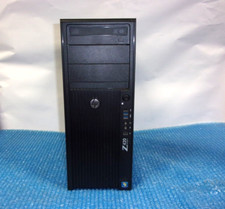
HP Z420 Tower Workstation Xeon E5-1620 3.60GHz, 4GB Ram, NO HDD, NO OS
$140.00
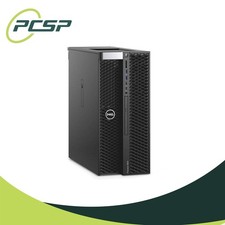
Dell Precision T5820 Workstation 3.70GHz W-2135 No RAM/ GPU/ HDD/ OS
$179.98

Lenovo ThinkStation P520c Intel Xeon W-2133 6-Core 3.60GHz -NO RAM/ HDD/ GPU/ OS
$127.54

Dell Precision T7820 2x Xeon Gold 6130 2.10GHz 950W No RAM GPU HDD 4x SATA
$374.48
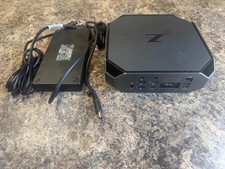
HP Z2 Mini G5 Workstation Xeon W-1270P 3.8GHz/16GB/1TB SSD/ NVIDIA T1000/W11 Pro
$349.00

DELL Precision T3420 | Xeon 1240v6 | 525GB SSD |16GB RAM |Nvidia GPU |Win11
$149.00

Lenovo ThinkServer TS460 Part Number: 70TS-S01U00
$279.00