

 Reply With Quote
Try booting with knoppix26
that will show kernel output and any errors.
Post anything interesting.


I've downloaded KNOPPIX_V3.6-2004-08-16-EN.iso .....twice. I've seemingly burned the software OK ....twice. I can see the contents of the CD and have set my machine to boot from CD first. When I start the machine with the CD loaded, I get a splash screen and a BOOT : prompt .....twice. Bootup starts and I see two lines of text flash by, before the screen goes black, except for a small penguin in the upper left corner of my screen and the computer locks up solidly. Modifications that I've tried to the boot command make absolutely no difference to this result.
Anyone any idea what I'm doing wrong?
JohnW.
Try booting with knoppix26
that will show kernel output and any errors.
Post anything interesting.
Thanks for the tip. I tried the "Knoppix26" login, and got 26 lines of text before the machine froze again. It seems that Knoppix is having a problem with my VIA IRQ router, and could only find *one* PnP card in my machine, that one being a SCSI card for my scanner. Anyway the installation quit after "Using anticipatory io scheduler"
You know, I have remembered that during those two downloads, I got a warning of a worm insertion attempt from my security software, and a "worm" was deleted. Seems strange that this should happen twice...I'm wondering if something in the Knoppix download is being interpreted as a worm? I'd hate to do another download with my virus and worm protection turned OFF, but maybe that's the way to go.
This is a strange report that I haven't seen before. If some idiot frirewall deleted something in the download it certainly would be a problem. The simple answer to this (and many other booting problems) is You confirmed the md5 checksum, didn't you? If the md5 sum was right them the download is good, no matter what your firewall said. If it's wrong then burning it to CD was a waste.Originally Posted by JohnW
OK, I moved these two items because the one that I made first certainly should come first. If the MD5 sum is right then I would suspect either the CD or a need for cheat codes. You seem to have burnt it properly, but didn't say at what speed you burnt it - I've seen a lot of people who have mysterious problems when they did everything right but burnt the CD at high speed. The problems go away when they burn at 4x. Beyond that, your particular hardware may need cheat codes. Unfortunately, it might need multiple cheat codes and I know of no good way to determine just what cheat codes you need (if that even really is the problem). But I would suggest trying combnations of "noscsi", "acpi=off" and "nodma", as all of these seem to cause problems somewhat similar to what you are seeing.
 Posting Permissions


Samsung DVI to DVI Cable 6 ft Digital Video Interface Audio Video NEW
$30.89
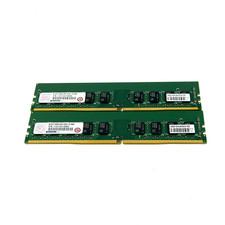
Advantech/Samsung 16GB 2x8GB DDR4-2400 ECC UDIMM RAM AQD-D4U8GE24-SE DDR4 EUDIMM
$85.00
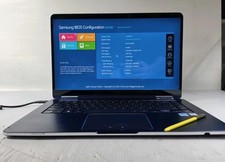
Samsung Notebook 9 Pen Touchscreen 2-in-1 Motherboard NP930SBE-K01US
$111.14

Samsung PM981a 256GB SSD M.2 OEM
$40.00

Kids Case for Samsung Galaxy Tab A9+/A9 plus 11 Inch 2023 Case, with Strap, Shoc
$27.99

Samsung JC95-01514A Cover-Side Roller T2 Compatible
$39.00

Samsung JC93-01078A Transfer Roller T2
$89.00

Samsung PC4-2666V 16GB 2Rx8 RAM DDR4 2666MHz M471A2K43CB1-CTD
$59.99

Samsung Galaxy View Tablet 18.4 SM-T670/677A Digitizer 100% Original Oem
$152.99
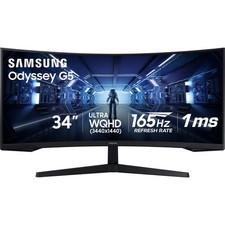
Samsung LC34G55TWDNXZA 34" Odyssey G55T WQHD 165Hz 1ms(MPRT) AMD FreeSync HDR
$217.00