-
Problem detect/mount dvd drive force to switch back to WinXP
I just installed the Knoppix into my laptop. However, when I try to click the CD-ROM icon, the following error occured
Unable to run the command specified, The file or folder
file:/mnt/cdrom does not exist
I will be appreciate if there's anyone who can help me resolve this problem. Hope to receive the response as soon as possible. Thanks.
-
I really appreciate if there's anyone who can help me resolve this problem. Without the drive, it would be useless since sometimes I need to load the stuffs from the drives.
-
Senior Member
registered user
you might try to delete the icon and rightclick on the desktop, create new device-->whatever-->choose the approriate device.
you might have to symlink /dev/dvd to your actuall dvd but...
now it "should" work.
if not.
i first run the comand
Code:
dmesg|grep dvd; dmesg|grep DVD
then from output i get the actuall devic-file.
mine looks like this.
Code:
 dmesg|grep dvd; dmesg|grep DVD
sr0: scsi3-mmc drive: 32x/32x writer dvd-ram cd/rw xa/form2 cdda tray
hdc: DVD-ROM DDU1621, ATAPI CD/DVD-ROM drive
hdc: ATAPI 40X DVD-ROM drive, 512kB Cache, UDMA(33)
  Vendor: IOMEGA    Model: DVDRW4224E2Q-D    Rev: A110
this means my /dev/dvd should be a symlink to /dev/hdc
Code:
ln -s /dev/hdc /dev/dvd
-

Originally Posted by
OErjan
you might try to delete the icon and rightclick on the desktop, create new device-->whatever-->choose the approriate device.
you might have to symlink /dev/dvd to your actuall dvd but...
now it "should" work.
if not.
i first run the comand
Code:
dmesg|grep dvd; dmesg|grep DVD
then from output i get the actuall devic-file.
mine looks like this.
Code:
 dmesg|grep dvd; dmesg|grep DVD
sr0: scsi3-mmc drive: 32x/32x writer dvd-ram cd/rw xa/form2 cdda tray
hdc: DVD-ROM DDU1621, ATAPI CD/DVD-ROM drive
hdc: ATAPI 40X DVD-ROM drive, 512kB Cache, UDMA(33)
  Vendor: IOMEGA    Model: DVDRW4224E2Q-D    Rev: A110
this means my /dev/dvd should be a symlink to /dev/hdc
Code:
ln -s /dev/hdc /dev/dvd
Thank you so much for the help. However, when I try to run the command in the root. There's an error
"ln : '/dev/dvd': File exists
I will be appreciate if you can help me again once more. Again I am very new to Linux, and henceforth don't know all the details like command to use yet. Thanks again.
-
Senior Member
registered user
Try to force with ln -sf /dev/scd# /dev/dvd. This way by passes any other symlinks and sets it directly to the drive. All you need is the appropriate scd#. This you can find in the output from what the last post said. This must be done as root. scd# will be the scsi#, as in scsi2 --> scd2. Hope this helps.
Similar Threads
-
By Lintu in forum Hdd Install / Debian / Apt
Replies: 1
Last Post: 10-20-2005, 06:13 PM
-
By satimis in forum General Support
Replies: 1
Last Post: 05-29-2005, 12:34 PM
-
By wilson001 in forum Hardware & Booting
Replies: 14
Last Post: 01-25-2005, 05:25 AM
-
By cwee005 in forum Tips and Tricks
Replies: 1
Last Post: 11-10-2003, 11:21 PM
-
By bitwarrior in forum Hdd Install / Debian / Apt
Replies: 2
Last Post: 08-16-2003, 03:57 AM
 Posting Permissions
- You may not post new threads
- You may not post replies
- You may not post attachments
- You may not edit your posts
-
Forum Rules


Samsung 860 PRO 2TB 2.5" SATA III V- NAND SSD MZ-76P2T0 86%-90% Health
$187.00
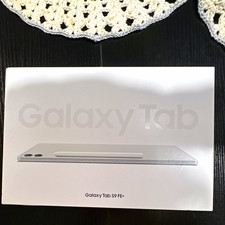
Samsung Galaxy Tab S9 FE+ 12.4" Wi‑Fi 128GB 8GB RAM Tablet Silver
$255.00

Samsung 24" S3 Essential IPS 100Hz Monitor | Sealed | Fast shipping
$50.00

Samsung Galaxy Tab Active 3/ 64 gig/WIFI
$85.00

RAM-HOL-SAM60CPU RAM USB-C Powered Dock for Samsung Tab Active5 - 3 - 2
$81.99

RAM-HOL-SAM52CPU RAM USB-C Powered Dock Samsung Tab Active4 Pro & Tab Active Pro
$81.99

Cell Phone Smartphone Computer repair banner poster sign iphone Samsung
$89.99

RAM-GDS-SKIN-SAM54-NG-1 RAM Mounts IntelliSkin® Next Gen for Samsung Tab Active4
$93.99
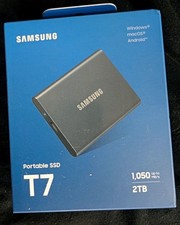
Samsung T7 Portable SSD (MU-PC2T0T) 2TB Gray USB-C
$252.00
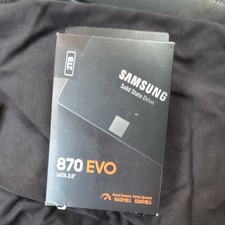
NEW SEALED — Samsung 870 EVO Series 2TB SATA 2.5" Internal SSD MZ-77E2T0B/AM 😍
$335.00



 Reply With Quote