

 Reply With Quote
With cheatcodes : knoppix26 desktop=fluxbox
or if knoppix is installed to hdd, on KDM, click session and choose your desktop.


From within KDE, I use the Knoppix menu item utilities>Chose(sic)/ restart KNOPPIX desktop and I get a warning that running programs need to be closed, which I agree to, but then nothing happens,
Is this broken because I have installed Knoppix to HD?
Is there a manual way to change the default Window Manager to , say, fluxbox ?
With cheatcodes : knoppix26 desktop=fluxbox
or if knoppix is installed to hdd, on KDM, click session and choose your desktop.
my problem is that i already changed the window manager, now it only boots in text mode, and i cant figure out how to change it back to KDE from text mode
my problem is that i already changed the window manager, now it only boots in text mode, and i cant figure out how to change it back to KDE from text mode
if you are not logged in just type
$ login
and type your
$ <username>
and then
$ <password>
then
$ startkde
 Posting Permissions


(New) AMD Ryzen 7 5700X 8 Core 16 Thread AM4 Unlocked 3.4 GHz CPU OEM Tray
$169.99

RYZEN 7 9800X3D 8-Core, 16-Thread Desktop Processor
$475.00
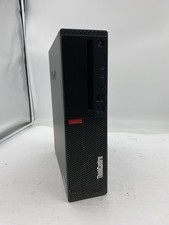
Lenovo ThinkCentre M920S Sff Intel Core i5 8600 8GB 256GB SSD Windows 11 Pro
$94.99

Apple MacBook Air 13.6” M2 8GB 256GB SSD 2022 MLY33LL/A 8‑Core CPU 8‑Core GPU
$529.95

AMD Ryzen 7 9800X3D 8-Core AM5 CPU 4.7GHz 96MB L3 8MB L2 100MHz
$389.99
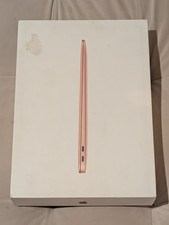
MacBook Air 13 2020 M1 8-Core CPU 7-Core GPU 8GB RAM 256GB Storage Gold
$399.00

Lenovo LOQ 15 15.6" FHD 144Hz 8-Core i5-12450HX 16GB 512GB SSD GeForce RTX 4050
$760.00

Intel Core i9-9900K Coffee Lake 8-Core, 16-Thread, 3.6 GHz (LGA 1151)
$189.99

8-core 10-core GPU baseboard 8654 to PCIE 5.0x16 GPU expansion baseboard
$377.77

CHUWI 15.6'' Laptop Computer Intel Core 8GB RAM 512GB SSD WiFi Windows 11
$269.99