

 Reply With Quote
With cheatcodes : knoppix26 desktop=fluxbox
or if knoppix is installed to hdd, on KDM, click session and choose your desktop.


From within KDE, I use the Knoppix menu item utilities>Chose(sic)/ restart KNOPPIX desktop and I get a warning that running programs need to be closed, which I agree to, but then nothing happens,
Is this broken because I have installed Knoppix to HD?
Is there a manual way to change the default Window Manager to , say, fluxbox ?
With cheatcodes : knoppix26 desktop=fluxbox
or if knoppix is installed to hdd, on KDM, click session and choose your desktop.
my problem is that i already changed the window manager, now it only boots in text mode, and i cant figure out how to change it back to KDE from text mode
my problem is that i already changed the window manager, now it only boots in text mode, and i cant figure out how to change it back to KDE from text mode
if you are not logged in just type
$ login
and type your
$ <username>
and then
$ <password>
then
$ startkde
 Posting Permissions


Kingston 32GB 64GB 128GB 256GB USB 3.0 Flash Drive Thumb Memory Stick Pen lot
$285.90

SanDisk Ultra Luxe USB 3.1 Flash Drive – 5 Pack | Premium Metal USB Flash Drives
$39.99

Microsoft Windows 11 Pro 64-Bit USB Flash Drive
$24.99

Microsoft Windows 11 Pro 64bit - New Sealed – Flash USB 1 PC
$49.99

Sandisk 16GB 32GB 64GB 128GB Cruzer Blade Flash Drive Memory Stick USB Lot Pack
$88.90

LOT 10x SanDisk 32GB ULTRA USB 3.0 flash drive SDCZ48-032G 32 GB read 100 MB/s
$39.80

USB Type-A Flash Drive Metal Memory Stick High Speed USB Drive 128GB 256GB 512GB
$7.97
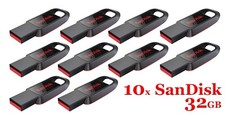
LOT 10x SanDisk 32GB Cruzer Spark USB 2.0 flash drive 32 GB SDCZ61-032G 32G
$34.80
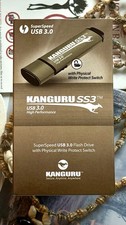
Kanguru KF3WP-64G USB Flash Drive with Write Protection Switch
$62.00

Toshiba TransMemory USB 3.0 Flash Drive – Pack of 5 | Fast, Reliable & Porta Lot
$69.99