

 Reply With Quote
Use this script
http://kanotix.com/wiki/CoMa.php?CoMa=usb-storage


I got a FinePix A340 from a friend, brand new for 85 bucks. I created the camera folder in mnt and that works, but only for root, plus I have to mount it everytime like a normal device. GTKam and Digikam don't recognize it.
Use this script
http://kanotix.com/wiki/CoMa.php?CoMa=usb-storage
I get this. When I mount it it shows up as sda1 and sdb1 due to an earlier mistake I made. Where should I edit the script to use them?Originally Posted by shah
Code:grep: /proc/scsi/usb-storage-*: No such file or directory
I used this howto:
http://gphoto.sourceforge.net/doc/ma...rmissions.html
... mainly the 4.3 section when getting Gtkam to hotplug my camera also for my user me.
Most of that stuff is a bit too advance for me.
Don't worry, it took me a while too. It just looks complicated but when read through it's not so bad.
How about a simplified version: http://nift.freeshell.org/camedia.html
You can add the group camera with kuser or change a line in usbcam.group:
#GROUP=camera
GROUP=users
I made a work around script for my laziness. I'll share it if anyone cares.
This is enough for me.Code:sudo mount /dev/sda1 /mnt/camera && sudo konqueror /mnt/camera
Thought I should post this since most of the suggestions in the links don't work & it took quite a while for me to figure out how to get my camera to work.
Kano's script didn't work (same error as ZeroKun got) & "gphoto2 --print-usb-usermap >> /etc/hotplug/usb.usermap" doesn't work with newer versions of gphoto2.
But this worked:
1) /usr/lib/libgphoto2-2/print-usb-usermap > /etc/hotplug/usb/usbcam.usermap
2) cp /usr/share/doc/libgphoto2-2/linux-hotplug/usbcam.group /etc/hotplug/usb/usbcam
3) edit the "GROUP=" line in /etc/hotplug/usb/usbcam to specify the group you want to have access to the camera (I just used the group 'users')
4) chmod +x /etc/hotplug/usb/usbcam to make the script executable
That's it, camera should work for any user in the group.
I've been using flphoto as a graphical frontend to gphoto2.
Konqueror has an io plugin 'kamera' which is supposed to access the camera with the url 'camera:/' but I cannot get it to work. Anybody else try it?
Umm, your solution is actually straight from the 4.3.2. section of http://gphoto.sourceforge.net/doc/ma...rmissions.html which I posted earlier.
Haven't tried as I don't use konq much, but gtkam is quite nice.I've been using flphoto as a graphical frontend to gphoto2.
Konqueror has an io plugin 'kamera' which is supposed to access the camera with the url 'camera:/' but I cannot get it to work. Anybody else try it?
Not quite 'straight from', the link suggests the "gphoto2 --print-usb-usermap >> /etc/hotplug/usb.usermap" command which doesn't work & it took me a while to find the usbcam.group scripts as they are in usr/share/doc/libgphoto2-2/ not /usr/share/doc/gphoto2/ as in the how-to.
The '/usr/lib/libgphoto2-2/print-usb-usermap > /etc/hotplug/usb/usbcam.usermap' came from your reply in a different post for which I should have given credit...sorry.
Just thought I should put it all together in an easy step by step for the benefit of the next caller.
 Posting Permissions

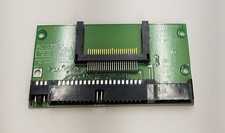
Vintage ACS CompactFlash CF to 40-Pin IDE Drive Adapter Board ACS-CF-1LVT805A
$16.99

Vintage HP Hewlett Packard 2112A 21MX 1000 M-Series 16-Bit Minicomputer
$419.99

Vintage Jetway J-620BF Socket 370 Celeron AT Motherboard SiS 620 Brand New
$75.00

Vintage 1986 Goldenrod Research Corp CP/M Desktop Computer Syste w/Keyboard
$350.00
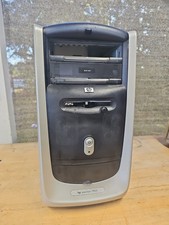
$99.99
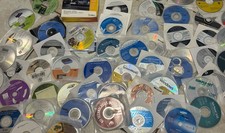
Mixed Lot Of Vintage Software And Drivers - Install Discs - CDs - 94 Pieces
$85.00

Vintage Mainframe Computer Disk Drive Pack Dyson SMD 5 Level Disks
$79.00
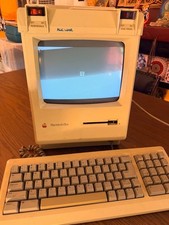
Vintage Apple Macintosh Plus Desktop Computer - M0001A
$155.00

Vintage ECS Micro-ATX Desktop Case | Beige/Dark Grey | *READ*
$80.00

Vintage Toshiba Satellite 4090XDVD Intel Celeron 400Mhz Retro - Powers up Cards
$57.59
