

 Reply With Quote
First, try fdisk -l to check what kind of partitions fdisk can see on your flash drive.
Depending on that you might want to try different filesystem types ( I am not sure if vfat is similar to msdos but I always use it to mount fat32 partitions).


I have a problem with my buildin multicard reader.
when I insert a compact flash card it is not detected
I boot from a Knoppix 3.7 CD
lsmod gives me the following output
and the output from lsusb isCode:Module Size Used by Not tainted autofs4 8756 1 af_packet 13544 0 (autoclean) via82cxxx_audio 19448 1 ac97_codec 11916 0 [via82cxxx_audio] uart401 6052 0 [via82cxxx_audio] sound 55276 0 [via82cxxx_audio uart401] soundcore 3428 4 [via82cxxx_audio sound] via-rhine 12336 1 mii 2240 0 [via-rhine] crc32 2816 0 [via-rhine] serial 52100 0 (autoclean) pcmcia_core 39840 0 thermal 6724 0 (unused) processor 9008 0 [thermal] fan 1600 0 (unused) button 2700 0 (unused) battery 5952 0 ac 1824 0 rtc 7036 0 (autoclean) cloop 8740 2 sbp2 16396 0 (unused) ohci1394 22664 0 (unused) ieee1394 183076 0 [sbp2 ohci1394] usb-storage 61760 0 usb-uhci 21644 0 (unused) usbcore 57600 1 [usb-storage usb-uhci] ataraid 6180 0 ide-scsi 8816 1
So the card reader itself is detectedCode:Bus 004 Device 001: ID 0000:0000 Bus 003 Device 001: ID 0000:0000 Bus 002 Device 001: ID 0000:0000 Bus 002 Device 002: ID 0aec:3050 Neodio Technologies Corp. ND3050 8-in-1 Card Reader Bus 001 Device 001: ID 0000:0000
The command
results inCode:ls /mnt
My hard drive is sda. I think that sdb is the flash disk so Knoppix knows at least at some level that there it is there.Code:auto cdrom cdrom1 floppy hd pts sda1 sda3 sda5 sda6 sdb sys test
But when I try
I getCode:mount -t msdos /dev/sdb /mnt/sdb
I dont know what to try nextCode:mount: wrong fs type, bad option, bad superblock on /dev/sdb, or too many mounted file systems
Thanks
Charles
First, try fdisk -l to check what kind of partitions fdisk can see on your flash drive.
Depending on that you might want to try different filesystem types ( I am not sure if vfat is similar to msdos but I always use it to mount fat32 partitions).
I tried vfat but that didn't help
I will try fdisk -l tonight when I get back home. At least I know that the hardware works as I did manage to get it working with
system rescue cd (http://www.sysresccd.org)
I am thinking that maybe some needed kernel module is not loaded.
Thanks for your reply nick666
Charles
What is the fstab entry for this device?
 Posting Permissions


INTEL XEON E5-2680V4 SR2N7 2.40GHZ CPU
$11.00

Dell EMC PowerEdge R440 Xeon silver 4215 2.5GHz 16 GB ram 2x 550W PSU No HDD
$275.00

Dell Precision Tower 7810 Xeon E5-2630 v3 @ 2.40GHz , 32GB Ram, NO HDD, NO OS
$239.99

Dell Precision T7820 2x Xeon Silver 4114 2.20GHz 950W No RAM GPU HDD 4x SATA
$350.48

Dell Precision T5820 Workstation 3.70GHz W-2135 No RAM/ GPU/ HDD/ OS
$179.98

Intel Xeon E5-2699 V4 2.20GHz 55M 22-CORES LGA2011-3 Server Processor 145W SR2JS
$84.49

Intel Xeon E5-2690 v4 SR2N2 14 Core 2.6GHz 35MB LGA2011-3 CPU *km
$15.99
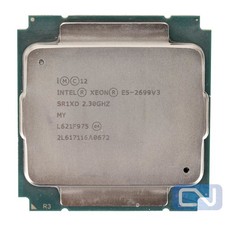
Intel Xeon E5-2699 v3 18 Core 2.3 GHz 45MB SR1XD LGA 2011-3 B Grade
$15.95

DELL Precision T3420 | Xeon 1240v6 | 525GB SSD |16GB RAM |Nvidia GPU |Win11
$149.00

Lenovo ThinkServer TS460 Part Number: 70TS-S01U00
$279.00