

 Reply With Quote
Did you format the 2 as linux swap and linux?


Hi!
I have tested Knoppix on CD some days now and really like so I wanna do a hdinstall..
In Windows I resized one of my bigger partitions and created a 1GB for swap and a ~11GB för Knoppix.
I open the console in knoppix and type "sudo knoppix-installer" and when I press OK it says I haven't done all the requirements which are a partition for swapfile and another for knoppix itself...
What have I made wrong?
Did you format the 2 as linux swap and linux?
i found out that you should create the partitions as ex3 & linux-swap in qtparter so my ntfs-partitions made in windows didn't work so good
Well now I have installed knoppix to the linux-partition, but I can't boot it. It just boots Windows. If I use the knoppix-cd I can boot, but ofcause only the cd-version. I can see that there are a partion with all the files for knoppix..
What shall I do??
You probably didn't install the bootloader to the mbr and just to the root partition. here is what should be done to install lilo to the mbr (Don't worry, it will see your windows and post it as an option to boot):
Boot with the Knoppix CD. I use cheatcodes
Code:
knoppix 2 vga=normal
but you can boot up however you see if. Gain root access
Code:
su -
Mount the Knoppix HD install partition (I will assume it is /dev/hda3, you have to insert the correct partition #)
Code:
mount -t ext3 /dev/hda3 /mnt/hda3
Run lilo with the following extensions to put lilo back into the MBR as you bootloader.
Code:
lilo -v -C /mnt/hda3/etc/lilo.conf -r /mnt/hda3
If that was successful, unmount the Knoppix HD partition
Code:
umount /mnt/hda3
Then reboot the PC from the KDE menu or use the command:
Code:
init 6
I actually used MBR as bootloader.
I tried to mount the partition(hda6 for me) and it says it's already mounted...then I unmount and mount it again and tries the lilo-command which says there's no such file and I havn't spelled wrong anywhere. Also there is a lilo.conf-file where it point to...it's very strange...
adding a bit to rrfish72 procedure.
After you mount your hda6 partition, you need to chroot it.
Do this as root:
mount /dev/hda6 /mnt/hda6
chroot /mnt/hda6
/sbin/lilo -v

What does this mean? MBR stands for Master Boot Record. It's the space on the very beginning of the drive (first sector of first track) that holds whatever software boots the hard disk (in many cases it holds a very simple boot loader that loads a more advanced loader, as 1 sector isn't large enough to hold much code). So what does it mean to you to say you used MBR?Originally Posted by ultima
Sorry, I'm not from a english speaking country like you
What I was trying to say is that I selected "MBR" in the installation-settings, and not the partition thing..
I tried what you sayd shah, but it still just boots into Windows like before.
When using the last lilo-command, should it say something special in the settings that maybe it dosn't?
I maybe know what's the problem...
I tried using the debian-option in the installation-settings and before the installation was completed there poped up som text in the background that say something about that there was only read-only...thought it was something about the drives so I tested creating a file on a drive, but I didn't have permission to do that...
Is this the problem, and how do I get permission to write to drives??
anyone who can help the newbie I am??
Really wanna use knoppix from the harddrive
 Posting Permissions

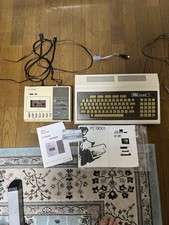
Vintage NEC PC-8001 32KB RAM Fully Working Set w/ Monitor Cable & Tape
$499.00

Vintage Jetway J-620BF Socket 370 Celeron AT Motherboard SiS 620 Brand New
$75.00

Vintage HP Hewlett Packard 2112A 21MX 1000 M-Series 16-Bit Minicomputer
$599.99

Vintage ECS Micro-ATX Desktop Case | Beige/Dark Grey | *READ*
$80.00
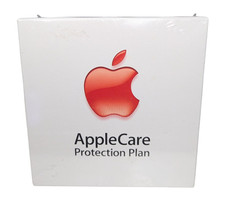
Vintage AppleCare Protection Plan Box for Mac Model 607-3517 COLLECTIBLE ONLY
$20.00
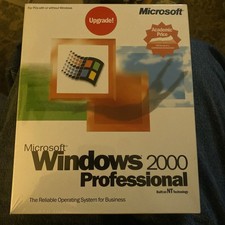
Factory Sealed Windows 2000 Professional Upgrade Edition Vintage PC Software NOS
$50.00
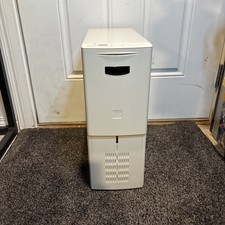
Vintage Retro Beige ATX Sleeper PC Desktop Computer Case Good Condition
$199.99
![Apple Macintosh Boot Disk System [1.0 - 8.0] 400/800k/1.4 Floppy for Vintage Mac picture](/store/img/g/EhEAAOSwg7ZnexmU/s-l225/Apple-Macintosh-Boot-Disk-System-1-0-8-0-400-800k-.jpg)
Apple Macintosh Boot Disk System [1.0 - 8.0] 400/800k/1.4 Floppy for Vintage Mac
$11.75

Vintage Toshiba Satellite 4090XDVD Intel Celeron 400Mhz Retro - Powers up Cards
$57.59

Vintage 1986 Goldenrod Research Corp CP/M Desktop Computer Syste w/Keyboard
$350.00
