

 Reply With Quote
Nice, an automated installer
But don't forget to "export CC=/usr/bin/gcc-2.95", else compilation will fail on a stock Knoppix kernel.


For all of you that use Nvidia based cards there is a new driver release (march 31) available on their website here.
Nice, an automated installer
But don't forget to "export CC=/usr/bin/gcc-2.95", else compilation will fail on a stock Knoppix kernel.
FINALY! Now if only more hrdware manufacturers would take the lead from Nvidia and realease automatic installers. Heck, we might even see self installing software some day! Frightening......
I know I know, I was icky too about running a program released just before April Fools as root. I guess they got fed up by all the n00b questions.Originally Posted by VeeDubb
And indeed they should really release the normal "source" version too. It's downloaded by the installer anyways and it doesn't even parse the 'make' output. You were directed to look at some error log, a little output screen would have been nice. Can't think of a normal Linux systemd at doesn't have a pager like 'more' installed...
I'm all for releaseing source versions, I'm even okay if they get realeased first. But, there's a lot of applications where I couldn't care less about the source code. Nvidia drivers are one of them. And it's nice to see them realeaeing a dummy installer
Anyone used this sucessfully to install the drivers? Work well? Any tips?
They work great, just done forget to use the export gcc command above.
Yes and no, at least for me, there was more to it than that. after you edit the XF86Config-4 there's two othere files that need editing, at elast they did fo me. If you search here for nvidia, you'll find a thread with instructions for installing the last set of drivers (manual install) and it lists two files that need a line with a new alias. I found I still had to do that with these, but they work great and I seems to get more proformance out of my GeForce2 now.
Ok, this makes sense. I installed the new drivers but they were't being utilized. I edited XF86Config-4 the way that Nvidia prescribes and that resulted in X failing to start. I'll look for the other post later. If anyone knows all the things that need to be done to get this to work, it would make a nice howto for the Docs section.
Since I don't have access to the Nvidia computer I was working on now, i'll try and post back later.
Adam
Try this: http://www.knoppix.net/forum/viewtopic.php?t=960
You will skip the "unpacking" section and instead of following the directions for instalation, just run the executables you downloaded. Then it's just a matter of following the directions in the last section for editing configuration files instead of following nVidia's directions.
I am assuming this is nessicary because of the odd-ball kernel that knoppix uses, but it worked great for me.
 Posting Permissions


Intel Core i7-3770K 3.5 GHz Processor
$39.00

INTEL CORE I9-10940X X-SERIES PROCESSOR | 3.30GHZ | SRGSH
$179.99

INTEL CORE I7-870 SLBJG 2.93GHZ LGA1156 4 CORE CPU PROCESSOR
$23.00
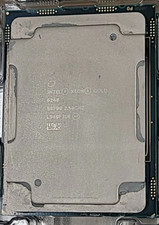
Intel SRF90 Xeon Gold 6248 2.50GHz 20 Core LGA 3647 Server CPU Processor
$55.99

Intel Core i5-12500T SRL5W 2GHz 18MB 6 Core Socket LGA1700 Desktop CPU Processor
$114.99

Intel i7-8700 Coffee Lake 3.2GHz 6-Core Max Turbo 4.6GHz Processor
$67.99

Intel Core i7-7700K SR33A 4.20GHz 4-Core LGA1151 CPU Processor
$62.95

Intel SR3XE Core i5-8500 3.0GHz 9M Socket 1151 6-Core CPU Processor *Tested*
$32.99

INTEL CORE I9-10980XE PROCESSOR | 3.00GHZ | SRGSG
$299.99

LAST BATCH *Brand New-Sealed* AMD Ryzen 9 9950X3D2 Dual Ed. 4.3GHz 16Core AM5
$768.00
