-
Junior Member
registered user
Write to CD-R. Please help newbie.
Hi,
I am a new (just 2nd day) Linux guy. Please help to start.
The problem:
My Knoppix v3.4 does not see internal hard drives and network card on my brand new computer. The first thought was that the system is too old for my new Dell box w/o OS. So I downloaded the latest v3.7 on external (formatted as FAT32) USB drive using Widndows computer.
Good or bad, the 3.7 has newer Kernel, than my v3.4 has, so I could not use a bootfrom cheat code. Now I have to burn the image to CD and then use it as a new system. Very trivial (I hope so) for knowledgible person. But not for me.
Please, please,, help me to avoid inevitable problems while I am trying to do this.
Specifically, the task is:
I have a PC with 512M, CD writer and external USB drive with unlimited room and Knoppix 3.7 image(/dev/sda1/k.iso) on it. No internal hard drives, no network. I want to burn the image on CD-R, using Knoppix v3.4.
Could anybody experienced guide me.
Thank you.
Henry
-
Senior Member
registered user
i am also a learner... both in driving and linux... but i know just enough to answer your first problem...
The problem:
My Knoppix v3.4 does not see internal hard drives and network card on my brand new computer. The first thought was that the system is too old for my new Dell box w/o OS. So I downloaded the latest v3.7 on external (formatted as FAT32) USB drive using Widndows computer.
"card on my brand new computer. " ok, you know as much as i, that when new stuff comes out, any OS wont have the compleate details on it... so, it wont reconize it...
just wait... i am not finished...
-
Senior Member
registered user
i know i am stringing but hay... sorry to any mods or ad...
ok, your title says, "Write to CD-R. Please help newbie.". here is some help... get alcohol120%, and use the OS your using now, to help burn the *.iso image to the cd.... http://www.alcohol-soft.com/ any whom... you can also use nero, and any other burning tool...
-
Senior Member
registered user

Originally Posted by
NewGuy
new Dell box w/o OS
Does that mean your new computer came without an operating system? If that's correct, is the hard drive in it formatted? If not, that would be a reason that Knoppix doesn't "see" it. (Knoppix has a good command-line tool named "cfdisk" that you can use to format it, and a GUI-based tool named "QTParted" that you can use to format it.)
If your network card is connected to a router, all you might have to do to get it working is go to the Knoppix menu and select "Network/Internet > Network card configuration" and follow the prompts (one can hope!).
Originally Posted by
NewGuy
Specifically, the task is:
I have a PC with 512M, CD writer and external USB drive with unlimited room and Knoppix 3.7 image(/dev/sda1/k.iso) on it. No internal hard drives, no network. I want to burn the image on CD-R, using Knoppix v3.4.
Problem with that scenario is, you can't take the Knoppix 3.4 CD out to burn Knoppix 3.7 if you booted off the CD.
What you might try is downloading the floppy boot disks for Knoppix 3.6 (I think they work for 3.7 also) from here, use them to boot up your computer, and then at the boot prompt type
knoppix bootfrom=/dev/sda1/k.iso
to use the 3.7 ISO on your USB drive. If it works (and I don't have a USB drive with which to test it), that'd leave your CD writer free to burn your Knoppix 3.7 image using K3B (a CD burning app on the "Multimedia" menu).
Merry Christmas!
<Edit: I think that only the 2.6 kernel uses "ubxx" to refer to USB devices; 2.4 still uses "sdxx".>
-
Junior Member
registered user
Thank you, chris-harry, for prompt answer.
Originally Posted by
chris-harry
ok, you know as much as i, that when new stuff comes out, any OS wont have the compleate details on it... so, it wont reconize it...
I hope that it is done already in KNOPPIX, because the Red Hat Enterprise Linux is the native OS for my box and it sure works.
get alcohol120%, and use the OS your using now, to help burn the *.iso image to the cd....
http://www.alcohol-soft.com/ any whom... you can also use nero, and any other burning tool...
Does it works on Linux?
I don't want to instal it on Windows PC - I have horrible experience with conflicting burning applications. I am very happy with my current XP's "drug and drop" data CD burning for regular needs and don`t want to put it in risk anymore.
-
Junior Member
registered user
Originally Posted by
eco2geek
Does that mean your new computer came without an operating system? If that's correct, is the hard drive in it formatted?
Yes. I wanted to save ~$350, which was about a full hardware price. So I formatted disks for Linux, using standard Dell installation process, but turned off computer, when was asked to insert Red Hat Enterprise Linux CD to install it. I saw the formatting process has been completed.
If your network card is connected to a router, all you might have to do to get it working is go to the Knoppix menu and select "Network/Internet > Network card configuration" and follow the prompts (one can hope!).
That is exactly, what I did. But I got an error message, saying, there is no card. The possible reason may be that this was an onboard NIC.
Problem with that scenario is, you can't take the Knoppix 3.4 CD out to burn Knoppix 3.7 if you booted off the CD.
Oh, my G-d, I hoped it was just an image, which can be transfered one to one to CD and the result will be bootable CD. Thank you for invaluable advice
Merry Christmas!
[Edit] 1. (Rereadind your answer): Do you mean that the problem with my scenario is that the CD device is busy with OS? If yes, it is not the problem in my case, because I have 2 CD devices on other computer and I can use it for burning. All restrictions still apply.
2. How can I tell K3B, that I want to copy from USB hard drive device, not from CD?
TIA
-
Senior Member
registered user
get alcohol120%, and use the OS your using now, to help burn the *.iso image to the cd....
http://www.alcohol-soft.com/ any whom... you can also use nero, and any other burning tool...
Does it works on Linux?
I don't want to instal it on Windows PC - I have horrible experience with conflicting burning applications. I am very happy with my current XP's "drug and drop" data CD burning for regular needs and don`t want to put it in risk anymore.
use wine... it an emulator... it emulates...  ... and its free... you can use it to run many microsoft application (but why bother, because you have to pay for them, and they are C***, and also you can get the same thing for free)... and the best thing is that it runs games also... its great... By the way... Have fun../
-
Junior Member
registered user
Thank you. I love wine. Free. Good. Alcohol wine!
-
Senior Member
registered user
Originally Posted by
NewGuy
I have 2 CD devices on other computer and I can use it for burning.
Oh, then you're good to go.
Originally Posted by
NewGuy
How can I tell K3B, that I want to copy from USB hard drive device, not from CD?
Easy. If you have your USB drive plugged in and on when you start up Knoppix 3.4, then it should put an icon for it on your desktop. Right-click on it and choose "mount" from the context menu. Then start K3b, choose "Tools > CD > Burn CD image...", navigate to your USB drive (probably "/mnt/sda1") and choose your ISO image in the "Image to burn" box, double-check that the MD5 checksum matches, make sure your CD writer is selected in the "Burning device" pull-down menu, and (with a blank CD in the drive, of course) you should be able to select "Start" and it'll burn your ISO.
(P.S. Alcohol and Nero will both happily coexist on Windows.)
-
Senior Member
registered user
wow, this is a confusing thread.
Has the problem been solved?
Similar Threads
-
By tendril in forum Hardware & Booting
Replies: 1
Last Post: 01-03-2005, 09:59 PM
-
By tofergregg in forum General Support
Replies: 2
Last Post: 12-18-2004, 03:31 AM
-
By Drago in forum General Support
Replies: 2
Last Post: 10-21-2003, 10:10 PM
-
By kimo in forum General Support
Replies: 2
Last Post: 09-15-2003, 03:18 PM
-
By tomtom222 in forum Customising & Remastering
Replies: 0
Last Post: 08-06-2003, 09:53 AM
 Posting Permissions
- You may not post new threads
- You may not post replies
- You may not post attachments
- You may not edit your posts
-
Forum Rules


NEW Kingston 8GB DDR4 2666MHz Desktop RAM KCP426NS8/8 PC4-21300
$30.00
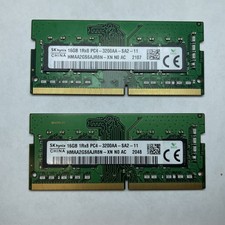
Lot of 2 SK Hynix HMAA2GS6AJR8N-XN 16GB DDR4 PC4-3200AA 1Rx8 Laptop SODIMM RAM
$354.99

16GB (2x8GB) Kingston HyperX blu KHX1600C10D3B1/8G PC3-12800U DDR3 1600
$27.99

DDR4 Laptop RAM 4GB 8GB 16GB 32GB 2400 2666 3200 Samsung Hynix
$66.00

Samsung W03J0009150379F87A 64GB (2x32GB) RAM DDR4 2400MHz CRC0Y
$179.99

A-Tech 8GB DDR3 1600 PC3-12800 Laptop SODIMM 204-Pin Memory RAM PC3L DDR3L 1x 8G
$21.68

Crucial DDR3L 16GB 2 x 8GB 1600 MHz PC3L-12800 Laptop RAM Sodimm Memory 1.35V
$41.00

RAMAXEL Lenovo 32GB LPDDR5X CAMM2 7500MHz Laptop RAM | UNTESTED
$445.00
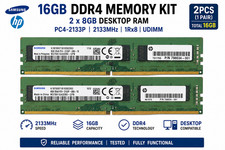
16GB (2x8GB) Samsung DDR4-2133MHz PC4-2133P Desktop RAM 2Rx8 UDIMM
$54.99
Lot of 2 Kingston Fury 8GB (4x4GB) HX316C10FK2/8 DDR3-1600MHz Ram
$50.35



 Reply With Quote