

 Reply With Quote
In windows xp device manager ,select view/show hidden devices, then uninstall the sound devices (all).
Then restart XP Pro, when the new hardware is discovered cancel. install the sound drivers from the ASUS disc instead.


I am troubleshooting a noisy Windows XP driver on an integrated sound chip on an ASUS A7VX-X motherboard. I have successfully loaded Knoppix 3.7 and it picked up the sound info but no sound plays. I know nothing about Linux but was hoping this CD based OS would help trouble shoot further a rather noisy sound (occurs turned up and whenever there is any hard disk activity, mouse movement, etc) under Windows XP Pro SP2.
Can someone help me test further?
thanks
In windows xp device manager ,select view/show hidden devices, then uninstall the sound devices (all).
Then restart XP Pro, when the new hardware is discovered cancel. install the sound drivers from the ASUS disc instead.
it's not in XP that I'm having a problem "identifying" the sound card. I want Knoppix to see it. I understand there's a particualr issue with Knoppix and this motherboard/soundchip (ASUS A7V8-X)
 Posting Permissions


Samsung 256GB SSD MZ-JPV256S/0A2 PCIe Solid State Drive SSD SSUBX 655-1959A
$22.02

Samsung Galaxy Tab Active 3 / 64 gig/ WIFI/ IP68 Rated
$85.00
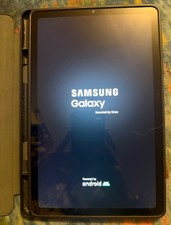
Samsung Galaxy Tab S6 Lite SM-P615 128 GB, Wi-Fi + 4G, 10.4 in - Oxford Gray
$150.00
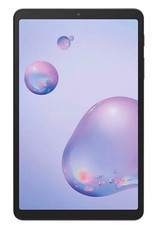
Samsung Galaxy Tab A 8.4" 2020 32GB Wi-Fi+ 4G Verizon Unlocked SM-T307U ~Grade B
$49.99

RAM-HOL-SAM52CPU RAM USB-C Powered Dock Samsung Tab Active4 Pro & Tab Active Pro
$81.99

3 -M.2 2280 512GB SSD - Samsung MZNTE512HMJH, MZNLN512HMJP, Toshiba KSG60ZMV512G
$155.00

1 lot of 3 (2)Samsung PM951 SM961 & (1)Intel SSD 600P 256GB M.2 2280 SSD NVMe
$109.00

$25.00

Samsung Galaxy View Tablet 18.4 SM-T670/677A Digitizer 100% Original Oem
$161.49

Original for Samsung NP950QCG-K01US LCD Screen Touch Full Top Assembly FHD Blue
$299.00