

 Reply With Quote
Did you select the verify written data, could just be a bad burn. Useing a slower speed helps.


I know, I know - read the FAQ. But the Documentation server seems to be down, and I'm impatient. Bear with me, please.
I am a SUSE 9.1 user. I downloaded the K3.7 iso, checked the md5sum and burned the iso to a fresh CD using K3b, successfully. But the CD won't boot. I have a store bought Knoppix 3.3 CD that boots with no problem.
Should simply burning the iso onto a CD result in a bootable CD? If not, what is the missing link?
See, now that wasn't too bad, and I'll be eternally grateful for a nudge in the right direction.
Dave
Did you select the verify written data, could just be a bad burn. Useing a slower speed helps.
And did you select "Tools > CD > Burn CD Image..." from within K3b?
Didn't verify, so I will try again and at a lower speed. I just hit the 'burn' button, but I'll also try doing it from the 'Tools' menu. Thanks for the ideas, guys. I assume from your replies that burning the iso should result in a bootable CD.
Dave
Ive got the exact same problem dayer7s, it just doesnt seem to boot. Tried changing the boot sequence through the BIOS, that didnt work. I dl'ed the Smart Boot Manager .exe, and put in onto a floppy, and when I restarted I got a Non-System Disk error.Originally Posted by dayers7
What is 'checking the md5sum'?
Yes, I am a total n00b.

It is a way of making sure the ISO image that you downloaded is not corrupt. http://www.knoppix.net/wiki/Download...O_CD_images.3F
Thanks Underscore
I have the exact same problem and posted this under MS Windows support on the forum.
I burnt the 3.6 ISO onto a CD and changed the boot sequence. But Knoppix just wont fire up. The MD5 check indicated that all was good. Any thoughts would be much appreciated.
http://www.knoppix.net/wiki/Downloading_FAQ
I finally got a bootable CD of Knoppix v-3.7. I followed the suggestion of starting the burn from the K3b 'tools' menu and slowing the speed from 4X to 2X. I had it verify the burn. For the record,
Tools/CD/Data CD burn
Speed = 2X (not auto)
Verify
command: cdrecord -v gracetime=2 dev=/dev/hdd speed=2 -tao -overburn -data ~/KNOPPIX ... EN.iso
I'm running SUSE 9.1 and using an Iomega ZipCD 4x650.
Thanks for all the suggestions. I'm guessing that slowing it down did the trick. It was good to hear that bugle!
Dave
 Posting Permissions

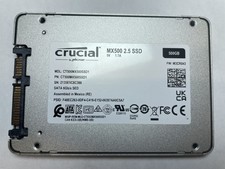
Crucial MX500 500GB 2.5" SATA III Internal SSD CT500MX500SSD1
$52.99

SSD 880EVO SATA III 2.5 4TB INTERNAL STATE DRIVE
$214.99
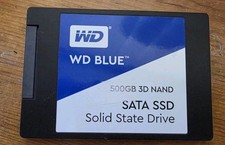
Western Digital Blue 3D NAND 500GB Internal 2.5" (WDS500G2B0A) SSD
$43.99

Samsung 860 EVO 250GB, SATA III, 2.5" Internal Solid State Drive - Black...
$30.00

Western Digital WD Blue 3D NAND 500GB 2.5in SATA III Internal SSD WDS500G2B0A
$41.99

M.2 SATA SSD 2280 128GB 256GB 512GB major brands | Very Good health
$19.49

2 PACK 128 GB SSD M.2 2280 SATA Solid State Drive Major Brands, Samsung, LiteON
$28.80

M.2 NVMe SSD 2280 Single Notch 128GB 256GB 512GB | Very Good health
$38.99

Samsung 860 EVO 250GB SSD MZ-76E250 2.5" SATA III Solid State Drive
$39.99

128TB External SSD Solid State Drive Hard Drive Disk PC Phones Mac Games Videos
$123.90