-
well, I finally got a bootable CD (cut burn speed to 4x) that works well on one laptop (a 1.6GHz processor with 512MB RAM) but it stalls on another laptop (512MHz - I know I know I need to upgrade; with 128MB RAM) when it tries to detect the CD. Any thoughts?
-
Administrator
Site Admin-

Originally Posted by
balak
Any thoughts?
Just a guess, but sounds like you might need to find the right combination of cheat codes to get it to boot right. Try entering at the boot prompt:knoppix noscsi acpi=off, if that doesn't work try knoppix nodma and if that doesn't work try various combinations of noscsi, nodma and acpi=off, or hit f3 at boot time and look over the partial list of codes there for anything else that looks like it might help. Unfortunately I know of no good way to predict what codes you'll need (if that is even the problem) other than trial and error.
-
Senior Member
registered user
failsafe should get you there.
-
Originally Posted by
Harry Kuhman
Originally Posted by
balak
Any thoughts?
Just a guess, but sounds like you might need to find the right combination of cheat codes to get it to boot right. Try entering at the boot prompt:
knoppix noscsi acpi=off, if that doesn't work try
knoppix nodma and if that doesn't work try various combinations of noscsi, nodma and acpi=off, or hit f3 at boot time and look over the partial list of codes there for anything else that looks like it might help. Unfortunately I know of no good way to predict what codes you'll need (
if that is even the problem) other than trial and error.
Thanks Harry. Will give it a try now.
-
Senior Member
registered user
knoppix noscsi atapicd
or
knoppix26 noscsi atapicd
would be other candidates.
-
yipeeeeeeeeee!!!! knoppix nodma worked!!!! I have knoppix running on my laptop!!! Thanks Harry and everyone else for helping out. Given I am a newbie you will see me around more, bothering you with trivial questions! But, it feels great to have gotten to this first step. 
-
on going "cant boot cd"
I managed to get SBM working, and tried booting from the cd drive, but now get a 'cant find DOS' 
-
Senior Member
registered user
WHAT?? how exactly did you burn that CD? as a bootable?
it should be burnt as a IMAGE, NOT bootable. the iso already has the bootstuff in it.
more here
http://www.ibiblio.org/pub/Linux/dis...ing_howto.php3
-
Originally Posted by
OErjan
I probably didn't say it right. When I said I have a bootable CD, I meant, I can now boot my machine off the CD.
I used Roxio to burn my CD and in the first attempt I basically copied the ISO to the CD. I chose to create a data CD and added the ISO file to the CD and hit burn (as instructed on a few of sites). I thought the ISO will be extracted at burn-time. I learnt the hard way that it doesn't. And 2 CDs later (lesson I learnt: When someone says use RW CDs, they have a reason, so listen!  ), I found the "Create CD from image" option and finally had my CD.
Thanks for the link - makes interesting reading.
-
Senior Member
registered user
sorry, i was reacting to Weetabix
booting from the cd drive, but now get a 'cant find DOS' Confused
only way i can think of is that he got a failed "bootableCD" burn with nero (Nero uses drdos for bootable cd's).
i am not angry, mad, anoyed... just surprised.
hope things go well for you all.
and sorry if i have made someone mad/sad/hurt...
 Posting Permissions
- You may not post new threads
- You may not post replies
- You may not post attachments
- You may not edit your posts
-
Forum Rules


🔀 Juniper Networks EX2300-C-12P 12× Gigabit PoE+ • 2× 10G SFP+ Compact Switch ⚡
$109.99

Juniper EX2300 12-Port Gigabit PoE+ Managed Network Switch P/N: EX2300-C-12P
$149.99

Juniper Networks EX2300-48P 48-Port PoE Gigabit Switch (Renewed)
$361.91

New Juniper Networks EX3400-48P 48-Port PoE+ 4-Port SFP+ Ethernet Switch Sealed
$466.65

Juniper Networks EX2300-48P 48-Port Gigabit PoE Managed Ethernet Switch
$79.99

Juniper AP47 Mist Wi-Fi 7 802.11 6GHz 4x4 Wireless Access Point (NEW)
$999.99

Juniper SRX320 8-Port Security Services Gateway Appliance w/ AC Adapter
$59.99
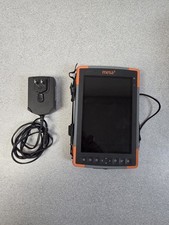
Juniper Mesa 3
$1100.00

Juniper Networks SRX220 8-Port Gigabit Layer 3 Managed Rackmount RJ-45 USB
$285.00

Juniper QFX5100-48S-3AFI 48-Port SFP+ 6 QSFP+ 2x SFP/RJ-45 Management
$249.97



 Reply With Quote