-
hey im doin that today also. i had it workin. i had my accounts i added software and everything its great. im havin a bit of trouble now because im new to linux as you can see by my name but heres how u do it. i got it from a website i cant remember.
Installation Procedure
To get Knoppix installed onto your hard drive:
1. Boot the Knoppix CD.
2. When the boot prompt comes up, choose your language.
Most of us speak English, so we'll type:
boot: knoppix lang=en
then press ENTER (you don't type the 'boot:' part, of course)
3. Wait till the system is fully launched, including the KDE desktop
4. Press CTRL-ALT-F1, to get a root console. You should see a shell prompt
5. Type: knx-hdinstall
6. Follow the guided installation menus. This will include:
* Creating a Linux partition (at least 2.5GB
* Creating a Linux Swap partition (at least 256MB)
* 'Mounting' the Linux partition as root
* Initialising the swap partition
* Copying all the required files (automatically)
* Setting up networking
* Setting passwords
* Setting up the bootloader (Note: take care with this stage - it could render your system incapable of booting into Windows. If you really need Windows, then it might be a good idea to set up GRUB Bootloader with a 'chainloader' entry, so that you can dual boot. Working this out is an exercise left to the reader - there are too many possible scenarios for me to cover in this short guide. Also see man grub and the files in /usr/share/doc/grub)
* Rebooting (without the CD)
7. When you've rebooted Knoppix from your hard disk, click on the KDE Control Centre icon in the launcher at the bottom of the screen (icon of a colour monitor with a card in front of it)
8. Within the Control Center, click on Personliche Einstellungen
9. Click on Land und Sprache
10. Choose the locale and language of your choice
11. Click on Andwenden at bottom of that window
12. Close and restart the Control Center
13. Click on Peripherals, then Keyboard, and choose your preferred keyboard layout (which will probably be US.English. Click OK and close the window
14. Press CTRL-ALT-F2 to get to the root console, and log in as root (using the password you chose when you ran the installer)
15. (Optional) - type apt-get update (followed by ENTER). This will update your list of available packages, and takes about 5-10 minutes.
16. Hey, presto, you've got a fully installed GNU/Linux desktop
From here on in, you'll probably want to fine-tune a few things, set up themes, backgrounds etc. But most of the hard work is already done for you!
And lastly, note that Knoppix is based on Debian, which is arguably the finest GNU/Linux infrastructure available. To learn more about your system, and how to add/change/remove software, go to the Debian website and read the documents. If you get really stuck, start up X-Chat and log into irc.debian.org or irc.openprojects.net and join channel #knoppix. That is one busy chat room, with Debian Linux experts present 24/7, willing to help. Please also know that, even though Knoppix is based on the Debian distribution, your enquiries in #debian may not be welcomed.
Similar Threads
-
By susanjohnson in forum Hdd Install / Debian / Apt
Replies: 4
Last Post: 04-21-2005, 11:36 AM
-
By nmz787 in forum Hdd Install / Debian / Apt
Replies: 1
Last Post: 11-21-2004, 09:17 AM
-
By Jez in forum General Support
Replies: 4
Last Post: 08-09-2004, 09:06 PM
-
By nishtya in forum Hdd Install / Debian / Apt
Replies: 5
Last Post: 04-18-2004, 10:08 PM
-
By Superstoned in forum Hdd Install / Debian / Apt
Replies: 2
Last Post: 08-27-2003, 03:04 PM
 Posting Permissions
- You may not post new threads
- You may not post replies
- You may not post attachments
- You may not edit your posts
-
Forum Rules


Dell Poweredge R630 2x Xeon E5-2680 v3 2.5ghz 24-Cores / 64gb / Raid / 2x 1Tb
$374.99

Dell EMC PowerEdge R440 Xeon silver 4215 2.5GHz 16 GB ram 2x 550W PSU No HDD
$275.00

Dell PowerEdge R530 2x E5-2630v4 H330 iDRAC8 Port Card Riser No PSU/RAM/HDD
$99.99

Dell PowerEdge R730 Server 2x Xeon E5-2630 V4 64GB DDR4 2TB HDD Rackmount
$489.99

Dell Poweredge R630 2x Xeon E5-2680 v3 2.5ghz 24-Core | HBA330 | No RAM or HDD
$149.99

Dell Poweredge R730xd 12LFF 2*2660v4 4*1Gbe h730 2x 750W Server CTO
$248.00

Dell PowerEdge C4130 1U AI GPU Server | 2x E5-2680 v3 | 32gb Ram | 2x 1600W
$409.99

Dell PowerEdge R640 10SFF 2x Gold 6140 2.3GHz 36-Cores 64gb H730p 2x Trays
$599.99
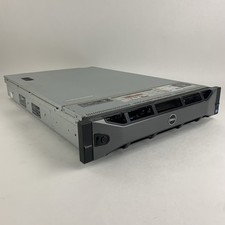
Dell PowerEdge R720 Server 2x Xeon E5-2670 2.6 GHz 64 GB RAM No OS No HDD Read-
$239.95

Dell PowerEdge FC430 Blade Server 2x Xeon E5-2630v4 20 Cores FX2 FX2s No RAM/HDD
$119.99



 Reply With Quote