

 Reply With Quote
There is no point to a swap if it 256 kb.
Anyway, there is no need to set the linux partition as active, the bootloader will take care of that.


I'm trying to install Knoppix 3.4 on a hard drive which already has Windows 98 SE on it and am running into nothing but problems. First problem: I made partitions for Linux (3.5 GB for OS, 256 KB for swap) but can't make the OS partition bootable because there's already a bootable Windows partition on the drive. How do I get around that?
My setup: One hard drive, 40 GB, with four fat32 partitions about 8-10 GB each. First two partitions are used by Windows, other two are empty. I deleted the last partition, then created the Linux partition (primary) and then the swap partition (does it matter if it's primary or virtual?).
Thanks for any help.
There is no point to a swap if it 256 kb.
Anyway, there is no need to set the linux partition as active, the bootloader will take care of that.
Sorry, meant to say 256 MB for swap partition. Thanks for replying.
When you install it to the hd, during the install process it will ask you where you want to install the bootloader. The mbr is where you want to put it if you want to boot both knoppix and windows using Lilo(Linux Loader). Lilo will automatically see the windows OS and linux and give you the choices each time you boot. It will default to the linux OS if you do not choose right away. I think there is a 5 second timer. That can be changed later on in the lilo.conf file.
Thanks, rrfish, that clears one thing up. I'm at the point where I've created the Linux partitions and written the table to disk, but I don't see any formatting option. I assume the new partitions need to be formatted.
that will happen during install
Thanks, OErjan. So much to learn....
i know, i lern every day.
there is a saying (something like this) "you die when that is what you have left to master, or when you show yourself too stupid to go further."
i guess they did not consider diseases, the stupidity of others, natural disasters...
Yeah, I'll say there's something to learn every day. Now when I try to install, I get a "requirements not met" message with an option to make partitions, even though I've already made them and written the table to disk. If I try the partitioning option, I get a message saying the disk is read only. I don't know how a HD can be read only. It's working fine in Windows, at least as fine as it can in Windows. Any ideas? Thanks.
Are they formatted as linux ext3 and linux swap?
 Posting Permissions


RAM-HOL-SAM52CPU RAM USB-C Powered Dock Samsung Tab Active4 Pro & Tab Active Pro
$81.99

Samsung 2.5" 870 EVO SSD SATA III 250GB 500GB 1TB Internet Solid State Drive Lot
$90.00
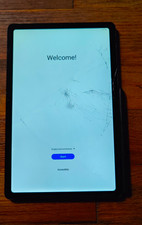
Samsung Galaxy Tab S6 Lite *Cracked* 64GB Wi-Fi w/ Stylus
$50.00

Samsung 24" S3 Essential IPS 100Hz Monitor | Sealed | Fast shipping
$50.00

RAM-HOL-SAM60CPU RAM USB-C Powered Dock for Samsung Tab Active5 - 3 - 2
$81.99
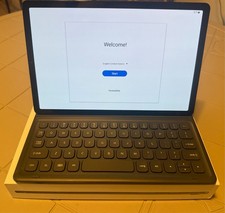
Samsung Galaxy Tab S5e 10.5 Screen 128GB Storage and a Samsung KEY BOARD
$150.00

RAM-GDS-SKIN-SAM54-NG-1 RAM Mounts IntelliSkin® Next Gen for Samsung Tab Active4
$93.99

Samsung SCXSTP000, SCX-STP000 (Swingline Staple Cartridge - 3 Refills)
$57.99

New Samsung 512GB FIT Plus USB 3.2 Gen 1 Type-A Flash Drive MUF-512AB/AM NEW
$120.00

NEW Samsung NoteBook NT930QCG touch LCD Full Screen Assembly Blue
$225.77