-
rtl8180 with wep working but not saved on restart
my wireless network card (an rtl8180) is working with wep. 
But my (network)configs isn't saved correctly when I do "save knoppix configurations".
(I'm doing a myconfig=scan at boot)
Well it was when I only had 1 network card but I have another "nonwireless" network card and it seems that the automated "save knoppix configurations" can't handle it when you got more than one. 
I can type in the commands at startup and then it works, but I want to run a script on startup that does it.
What I type in after my wm is loaded is.
Code:
su root
mount /mnt/sda1
ndiswrapper -i /mnt/sda1/Wlan/net8180.inf
modprobe ndiswrapper
iwconfig wlan0 mode Managed
iwconfig wlan0 key MYKEY
iwconfig wlan0 essid MYNETWORKID
iwconfig wlan0 commit
/sbin/ifconfig wlan0 192.168.0.10  up
/sbin/route add default gw 192.168.0.1 wlan0
My question is then.
- 1. Where should I but my nifty little bashscript and how do I make sure that it is being run at boot time.
2. It seems like there is a problem with the last to lines [ the /sbin ones], it worked the first time. So what programs does the nice "netcardconfig" program call, cause as it is. It opens up an xdialog and I have to press yes and the select my wlan0. And I just want it to get an ip from my router.
Thanks in advance and I hope you had a nice christmas
-
Re: rtl8180 with wep working but not saved on restart
I saved my config to floppy before networking, and perform the whole shebang manually after bootup. I've tried running a script from the same floppy but I get errors. What does the "modprobe ndiswrapper" command do? If I run ndiswrapper from the menu, it works fine, but when I run it at a shell prompt, my drivers don't load properly.
-
Well it's rather strange that it doesn't work if you type it in, cause the menu ndiswrapper is just a gui for the commandline ndiswrapper.
If you want to use the commandline to install it you should do.
Code:
su root \\Just to make sure :)
ndiswrapper -l \\Check if anything is loaded.
ndiswrapper -e \\Remove the above item if any.
ndiswrapper -i YOUDriver.inf \\remember to mount you location first.
modprobe ndiswrapper \\This Loads the ndiswrapper into your kernel
You could use insmod, but as an habit I always use modprobe.
The difference between insmod and modprobe is that modprobe makes it persistent.
That is, if you got a harddrive linux, then it will autoload the module at next startup, so it shouldn't really matter in knoppix.
-
Re: rtl8180 with wep working but not saved on restart
The modprobe line is what did it. Now I can type it all at a root shell and connect without a hitch, but I still can't run it from a script without getting an invalid driver error. Is there a certain way the script should be launched? Granted, it's been over 5 years since I've written shell scripts, but I don't remember having to do anything except typing the name of the script at a shell prompt.
Code:
su root
mount /mnt/hda1
ndiswrapper -i /mnt/hda1/Netgear/netwg51u.inf
modprobe ndiswrapper
iwconfig wlan0 essid MYNET key restricted MYWEPKEY
ifconfig wlan0 up
netcardconfig
-
Hi sorry for not getting back to you earlier, but I've been through hell and back with this network card.
I had to swap my some of my ide devices, and after that I couldn't get it to work.
So as of now I've taking every pci and all the other stuff out and will try to find where and how the fucked situation happened.
ok back on topic.
what I do, when I run my script is.
Open a console.
Code:
su root
mount /mnt/sda1
/mnt/sda1/net.sh
and my net.sh file is.
Code:
ndiswrapper -i net8180.inf
modprobe ndiswrapper
pump -i wlan0
EDIT
It worked fine I put all my nifty little extras in my pc, rebooted and it worked fine until I rebooted again.
I'm beginning to suspect the problem beeing related subtly to some irq sharing stuff.
The above script did work but you should input you iwconfig infos in it like.
Code:
ndiswrapper -i /mnt/sda1/Wlan/net8180.inf
modprobe ndiswrapper
iwconfig wlan0 mode Managed
iwconfig wlan0 key restricted WEPKEY
iwconfig wlan0 essid NETID
ifconfig wlan0 up
pump -i wlan0
Similar Threads
-
By curaga in forum Hardware & Booting
Replies: 18
Last Post: 09-17-2006, 03:16 PM
-
By majhen in forum Tips and Tricks
Replies: 1
Last Post: 05-16-2006, 07:15 PM
-
By dl5raz in forum Networking
Replies: 3
Last Post: 09-16-2004, 09:25 PM
-
By coltrane in forum Networking
Replies: 10
Last Post: 03-05-2004, 02:00 AM
-
By dex in forum General Support
Replies: 2
Last Post: 11-10-2003, 12:29 PM
 Posting Permissions
- You may not post new threads
- You may not post replies
- You may not post attachments
- You may not edit your posts
-
Forum Rules


DEC Digital DECmate III PC238 PDP-8 6120 RX50 Dual Floppy Vintage Computer
$649.95

Vintage Digital VR241-A color CRT monitor, powers on, DEC Rainbow or terminal
$150.00

Vintage DEC Digital Starion 200 Desktop PC Powers On Boots To BIOS NO HDD - DW
$299.99

Vintage DEC Digital T1043 DWMBB/B VAXBI XMI Adapter 5018232-01 C1 VAX Board
$109.99

Vintage DEC Digital Equipment Flip-Chip Module Lot Parts
$59.99
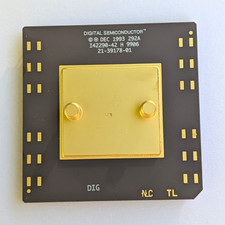
Vintage 1993 Digital Semiconductor DEC Ceramic PGA CPU – Alpha Era
$150.00

Vintage DEC Digital Equipment DELNI 8-Port Ethernet Local Network Hub VAXstation
$79.95

Vintage DEC LK201 Digital Equipment Corporation (DEC) LK201-AA Computer Keyboard
$149.99

Vintage DEC Digital XMI-A1 5017293-01A1 LWPR BE3-0 VAX Circuit Board T2012
$74.99

Vintage DEC/Mostek memory systems MK 8015 AA-00 6805-08015 1100 REV C(B7)
$279.99



 Reply With Quote