-
Wrong MBR for Lilo when using koppix 3.7 HD installer script
I've used the script "sudo knoppix-installer" to install beginner version of Knoppix 3.7 on my second harddisk (hdb).
My first harddisk (hda) is completely used for Win2k.
My Problem: the script didn't ask me which MBR it shall use - it just used the MBR of hda 
But I wanted to completely seperate Win2k on hda and Linux on hdb.
What can i do to move Lilo-MBR from hda to hdb, and restore Win2k-MBR on hda?
Thanks in advance for any help.
Similar Threads
-
By thejackal13 in forum Hardware & Booting
Replies: 10
Last Post: 09-21-2005, 12:30 AM
-
By foamrotreturns in forum Hdd Install / Debian / Apt
Replies: 4
Last Post: 02-11-2005, 05:22 PM
-
By fritschi in forum Hdd Install / Debian / Apt
Replies: 4
Last Post: 08-06-2004, 12:02 AM
-
By diginik in forum Hdd Install / Debian / Apt
Replies: 2
Last Post: 04-07-2004, 11:58 PM
-
By probono in forum Ideas
Replies: 9
Last Post: 09-03-2003, 05:46 AM
 Posting Permissions
- You may not post new threads
- You may not post replies
- You may not post attachments
- You may not edit your posts
-
Forum Rules


NETGEAR GS308EP Essential Series 8-Port Gigabit PoE+ Unmanaged Switch
$39.99

NETGEAR 5-Port Gigabit Ethernet Unmanaged Switch (Gs305) - Desktop Quiet Fanless
$25.99

D-Link DGS-1210-28P 28-Port PoE Gigabit Web Smart Switch With Cord
$49.99

10-Port Gigabit PoE Network Switch with 8 PoE+ Ports with 2 Combo SFP Slots 125W
$39.99

TP-Link TL-SG105 5-Port Gigabit Ethernet Unmanaged Metal Desktop Network Switch
$19.99

TP-Link TL-SG105, 5 Port Gigabit Unmanaged Ethernet Switch, Network Hub, Ethern
$15.25
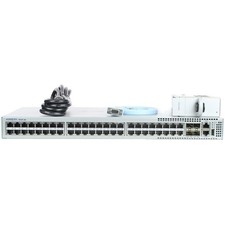
Arista DCS-7010T-48-R 48P 1GbE 4P 10GbE SFP+ RA Switch with rack mounts
$69.00

Cisco Catalyst 2960-48TT-L 48-Port Fast Ethernet Managed Rackmount Switch
$46.99

TP-Link TL-SG1048 48-Port Gigabit Rackmount Switch New Factory Sealed
$199.99

Cisco WS-C3650-12X48UR-L 48-Port Stackable Layer 3 8x10G SFP+ Port Switch
$129.99



 Reply With Quote