-
Senior Member
registered user
Haven't try it yet.
Boot into knoppix, edit /etc/lilo.conf:
ex:
boot=/dev/hda **change this line where you want lilo to boot from.
in your case:
boot=/dev/hdb*x **x= linux partition
Then remove lilo from mbr, run command from root konsole:
lilo -u /dev/hda
Install lilo to your selected partition after editing lilo.conf:
lilo
Next, is to prepare for your pc to dual boot linux and Win2K:
1) Let pc boot directly to lilo.
Use qtparted, and change active partition to hdb.
2) Use Win2k as bootloader
Open root konsole and run:
dd if=/dev/hdb*x of=/bootsect.lnx bs=512 count=1 **x=your knoppix partition
Copy this bootsect.lnx to a floppy....and use it to transfer that file to your win2k root, C:\
Now, to repair hda mbr.
Use your w2k rescue disk and run : fdisk /mbr
or use W2K cd to boot and choose Recovery console and run: fixmbr
Once you're able to boot W2K, you can choose to dual boot either by using procedure 1) or 2)
If you choose to 2) use win2k as bootloader:
You need to copy file bootsect.lnx to C:\
Then edit boot.ini:
Add the following syntax to the end of the boot.ini file
C:\bootsect.lnx="Linux"
ex:
[boot loader]
timeout=5
default=multi(0)disk(0)rdisk(0)partition(2)\WINDOW S
[operating systems]
multi(0)disk(0)rdisk(0)partition(2)\WINDOWS="Micro soft Windows 2000" /fastdetect
C:\bootsect.lnx="Linux"
Good luck

Similar Threads
-
By thejackal13 in forum Hardware & Booting
Replies: 10
Last Post: 09-21-2005, 12:30 AM
-
By foamrotreturns in forum Hdd Install / Debian / Apt
Replies: 4
Last Post: 02-11-2005, 05:22 PM
-
By fritschi in forum Hdd Install / Debian / Apt
Replies: 4
Last Post: 08-06-2004, 12:02 AM
-
By diginik in forum Hdd Install / Debian / Apt
Replies: 2
Last Post: 04-07-2004, 11:58 PM
-
By probono in forum Ideas
Replies: 9
Last Post: 09-03-2003, 05:46 AM
 Posting Permissions
- You may not post new threads
- You may not post replies
- You may not post attachments
- You may not edit your posts
-
Forum Rules


SFP TO RJ45 TRANSCEIVER SFP MODULE COPPER SFP OPTICAL PORT TO RJ45 ETHERNET PORT
$7.99
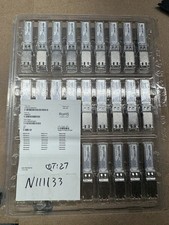
Finisar Copper SFP 1Gbps Transceiver Module FCLF8522P2BTL (34 total)
$680.00

Cisco Meraki MA-SFP-1GB-SX Network Tranceiver Module
$89.00
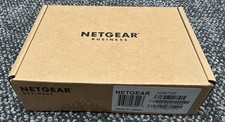
Netgear ProSafe AGM732F 1000BASE-LX SFP 1310nm GBIC Module NEW SEALED
$80.00

Genuine Cisco SFP-10G-SR 0-2415-03 10 Gigabit Transceiver
$5.40

Dell Intel X710-DA2 5N7Y5 Dual-Port 10GbE SFP+ PCIe 3.0 x8 Network Adapter
$27.50

NEW Sealed Cisco SFP-10G-LR 10GBASE-LR SFP+ 1310nm 10km *US Shipping*
$24.00

HP 560SFP+ 10GB 2-port PCIe NIC Ethernet ADAPTER 669279-001 w/ (2) 10GB SFP+
$16.99

HPE 560SFP 2x 10Gb SFP+ PCIe Both Profile Network Card 669279-001 665247-001
$14.90
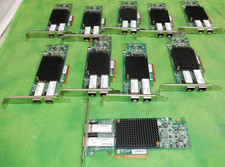
HP 557SFP+ ETHERNET 10GB 2 PORT 792834-001 788991-001 HIGH LOT OF 10
$70.00



 Reply With Quote