

 Reply With Quote
still no response?


I have been searching high and low to find ways to get the tv in/out (mainly just in but out would be nice) to work on my knoppix (debian style) hd-install. I have tried both with knoppix style installs and now with debian. The remote that came with my card works great but i can not get the tv-in configured. Ive read several articles/topics about gatos from misc sites but have yet to find anything out on knoppix.net.
I installed gatos through apt-get and still the tv viewing program that came with gatos is not finding my card. I'm not even sure it is using the gatos drivers at all. Any help would be wonderful.
Thanks in advance.
(my head has been pounding over this for several days now and im not even a noob)
still no response?
 Posting Permissions


Dell 6P85J 4TB ST4000NM0063 7.2k 6Gb/s 3.5” SAS SED Hard Drive with Tray
$39.99

Western Digital HUS726T4TAL5204 4TB 7.2K SAS 12Gb/s 3.5" 512e HDD NetApp X375A
$64.00
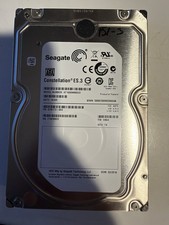
Seagate Constellation ES.3 3.5 in Enterprise HDD | ST2000NM0033
$40.00

DELL 2TB Enterprise HDD (7200RPM, 3.5", SATA III, 128MB Cache) HUS722T2TALA600
$49.95

Seagate ST4000NM0034 Enterprise 4TB 7200RPM SAS 12Gb/s HDD v4
$39.00

Seagate ST500DM009 BarraCuda 500 GB 3.5" SATA III Desktop Hard Drive
$14.99

HGST HUS726060ALE610 0F23001 6TB HDD 3.5" SATA 6Gb/s 7.2K Hard Drive (V6315)
$61.56

Dell ST6000NM0034 1HT27Z-150 NWCCG 6TB SAS 3.5 7.2K ENTERPRISE SERVER DRIVE
$68.99

Seagate ST8000DM004 8TB 3.5" 6Gb/s 256MB SATA HDD P/N: 2CX188-300 Tested
$149.99

(ST8000NM0045) SEAGATE ENTERPRISE 8TB 7200RPM 4Kn SATA 6Gb/s 3.5" HARD DRIVE
$199.99