

 Reply With Quote
Try
sudo mount /dev/uba1 /mnt/test


I have a problem.
I have an external usb disk and when I boot Knoppix there is no usb disk icon on desktop.
Can anyone help me in mounting it?
Try
sudo mount /dev/uba1 /mnt/test
First, I was able to access my usb drives only on kernel 2.4.7. After boot no USB storage devices are visible.
sudo fdisk -l
displays only my HDD even if I have some USB disks plugged in.
If sudo fdisk -l is able to find some partitionson on /dev/sda or /dev/sdb, you probably do not need this. If not, try
sudo insmod ehci-hcd
After this fdisk actually can see partitions and I can just mount them normally.
Funny thing is that there seems to be some kind of daemon that creates mount points for usb drives plugged in (like /mnt/sda1, mnt/sdb1, and so on). But it does not mount them. So, to mount your drive you can just
sudo mount /dev/sda1 /mnt/sda1. mount /mnt/sda1 might work too - I have not tried.
Hope that helps.
Ok, I will try this few comands. But, since I'm new in linux, I don't know exactly where to write these commands in. Can you give me just a tip?Originally Posted by nick666
Regard this, I figured out where to write it. But one main problem still remains: the name of my usb device, since with sda1 or sdb don't work. How and where could I get this information?
Did you try
sudo mount /dev/uba1 /mnt/test
Note the device name of uba1
I'm assuming this is an external IDE disk connected via USB...
There is no /dev/uba1
How can I mount it?
True!! There is no uba1. I don't know what to do. Where can I find informations of devices names?
Get root access
# su -
Try to load usb-storage driver
# modprobe usb-storage
Make sure it's loaded
# lsmod |grep usb
Look for sda, sdb, etc. in tail of dmesg output
# dmesg
If nothing similar appears I don't know further. If successfull, try fdisk -l /dev/sda (sdb, etc) or mount /dev/sda as recommended before.
I hope it helps
With Kernel 2.4 the stick appears as sda with no partitions. WIth Kernel 2.6 it appears as uda.
The usb hard disk does not appear at all. Also Windows does not mount it does it try to format it. So I don't know how to use it.
 Posting Permissions

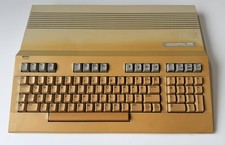
Vintage Commodore 128 -Tested-As Is No Cables, console only -READ DESCRIPTION
$165.00
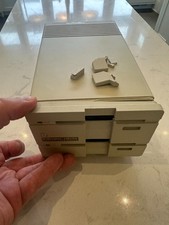
BitBinders 1581DV Dual 3.5" Floppy Disk Drive for Commodore 8-Bit Computers READ
$429.00
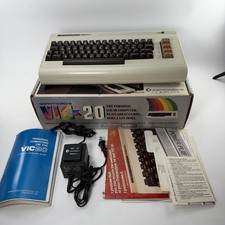
1980's Commodore VIC - 20 Computer with Original Box and Manuals POWERS ON
$99.95

Pi1541 Zero with Epyx Fastload Hat, Case & 16gb SD for Commodore 64 and 128
$79.99
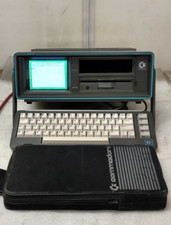
Commodore SX-64 Personal Computer
$600.00

Commodore 64 Serial Cable 6PIN DIN 1541 1571 C64 128 C128 Disk Drive Printer USA
$10.49

Commodore 1541 Emulator PI1541 HAT with ROTARY, OLED screen, USA Seller
$29.99

SOLD AS IS Lot of 5.25" Floppy Disks w/ Games & Software? Commodore 64 Atari 800
$59.99

TeensyROM+ TR+ v0.4 Cartridge for C64/128 - w/ Case & 32GB SD Preloaded
$89.50

Commodore OS USB | Bootable LIVE + Install | The Ultimate Gaming Linux OS | NEW
$11.99