-

Originally Posted by
bonkas
then I tryed "mount -o remount,rw /dev/hda1 /mnt/hda1"
and it said I must specify a filesystem
What FS is it? If ext3 try:
mount -t ext3 -o remount,rw /dev/hda1 /mnt/hda1
Could you post the output of: sudo fdisk -l
So I skipped to "umount /dev/hda1 /mnt/hda1"
And it said Not Mounted
I tryed "mount -o dev /dev/hda1 /mnt/hda1"
And it sayd Invalid option -o
Weird, I've never got that error.
I tryed "mcedit /mnt/hd??/etc/init.d/bootmisc.sh"
This command works and opens up a thingy to edit it but I go to save and i cannot save it.
I also notice the I cannot change the permissions of this file.. Howcome.. This may also be what I need to do to edit that file..
Possibly because it's mounted read only.
If your /etc/fstab is set up correctly when booted with liveCD and nodma cheatcode you could try just sudo mount -a to mount all partitions rw.
 Posting Permissions
- You may not post new threads
- You may not post replies
- You may not post attachments
- You may not edit your posts
-
Forum Rules

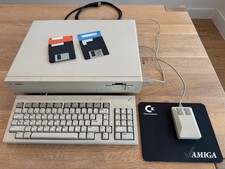
Commodore Amiga 1000, Keyboard, Tank Mouse, RAM Expansion, Tested, Working
$599.00
Commodore Amiga 1010 External 3.5 Floppy Disk Drive - Not Tested No Returns
$79.99

Microbotics Starboard 2MB + SCSI Sidecar for Amiga 1000 Vintage Computer READ
$279.00
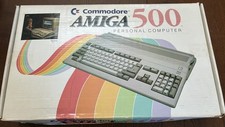
Commodore Amiga 500 in box NTSC with mouse and power supply 512k
$340.00
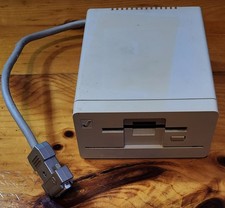
Commodore Amiga 1010 External 3.5” Floppy Drive A500 A1000 A2000 • Untested
$74.99
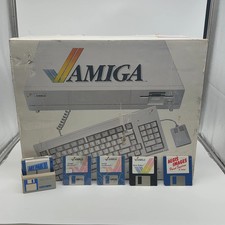
Commodore Amiga 1000 Personal Computer With Original Monitor and Speakers
$1352.99
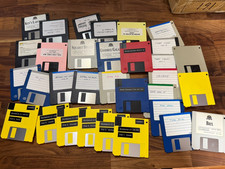
Lot of 3.5" Floppy Disks Amiga, MS-DOS, w/ Electronics Boutique Disk Case
$39.99
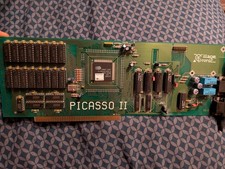
Amiga Picasso II RTG Graphics Card for Amiga 2000 3000 And 4000
$324.99
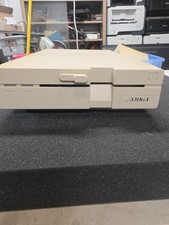
Commodore Amiga 1020 5.25" External Floppy Drive Not Tested Parts Only
$199.99

Commodore VIC-20 Diagnostic Cartridge & Test Harness Set - USA seller
$39.99



 Reply With Quote