-
Can Knoppix write to NTFS?
My WindowsXP Pro system died. I know that if I can just overwrite ONE file in ONE location with ONE other file everything will be fine. The problem is, I can't boot Windows. The system recovery console will only let me access the system directorys (I need to overwrite something in the My Documents folder) and all the other tools I have seen will only allow me to read NTFS.
Can I use Knoppix to overrwrite this file?
Thank you for your time,
Arrummzen
-
Senior Member
registered user
Yes, 3.4 version of Knoppix have captive-ntfs which allows for writing to NTFS using a windows kernel and ntfs.sys driver. The captive utility will search your hard d4rive for the windows components it needs or download them out of a windows XP service pack if it can't find them.
Once appropriate files are aquired, to use:
open a terminal and type "su"
mount -t captive-ntfs /dev/hdx# /mnt/hdx#
where x and # are identifiers for the partition you want to mount (odds are its hda1 for the first partition on the primary master drive).
Then you can access the files for reading and writing. Wriiting will actually be queued, and will be done when you unmount the drive with the command-
umount /mnt/hdx#
where x and # are identifiers for the partition you want to mount (odds are its hda1 for the first partition on the primary master drive).
-
Will it be able to read an NTFS drive to find and load the files it needs to write?
Thank you for your time,
Arrummzen
-
Yes, the captive drivers will read and write.
-
How safe is writing NTFS using this method? I heard a while back the the NTFS driver in the 2.6 kernel had a tendency to corrupt NTFS partitions. Is this ture? If so has it been fixed?
Thank you for your time,
Arrummzen
-
The NTFS drivers that come with the kernel are not safe for writing. But the captive drivers actually use the same stuff that windows uses I believe...when you run the acquire script it will get the windows drivers if I recall correctly. They are perfectly safe to write with...I've used them before.
-
ok, so the procedure is this
0: boot knoppix
1: mount -t captive-ntfs /dev/hdx# /mnt/hdx#
2: Make needed changes, using stanard Linux methods, like cp, rm, mv, vim etc.
3: umount /mnt/hdx#
4: turn computer of
5: remove knoppix CD
6: start Windows.
Is that correct?
EDIT: By the way, do you have any idea what the proper value for x and # would be for the only partition on the only harddrive on a laptop computer?
Thank you for your time,
Arrummzen
-
Senior Member
registered user

Originally Posted by
Arrummzen
EDIT: By the way, do you have any idea what the proper value for x and # would be for the only partition on the only harddrive on a laptop computer?
If you are SURE that this is the case, convention would dictate that it should be hda1.
HOWEVER, be aware that many manufacturers (e.g., HP/Compaq) put a hidden recovery partition on the HD, that you may not see in Windows Explorer. On my HP, the recovery partition is hda1 and the "C: drive partition" is hda2. If I were you, I would boot the CD first and look around for drives on the Knoppix desktop, open them, and look around to verify that they are what you think they are. 
jd
-
Senior Member
registered user
Originally Posted by
Arrummzen
ok, so the procedure is this
0: boot knoppix
1: mount -t captive-ntfs /dev/hdx# /mnt/hdx#
2: Make needed changes, using stanard Linux methods, like cp, rm, mv, vim etc.
3: umount /mnt/hdx#
4: turn computer of
5: remove knoppix CD
6: start Windows.
Is that correct?
Well, step #2 is pretty broad, and assumes that you have a comfort level with BASH. From what you are saying, I don't know if that's the case or not. There's a link on the forum: http://www.knoppix.net/forum/viewtopic.php?t=2398 ) to a site with a good summary of Linux shell commands - from O'Reilly's Linux in a Nutshell, IIRC. If you get stuck, you can sometimes fake it by sticking the letter "m" in front of a DOS command (if you know DOS).
One other option - if you have your XP disk and another computer that runs, you can go here www.nu2.nu/pebuilder/ and put together a bootable live CD of Win XP. DOn't get me wrong, I love Knoppix, and I don't mean to insult if you are comfortable with *nix shell commands, but given that you are messing around with your core OS in a different file system, if you are new, you might feel a lot more confident using a familiar interface for rescue, and then learning Linux when the pressure is off later.
Oh, and one last option, if you have a floppy drive, get an old DOS boot floppy and boot DOS. If you don't have one, google around to download one. I think www.bootdisk.com has them for free download, but I'm not positive of the site.
jd
-
Well, step #2 is pretty broad, and assumes that you have a comfort level with BASH. From what you are saying, I don't know if that's the case or not. There's a link on the forum:
http://www.knoppix.net/forum/viewtopic.php?t=2398 ) to a site with a good summary of Linux shell commands - from O'Reilly's Linux in a Nutshell, IIRC. If you get stuck, you can sometimes fake it by sticking the letter "m" in front of a DOS command (if you know DOS).
I run Linux on my two of my workstatiosn and on my handheld orginizer. I use BASH on Windows via Cygwin in place of cmd. So I BASH will be no problem.
I would actualy perfer to use the Preinstall Environment, however I already have knoppix loaded and I have just copyed the files. So its a little late. The only thing I fear is that the captive NTFS driver will mess up and corrupt my data...
NOTE: Do I have to unmount by hand before rebooting or can I just reboot?
Thank you for your time,
Arrummzen
Similar Threads
-
By entropy8 in forum General Support
Replies: 3
Last Post: 07-19-2005, 12:02 AM
-
By terminator in forum General Support
Replies: 0
Last Post: 05-12-2004, 10:52 PM
-
By TLis in forum General Support
Replies: 10
Last Post: 04-15-2004, 09:12 AM
-
By TheTempest in forum General Support
Replies: 1
Last Post: 03-27-2004, 08:44 PM
-
By bluewhale in forum General Support
Replies: 28
Last Post: 03-04-2004, 03:03 AM
 Posting Permissions
- You may not post new threads
- You may not post replies
- You may not post attachments
- You may not edit your posts
-
Forum Rules


OEM Genuine 86WH 69KF2 Battery For Dell XPS 15 9500 Precision 5550 M59JH M15 M17
$45.49

OEM 68Wh 3HWPP Battery For Dell Latitude 5401 5501 5410 5510 E5411 E5511
$28.99
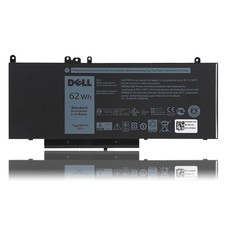
OEM Genuine 62WH 6MT4T Battery For Dell Latitude E5470 E5570 6MT4T 07V69Y 7V69Y
$36.66
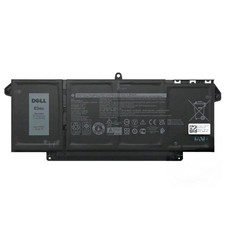
Genuine OEM 63Wh 7FMXV Battery For Dell Latitude 5320 7320 7420 7520 4M1JN TN2GY
$32.99

OEM Genuine 42Wh WDX0R For DELL Inspiron WDXOR Battery 15 5567 5568 13 5368 7368
$22.99

OEM 68Wh 3HWPP Battery For Dell Latitude 5401 5411 15 5501 5511 Precision 3541
$35.78
NEW OEM V6W33 Battery For Dell Inspiron 3510 5510 Latitude 3330 3320 Vostro 3515
$22.00
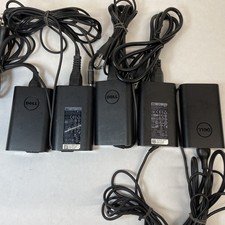
Lot of 5 Dell OEM 65W 7.4mm 19.5V 3.34A AC Adapters Mixed Models B Grade
$39.99
OEM Genuine 95WH PKWVM C903V Battery 7550 For Dell Precision CR72X 17C06 447VR
$37.40
OEM 74WH 357F9 Battery For Dell Inspiron 15 7559 i7559 7557 i7557 5577 7567 5576
$26.99



 Reply With Quote