View Poll Results: Is Install Safe?
- Voters
- 6. You may not vote on this poll
-
NO, you will be punished for even trying.
-
Sure, nothing could go wrong.
-
Read all the entries in the hdd forum to get a clue.
-
I have all my windows files backed up so I don't care.
-
When I did my hard drive install, I too used my Windows D drive to both hold backup data from the Windows C drive and profile room for Linux. In my case, I partitioned the drive first, but after doing the install, it seems I didn't need to. When you follow the hard drive install menu, you'll see that partitioning the drive is one of the steps. I too was nervous about doing this so I made sure I had a backup of the data on my D drive before I started.
You might want to play a bit with the QTPARTED utility to get the feel of how it works. You can do this without committing the changes. You'll find you have to shuffle things around a bit by first reducing the size of the original Windows partition which leaves you some free space. Once this is there, you can create the new partitions for the Linux install and another for the swap file. I found the install to be pretty much painless when I got to it.
Having gone the permanent install route, I"m glad I did. It opens a number of door in Linux for you, such as providing a true multi-user environment and the ability to add, update or remove applications in your setup. Good luck and I hope this helps.
David
Similar Threads
-
By morbidpalooza in forum Hardware & Booting
Replies: 3
Last Post: 10-05-2005, 01:13 PM
-
By Bearly in forum Hdd Install / Debian / Apt
Replies: 2
Last Post: 09-28-2005, 02:00 AM
-
By David Ormsby-Gore in forum General Support
Replies: 2
Last Post: 05-23-2004, 07:20 PM
-
By counterzone in forum General Support
Replies: 30
Last Post: 05-05-2004, 03:36 PM
-
By Buck1 in forum General Support
Replies: 5
Last Post: 05-03-2004, 05:22 PM
 Posting Permissions
- You may not post new threads
- You may not post replies
- You may not post attachments
- You may not edit your posts
-
Forum Rules

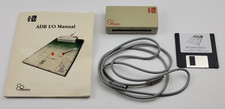
Vintage Motion Control AB Beehive Technologies ADB I/O Interface Apple Macintosh
$239.99

Vintage HP Hewlett Packard 2112A 21MX 1000 M-Series 16-Bit Minicomputer
$419.99

Vintage Jetway J-620BF Socket 370 Celeron AT Motherboard SiS 620 Brand New
$75.00

Vintage 1986 Goldenrod Research Corp CP/M Desktop Computer Syste w/Keyboard
$350.00
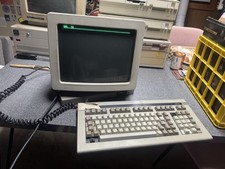
Wyse Terminal Wy-50 With Cherry Mx Keyboard Vintage CRT Monitor WORKS
$299.00
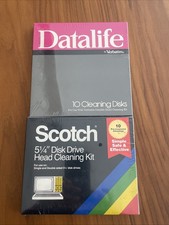
Vintage 5.25" Floppy Disk Drive Cleaning Kit Lot (1 Scotch 3M + 1 Verbatim) NOS
$49.00
![Apple Macintosh Boot Disk System [1.0 - 8.0] 400/800k/1.4 Floppy for Vintage Mac picture](/store/img/g/EhEAAOSwg7ZnexmU/s-l225/Apple-Macintosh-Boot-Disk-System-1-0-8-0-400-800k-.jpg)
Apple Macintosh Boot Disk System [1.0 - 8.0] 400/800k/1.4 Floppy for Vintage Mac
$11.75
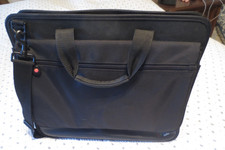
VINTAGE 16" BLACK NYLON IBM THINKPAD NOTEBOOK LAPTOP MESSENGER CARRYING CASE BAG
$32.95

Vintage ECS Micro-ATX Desktop Case | Beige/Dark Grey | *READ*
$80.00

Vintage Toshiba Satellite 4090XDVD Intel Celeron 400Mhz Retro - Powers up Cards
$57.59



 Reply With Quote