-

Originally Posted by
Durand Hicks
Sdalek,
Are you saying the if you boot with the nodhcp option from the knoppix livecd, your net connection works? If you can confirm this, this can easily be fixed in your hd install by changing one of your config scripts in /etc/pcmcia.
Open /etc/pcmcia/network.opts in any text editor and change the line:
to
Modify /etc/network/interfaces to something like this:
# This file describes the network interfaces available on your system
# and how to activate them. For more information, see interfaces(5).
# This entry denotes the loopback (127.0.0.1) interface.
auto lo
iface lo inet loopback
# This is a list of hotpluggable network interfaces.
# They will be activated automatically by the hotplug subsystem.
mapping hotplug
script grep
map eth0
# This entry was created during the Debian installation
# (network, broadcast and gateway are optional)
iface eth0 inet static
address 192.168.x.xxx
netmask 255.255.255.0
network 192.168.x.0
broadcast 192.168.x.255
gateway 192.168.x.yyy
Replace the "x" and "y" with your correct numbers before saving.
Reboot and let me know if that does it for you.
HTH,
Durand
Unfortunately not. When I boot with the nodhcp cheat, the NIC doesn't work at all and whenever I try to configure it either using the build in netcardconfig GUI or manually, the terminal windows doesn't respond or just goes away. rrfish72's suggestion to try Kanotix payed off though and the live CD detects and works with the build in NIC. I'm going to try and see what the difference is in the way Kanotix and Knoppix detect the NIC. If I can figure it out, I'll post it for future reference for anyone trying to configure a Presario V2030.
sdalek
Similar Threads
-
By Capt. Stu in forum Klik
Replies: 4
Last Post: 10-24-2005, 10:18 AM
-
By adityasn in forum MS Windows & New to Linux
Replies: 4
Last Post: 07-20-2005, 06:05 PM
-
By chiefbutz in forum MS Windows & New to Linux
Replies: 2
Last Post: 04-29-2005, 01:31 PM
-
By Jerunk in forum General Support
Replies: 5
Last Post: 06-06-2004, 04:14 PM
-
By massai in forum General Support
Replies: 9
Last Post: 12-28-2003, 02:02 AM
 Posting Permissions
- You may not post new threads
- You may not post replies
- You may not post attachments
- You may not edit your posts
-
Forum Rules


Yealink T48S VoIP/SIP Phone, 2 x Gigabit Ports PoE 7" Color SIP-T48S | TESTED
$34.95

SIM Bank 32 SIM Card Slots Ethernet SIM Server for GoIP
$400.00

Poly CCX 400 Desktop Business Media Phone VoIP 2200-49700-019
$49.99

Grandstream VoIP Phone Adapter ATA 1-Line Black Ethernet (RJ-45) Micro USB
$27.07

Yealink SIP-T33G IP Phone 4-LineSpeakerphone VoIP Desk Phone Black w/ Power Sply
$25.00

Grandstream HT701 1-Port FXS Analog Telephone Adapter ATA VoIP Gateway -Free S/H
$19.99

Grandstream WP810 Portable Cordless Wi-Fi IP Phone
$49.28
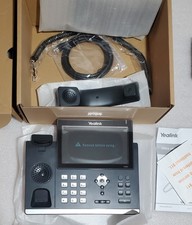
Yealink SIP-T48S Ultra-Elegant Gigabit IP Phone 16-Line 7in VoIP Phone
$89.00

Lot Of 5 Poly Edge E550 82M91AA IP Desktop Phone PoE New In Box
$1500.00
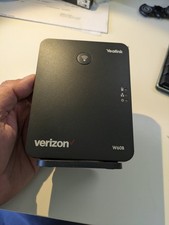
YEALINK W60B DECT VoIP BASE STATION VOIP SIP FOR UP TO 8 HANDSETS + OEM ADPTR
$50.00



 Reply With Quote