

 Reply With Quote
Knoppix can see windows partitions. Even NTFS ones!
I have no idea what you mean by "linking" though.


How can I link those two system so that knoppix will see windows partitions?
Knoppix can see windows partitions. Even NTFS ones!
I have no idea what you mean by "linking" though.
I agree with IoN_PuLse. Are you trying to mount a partition off a local hard drive? Are you trying to access windows over a network? Please explain.
My problem is that knoppix should automaticly (i think) find windows partitons and place shortcuts to them on desktop, but in my case he haven`t found them. Also the cdrom isn`t accesible. How can i make them active (or something) that knoppix will see them. Thanks for quick replying to my problem. (sorry for my english)
Well it is supposed to, but how old is the system you are trying to use it with? Are your drives hooked up through IDE?
I`m using knoppix 3.1 and windows me. There both on the same hdd. The windows is installed on fat32 partition and knoppix on ext2 and i`m trying to acces fat32 partitions.
Ah - you have done an installation to your hard drive and now the familiar desktop icons are no longer there. As root run cfdisk -
su
<password>
cfdisk /dev/hda (change 'hda' to whichever hard drive you wish to see).
Once you see your partitions you just need to mount them, here's an example:
mount -t vfat /dev/hda3 /mnt/win
I have no idea what mount points you have - you can see them like this:
cd /mnt
ls
I have no use for desktop icons myself but you can create them if you like. You'll likely need to edit your fstab but to find out what partitions are already mounted look at /etc/mtab.
Ah, I thought you were booting from the CD
That reminds me, I should probably mount my fat32 partition on my drive that has knoppix installed....I didn't even miss it
right onOriginally Posted by IoN_PuLse
Thanks, that is what I had in mind but I have another question. When I mount a partition it effects only this session. How to make a partition mounted automatically after every boot? How to mount a CDROM and floppy disk?
 Posting Permissions


(New) AMD Ryzen 7 5700X 8 Core 16 Thread AM4 Unlocked 3.4 GHz CPU OEM Tray
$174.99

Intel Core i9-9900K SRG19 3.60GHz 16MB 8-Core LGA1151 B Grade CPU Processor
$175.00
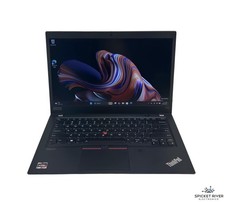
Lenovo ThinkPad T14S Gen 1 8-Core 4750U 1.70 GHz 512 GB SSD 16 GB RAM Win11Pro
$240.00

Dell Optiplex 7050 Micro Core i5-7500 8 GB RAM 256GB SSD Microsoft Windows 11
$89.99

Intel Xeon E5 - 2667V2 / SR19W 3.30GHz 25MB 8-Core CPU Socket LGA2011
$30.00

AMD Ryzen 7 9700X 8-Core 16-Thread 40MB Cache Socket AM5 9000 Series Processor
$245.99

Microsoft Surface Go 2 Laptop Core i5 1135G7 2.4GHz 8GB 128GB SSD
$179.99

AMD Ryzen Threadripper PRO 3945WX 12-Core 4.0GHz sWRX8 CPU NEW Tray Unlocked
$79.99

HP Z420 Pro Workstation PC Xeon E5-2660 8-Core 64GB RAM Quadro K5000 128GB SSD
$249.00

DELL Optiplex 780 SFF CORE2DUO 3.0GHz 8GB RAM 250GB HDDDVDRW NO OS
$99.99
