

 Reply With Quote
If it's any help, I have that module in directory:-
/lib/modules/2.4.26/kernel/drivers/sound/emu10k1/
If it's missing from there, that may be your problem. If it is there, then modprobe doesn't seem to be looking in ht eright place!


New to Knoppix, and i must say this little CD is freakin' amazing!! My problem is i have no sound. My soundcard is a Soundblaster Audigy ZS. Running soundcfg finds my exact card, but at end of configuration i get this error.
"The Module used for your card emu10k1.o is not in your module search path. Please verify your kernel modules are correctly installed"
I read some man pages on modules, and found out how to Load the module, but i get this.
knoppix@ttyp0[knoppix]$ /sbin/modprobe emu10k.o
modprobe: Can't locate module emu10k.o
knoppix@ttyp0[knoppix]$
Am i doing something wrong? How do i get this module, and get it installed so i have sound?? Thanks for any help.
If it's any help, I have that module in directory:-
/lib/modules/2.4.26/kernel/drivers/sound/emu10k1/
If it's missing from there, that may be your problem. If it is there, then modprobe doesn't seem to be looking in ht eright place!
emu10k1.o is in the folder you specify, but sound counfig says the module is not in my search path. how do i know what my search path is? is there a way to change it?
Try reinstalling it with modconf. Also navigate to here Select kernel/sound/oss modules and go to
sb - 100% Sound Blaster compatibles (SB16/32/64, ESS, Jazz16) support
and add this module for added soundblaster support.. I also added the i810_audio for further support. I don't know if they will help but you can give it a try. There are also modules that you can check out.
thanks for the VERY fast response!
sorry. i should have said i was using the alsa code rather than OSS. I tried a couple of other things, but i forgot which ones (d'oh!)
sound is working now. just not MIDI.
I'm searching the forum for MIDI help, but do you happen to know any tricks?
I'd love to get right to installing soundfonts, rosegarden, etc... but i gotta take baby steps!
edit: i don't know... maybe it's using OSS. When i whent into "sound System" and just chose OSS it worked fine. but when i chose ALSA, I got an error. hmmm...
There are alsa modules that you can check to see if they work. But here is the one listed above by stukennedyuk.
Select updates/alsa/pci/emu10k1 modules:
snd-audigyls - (No description available) │
│ snd-emu10k1-synth - (No description available) │
│ snd-emu10k1 - (No description available) │
│ snd-emu10k1x - (No description available)
There is also an emu10k1 that does not use alsa kernel/sound/oss/emu10k1.
Any of the above might help, check out modconf.
When you do a modprobe........you don't put the extension of that file.
What you should do is:
su
modprobe emu10k1

<smacks forehead>
Thanks shah!
 Posting Permissions


Acer Predator Helios Neo 16S AI 16" i9 275HX 2S RTX 5070 Ti 32GB 1TB SSD Refurb
$1671.47

Dell Latitude 14" Laptop Computer Intel i5 Up To 32GB RAM 1TB SSD Windows 11 Pro
$316.61

Samsung 2.5" 870 EVO SSD SATA III 250GB 500GB 1TB Internet Solid State Drive Lot
$90.00

External SSD 1TB 2TB 4TB Portable Hard Drive USB 3.0 Type-C High Speed PC Mac
$19.99

SAMSUNG T7 Portable SSD 1TB Indigo Blue USB 3.2 Gen2 External MU-PC1T0H/AM
$159.99

Netac 2TB 1TB 500GB Internal SSD M.2 NVMe PCIe3.0 Solid State Drive lot
$129.99

Apple iPad Pro 12.9" 5th Gen 128GB 256GB 1TB 2TB Wi-Fi Or Cellular - Good
$489.99

Acer Aspire 14" AI Copilot+PC Laptop Core Ultra 5 226V Gen 4 ARC 16GB 1TB Refurb
$462.74
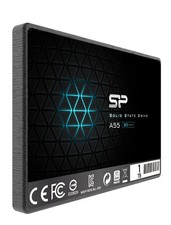
Silicon Power 1TB SSD 3D NAND A55 SLC SATA III 2.5" SSD Laptop XBOX PS3 PC
$119.99

Toshiba DT01ACA100 1 TB 3.5" SATA III 3.5 in Desktop Hard Drive
$24.99