

 Reply With Quote
Please install the klik client again and check whetther it works then.
Greetings,
probono


What could cause APP RUN to fail?
None of the applications responds with APP RUN in KDE. It just bounces for a half minute or so before extinguishing with no application following.
JUK was properly entered and is activated from the application menu. All items attempted via the desktop do not function with APP RUN.
Where do I find APP RUN?
I am in Knoppix3.7 Deco8/04
Please install the klik client again and check whetther it works then.
Greetings,
probono
There is the same problem on my PC. New installing klik client doesn´t work.
Tried the re-install client several times with no help!
Downloaded the install on another DVD of Knoppix3.7.
Downloaded skype successfully. Appears on desktop.
Right click of skype...AppRun... does not run skype program.
Properties on skype...4.3MB....permissions can read and write.
Does not AppRun
I'll look at the bug at the weekend.
Greetings,
probono
Reran the wget klik.atekon.de/client/install -O - | sh ...exactly as you stated.
Received the following in HOME directory:
-----------------------------------------------------------------------------------------------------------------------------------
--15:32:01-- http://klik.atekon.de/client/install
=> `install'
Resolving klik.atekon.de... 134.169.172.48
Connecting to klik.atekon.de[134.169.172.48]:80... connected.
HTTP request sent, awaiting response... 200 OK
Length: 11,369 [text/plain]
0K .......... . 100% 39.02 KB/s
15:32:01 (39.02 KB/s) - `install' saved [11369/11369]
---------------------------------------------------------------------------------------------------------------------------------------
In addition there was a script file adjacent to the above file.
I repeated the wget command with the original command I had entered: ( deleted the downloaded files)
wget klik.atekon.de/client/install -O -|sh ......( different spacing)
I received the same two entries in the HOME DIRECTORY. There was no entry in TMP file.
The klik entry in /root/tmp appears only if a new .cmg file is downloaded.
I will now try a new download of OPERA after first deleting the desktop icon for OPERA.
Additional info: After download of OPERA
The fstab file lists mnt files 1 thru 7.
The /root/tmp file shows KLIK and and entry therein of OPERA.
The OPERA .cmg does not run from the desktop., right click, AppRun
The script in HOME is called "Install ".
I will try another download!
I am trying "apcalc"
Does not run from Deskttop "appRun"....appears in Klik directory....does not run from RUN COMMAND..
Contents of "apcalc" file.....OPT USR AppInfo.xml AppRun Klik.log wrapper
OPERA file has added ETC file.
The fstab file appears below:
----------------------------------------------------------------------------------------------------------------------------------------
/proc /proc proc defaults 0 0
/sys /sys sysfs noauto 0 0
/dev/pts /dev/pts devpts mode=0622 0 0
/dev/fd0 /mnt/auto/floppy auto user,noauto,exec,umask=000 0 0
/dev/cdrom /mnt/auto/cdrom auto user,noauto,exec,ro 0 0
/dev/cdrom1 /mnt/auto/cdrom1 auto users,noauto,exec,ro 0 0
# Added by KNOPPIX
/dev/hda1 /mnt/hda1 ext2 noauto,users,exec 0 0
# Added by KNOPPIX
/dev/hda2 none swap defaults 0 0
# Added by KNOPPIX
/dev/hda3 /mnt/hda3 ext3 noauto,users,exec 0 0
/mnt/app/1/image /mnt/app/1 auto user,noauto,ro,loop,exec 0 0
/mnt/app/2/image /mnt/app/2 auto user,noauto,ro,loop,exec 0 0
/mnt/app/3/image /mnt/app/3 auto user,noauto,ro,loop,exec 0 0
/mnt/app/4/image /mnt/app/4 auto user,noauto,ro,loop,exec 0 0
/mnt/app/5/image /mnt/app/5 auto user,noauto,ro,loop,exec 0 0
/mnt/app/6/image /mnt/app/6 auto user,noauto,ro,loop,exec 0 0
/mnt/app/7/image /mnt/app/7 auto user,noauto,ro,loop,exec 0 0
I hope this data helps to resolve the problem..
Have a nice weekend!!
Additional consideration:
Perhaps the /mnt of the various 7 images is not implemented in the /mnt directory.
Mine shows no /mnt/app1 thru 7.
I have been able to run apps by performing the following: (root)
mkdir /mnt/app
chmod 777 /mnt/app
This directory does not install from the wget run command and is a bug for the Klik program.
 Posting Permissions


Dell 6P85J 4TB ST4000NM0063 7.2k 6Gb/s 3.5” SAS SED Hard Drive with Tray
$39.99

Western Digital HUS726T4TAL5204 4TB 7.2K SAS 12Gb/s 3.5" 512e HDD NetApp X375A
$64.00

DELL 2TB Enterprise HDD (7200RPM, 3.5", SATA III, 128MB Cache) HUS722T2TALA600
$49.95
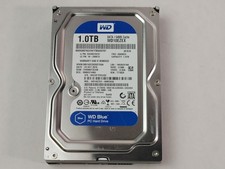
Western Digital WD Blue WD10EZEX 1 TB 3.5" SATA III Desktop Hard Drive
$23.99

Seagate Exos ST2000NX0253 HDD 2TB SATA 7.2K 2.5" 512b/s
$55.00

Dell ST6000NM0034 1HT27Z-150 NWCCG 6TB SAS 3.5 7.2K ENTERPRISE SERVER DRIVE
$68.99

Toshiba 14TB MG07 MG07ACA14TEY 7.2K RPM SATA 6Gb/s 512e 3.5" Enterprise HDD
$339.00

Seagate ST3000NM0005 HDD 3TB SATA 6Gb/s 7.2K 3.5" 512 b/s
$59.00

Western Digital 1TB 3.5" SATA III 7200RPM Desktop Hard Drive
$34.99

HUS726060ALA640 HGST Ultrastar 6TB SATA 6Gbps 7.2K 3.5" Hard Drive OF21860
$129.99