-
NEWBIE Screen Res Q
Hi all....first time I've tried KX and it looks cool!
problem 1: I've installed to hard drive but when it loads the max screen resolution is 1024, but in WindowsXP I can run 1280...can someone help me change this?
I understand from other posts it may be as simply as knoppix screen=1280x1024 but not sure how/where to change this and if it will retain the setting each time I reboot.
problem 2: How do I configure the reloading of my custom settings which I saved to my homedrive? configs.tbz / knoppix.sh
 thanks!
Similar Threads
-
By Silvar in forum General Support
Replies: 11
Last Post: 09-03-2006, 02:25 AM
-
By bsjawle in forum Hardware & Booting
Replies: 1
Last Post: 04-13-2005, 08:23 AM
-
By metavoid in forum General Support
Replies: 4
Last Post: 03-12-2005, 01:39 PM
-
By Guardian in forum General Support
Replies: 10
Last Post: 04-06-2004, 09:18 AM
-
By rogerrog in forum General Support
Replies: 1
Last Post: 02-28-2003, 07:33 PM
 Posting Permissions
- You may not post new threads
- You may not post replies
- You may not post attachments
- You may not edit your posts
-
Forum Rules


Intel Core i7-3770K 3.5 GHz Processor
$39.00
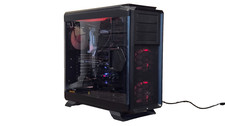
Corsair 760T, ASUS X99a-ii, i7-6800k, 16GB RAM, 1080GPU, 256GB SSD #21
$300.00
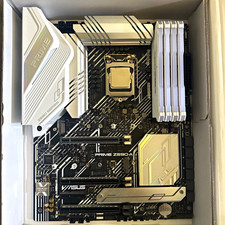
CPU-RAM-MOBO COMBO- 32gb DDR4 3600MHz, i5 CPU, Asus Prime Motherboard
$370.00

HP ProDesk 405 G8 Desktop AMD Ryzen 5 PRO 5650GE 16GB RAM 512GB SSD W11P
$319.99

Intel SRG17 Core i7-9700T Desktop Processor CPU
$74.99
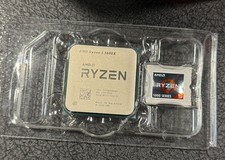
AMD Ryzen 5 5600X Desktop Processor (3.7GHz, 6 Cores, AM4 CPU) 100-100000065
$125.00

Intel Core i7-9700 Octa-Core 3 GHz Desktop Processor LGA 1151
$79.99

Intel i7-8700 Coffee Lake 3.2GHz 6-Core Max Turbo 4.6GHz Processor
$69.99
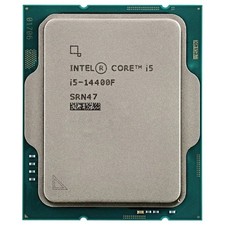
Intel Core i5-14400F Desktop Processor 10 cores LGA 1700 SRN47
$145.00

PS5 Over Heating Problem Solver 1.5 Grams Liquid metal thermal paste CPU, GPU
$15.99



 Reply With Quote